

Accessories Mod do Minecraft 1.20.1, 1.21.1
Rozszerzalny i oparty na danych mod akcesoriów dla Minecraft
 Fabric
 NeoForge
 Forge
ForgeO modzie Accessories
Accessories to mod akcesoriów oparty na danych dla NeoForge i Fabric, kładący nacisk na używanie wspólnego API dla obu platform, gdy tylko jest to możliwe.
Styl API tej biblioteki opiera się na pracach Curios i Trinkets, a uznanie należy się zarówno TheIllusiveC4, jak i emilyploszaj za ich pracę nad modami akcesoriów do Minecrafta.
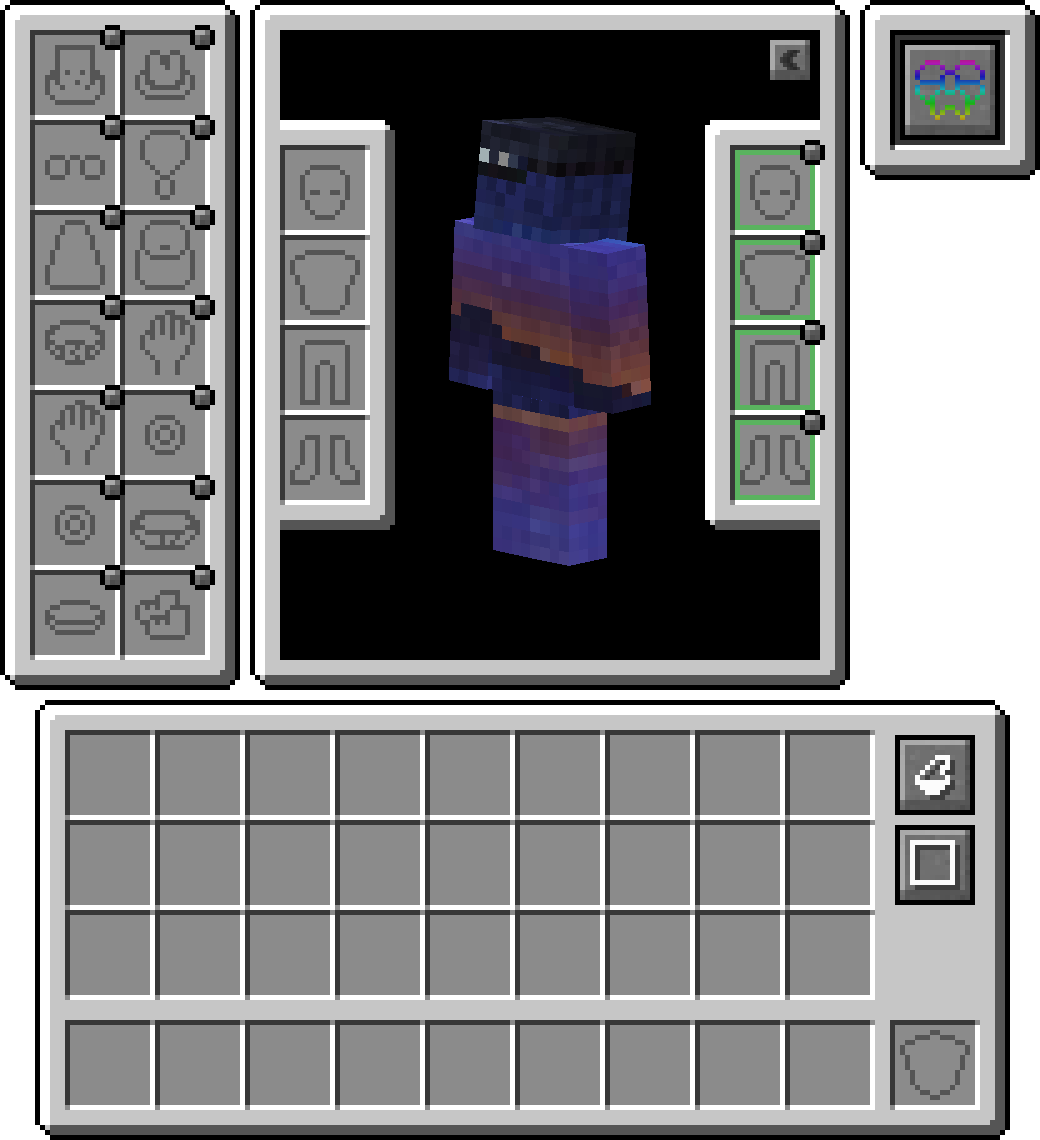
Funkcje
Warstwa zgodności
Ponieważ istniejące API, takie jak Trinket i Curios, są powszechnie używane, możesz zainstalować Warstwę zgodności Accessories, aby działały one pod Accessories, zapewniając spójne doświadczenie
API translacji modeli
Dla deweloperów dołączono właściwe API transformacji używane podczas renderowania natywnych akcesoriów, umożliwiające prawidłowe powiązanie z częściami modelu danego entity, co zapewnia właściwe wsparcie dla resourcepacków EMF, takich jak Fresh Animations, oraz planowane wsparcie dla innych modów renderujących, takich jak Figura.
Zarządzanie założonymi akcesoriami
Możliwość dostępu do innych oswojonych entity pozwala innym modom mieć przedmioty akcesoriów dla zwierzaków lub wierzchowców. W połączeniu z tym, że jest to przydatne dla właścicieli serwerów do zarządzania akcesoriami innych graczy w razie potrzeby, bez użycia bezpośrednich komend zarządzających. Wystarczy przytrzymać shift i użyć 'Accessories Open Screen' na dowolnym entity (jeśli jest posiadane, musisz być właścicielem), aby otworzyć ekran, lub uruchomić komendę /accessories edit <target>, jeśli masz uprawnienia OP.
Dodatki API
Oto kilka przykładów API zaimplementowanego w Accessories, które mogą pomóc ci w tworzeniu twojego moda:
- Pełne wsparcie dla akcesoriów opartych na NBT: Wiki
- Istniejące zdarzenia API dla neutralnych przedmiotów Piglinów, masek Endermana, modyfikacji Looting, modyfikacji Fortune i zdolności chodzenia po śniegu: Wiki
- Unikalne API slotów dla akcesoriów specyficznych dla modów: Wiki
Jak zainstalować Accessories
With Millida Launcher
Install Millida Launcher
The launcher is free: download it at millida.net/launcher and sign in with any nickname.
Click “Install” on this page
The launcher opens and installs the mod for Minecraft 1.20.1–1.21.1 on Fabric, Forge or NeoForge automatically.
Launch the game
A profile with it appears in the launcher: click “Play”.
Manually
Install Fabric, Forge or NeoForge
The loader must match the game version of the mod file, for example Minecraft 1.21.1. After installing it, a separate profile appears in your launcher.
Download the file for your version
In the version list above, pick the file accessories-fabric-1.1.0-beta.53+1.21.1.jar (1.0 MB) for your game version and loader.
Put it in the mods folder
The folder is inside .minecraft (Windows: %appdata%\.minecraft\mods). If it does not exist, create it.
Launch the loader profile
Open “Mods” in the main menu: Accessories should be in the list.
Minecraft 1.21.1 runs on Java 21: with a different Java version the game may close right after launch.
Wersje
Z zależnościami
| Minecraft | Loader | Plik | Data | Akcje |
|---|---|---|---|---|
| 1.21.1 | Fabric | [1.21.1] Accessories [Fabric] - 1.1.01 MB 14 | ||
| 1.21.1 | NeoForge | [1.21.1] Accessories [Neoforge] - 1.1.01 MB 19 | ||
| 1.20.1 | NeoForge, Forge | [1.20.1] Accessories [Neoforge] - 1.0.01 MB 39 | ||
| 1.20.1 | Fabric | Accessories Fabric 1.0.0 Alpha 27 for 1.20392 KB 13 | ||
| 1.20.1 | NeoForge | Accessories Neoforge 1.0.0 Alpha 27 for 1.20697 KB | ||
| 1.20.1 | NeoForge, Forge | Accessories Neoforge 1.0.0 Alpha 24 for 1.20696 KB |
FAQ
Which Minecraft versions does Accessories work on?
There are files for 1.21.1, 1.20.1. The newest is 1.21.1.
Is Accessories for Forge or Fabric?
There are files for Fabric: 1.20.1–1.21.1, for Forge: 1.20.1 and for NeoForge: 1.20.1–1.21.1.
Does Accessories need other mods?
The author lists no required dependencies: the Fabric, Forge or NeoForge loader is enough.
Which Java does Accessories need?
Minecraft 1.21.1 runs on Java 21. If the game closes right after launch, the usual cause is the wrong Java version in the profile settings.
Where can I download Accessories safely?
On this page: the file accessories-fabric-1.1.0-beta.53+1.21.1.jar (1.0 MB) is stored on Millida’s server, with no link shorteners. SHA-1 checksum: fa0b11de088893bb14aff945d0e8efdee165457b.
Opinie
Oceń Accessories jako pierwszy


