
Minecraft 1.20.1용 Vividity 리소스 팩
THX가 만든 컨트리 판타지 리소스 팩. 마인크래프트 마켓플레이스에서도 이용 가능합니다!
Vividity Resource Pack
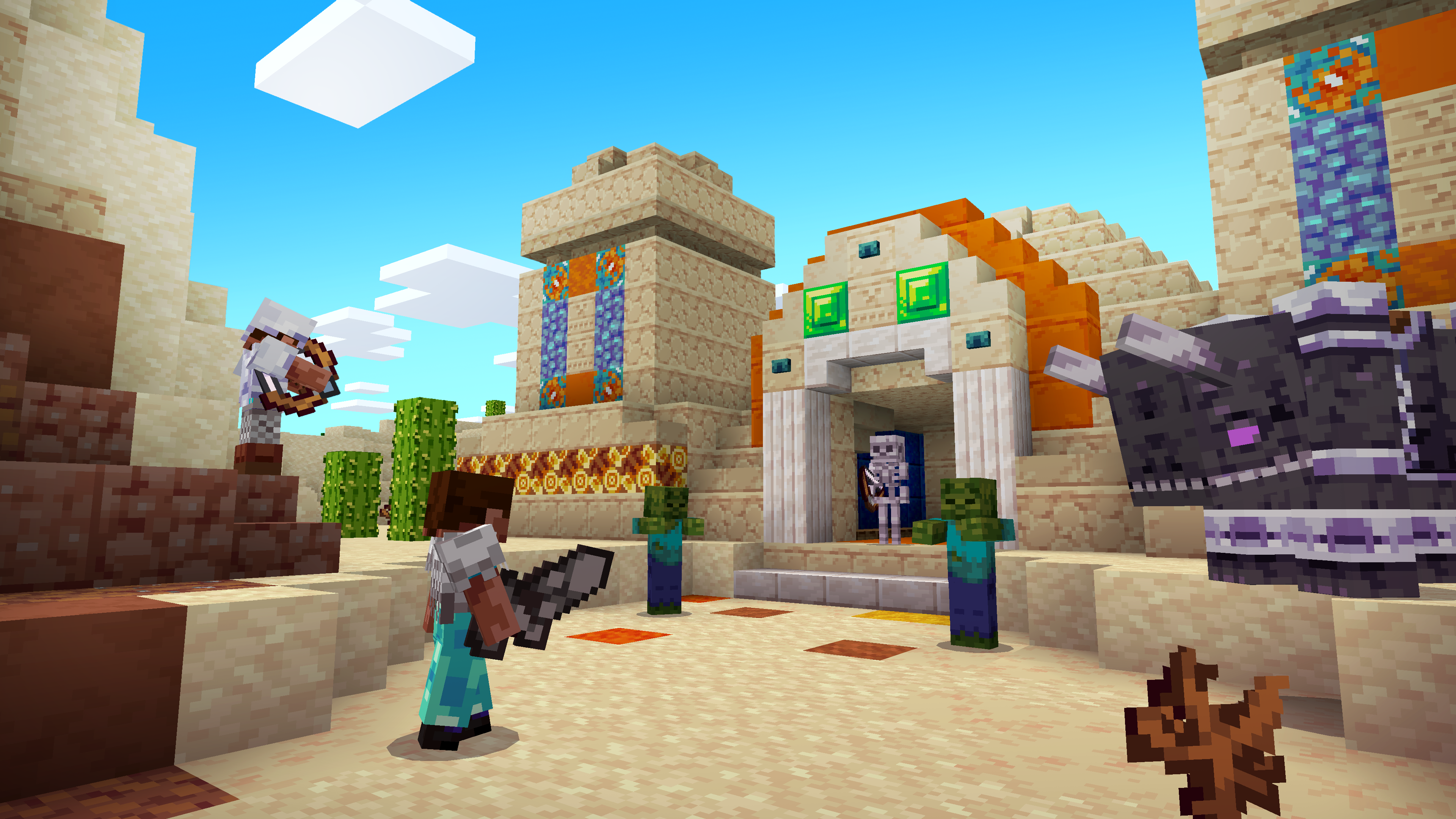
Bring a bright new level of vibrancy to your Minecraft adventures with the Vividity texture pack! With gentle, soft-focused details that give your textures a near-magical touch, your worlds will feel start to feel extraordinary. Fantastically bold weaponry and vibrant crops will make you feel like you're taking on a whole new fantasy world! Bold and vibrant with soft-focused details that'll give your Minecraft world a near-magical touch, the Vividity pack is like walking into your own fantasy realm! With an emphasis on crisp lines and bold colours, the Vividity resource pack brings a feeling of adventure to your survival world.
Vividity artist THX was inspired by rustic fantasy games with a bold, vivid colour palette. Bringing the feel of an action-adventure RPG to your Minecraft experience, you're about to feel like a true adventurer. Face terrifyingly stylised enemies with bold and chunky weaponry or build a cosy home with verdant crops and cuddly mobs! Your game will feel brighter, warmer, and more alive than ever.
Vividity 설치 방법
With Millida Launcher
Install Millida Launcher
The launcher is free: download it at millida.net/launcher and sign in with any nickname.
Click “Install” on this page
The launcher opens and installs the resource pack for Minecraft 1.20.1 automatically.
Launch the game
A profile with it appears in the launcher: click “Play”.
Manually
Download the archive
Pick the file Vividity (1.20.X) v1.6.0.zip (6.2 MB) for your game version. No need to unpack it.
Put it in the resourcepacks folder
The easiest way: “Options”, then “Resource Packs”, then “Open Pack Folder”, and drag the archive there.
Enable the pack
In the same window, move the pack to the right-hand “Selected” column and click “Done”.
버전
의존성 포함
| Minecraft | 로더 | 파일 | 날짜 | 작업 |
|---|---|---|---|---|
| 1.20.1 | — | Vividity (1.20.X) v1.6.0.zip6.2 MB |
FAQ
Which Minecraft versions does Vividity work on?
Only Minecraft 1.20.1: there are no files for other versions.
Where can I download Vividity safely?
On this page: the file Vividity (1.20.X) v1.6.0.zip (6.2 MB) is stored on Millida’s server, with no link shorteners. SHA-1 checksum: 425bc2572321f709858abf3850139314b0d155a7.
리뷰
Vividity의 첫 평가를 남겨 보세요



