
Minecraft 26.50용 Tiny Takeback 리소스 팩
Tiny Takeover 게임 드롭의 새로운 아기 몹들에게 클래식 눈을 되돌려 주세요!
Tiny Takeback 리소스 팩 정보
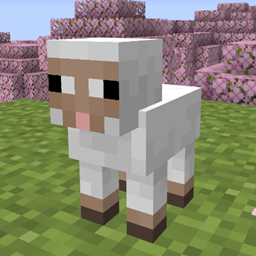
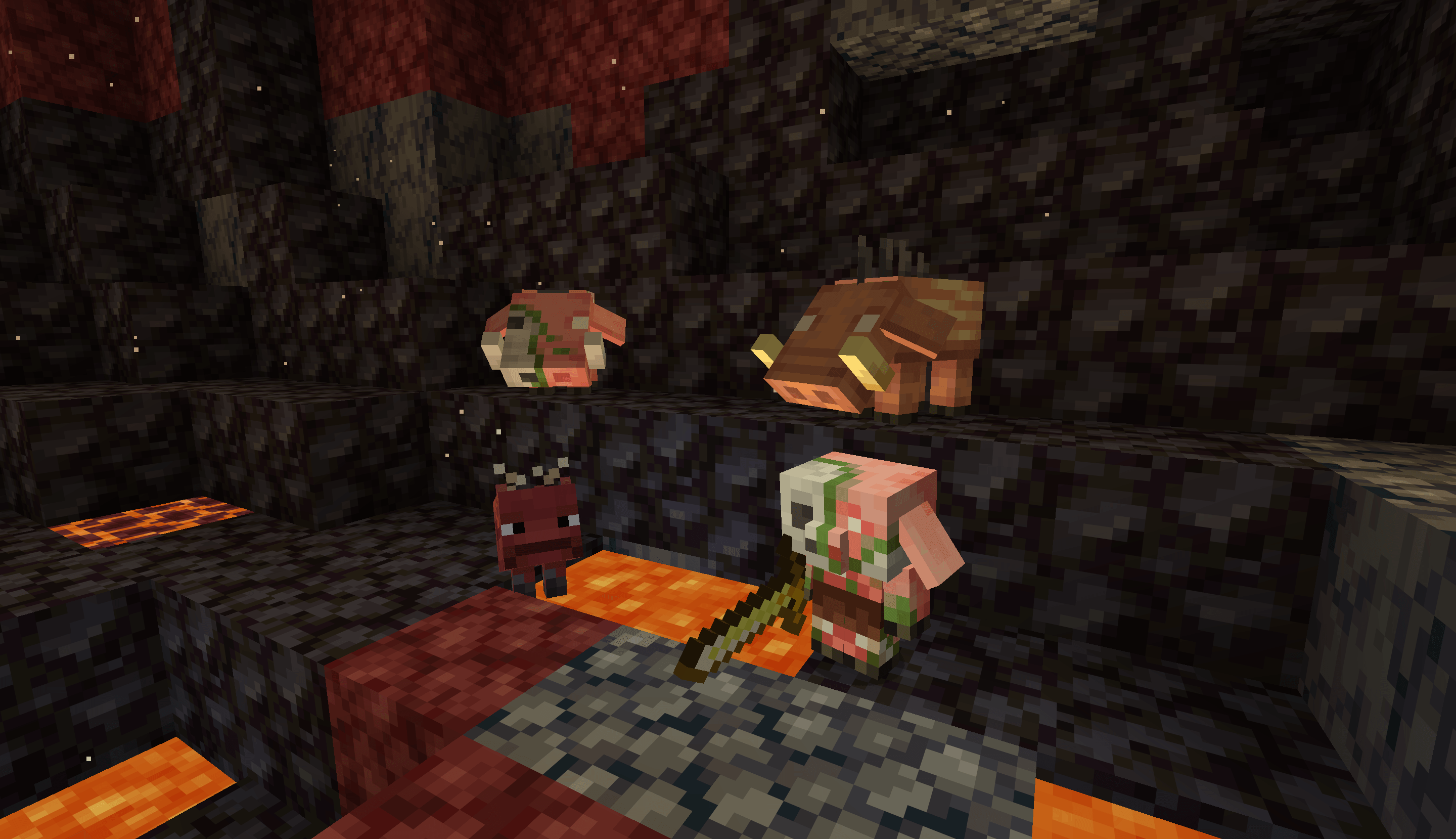
In Tiny Takeover game drop, Mojang has redesigned almost all baby mobs, and many of their eyes are now in 1 pixel now. With these new models unchanged, this pack brings back the classic 2-pixel eyes for many baby mobs, and even make more changes to ensure them look familiar!
Features
- Piglet
- Including temperate, warm, and cold variants
- Calf
- Including temperate, warm, and cold variants
- Mooshroom Calf
- Their eyes keep unchanged, as 2x2px entirely dark eyes look weird
- Lamb
- Their face is changed to look more familiar to adult sheeps
- Baby Donkey & Mule
- Baby Zombie horse & Skeleton horse
- Changed their eyes' position by 1px to match foals
- Wolf pup
- Wild/angry/tamed, in all variants
- Angry pups have red iris, instead of entirely red eyes
- Baby Polar Bear
- Now they have eyebrows
- Kitten
- Siamese cats are made lighter to reflect their baby look in real life
- Baby Ocelot
- Baby Fox
- Baby Llama
- Their eyes are now in a more reasonable position
- Baby Strider
- Their design is made more similar to adult striders
- Baby Zombified Piglin
- Their eyes are now in a more reasonable position
- Baby Hoglin & Zoglin
- Their eyes are now in a more reasonable position
Full Experience only
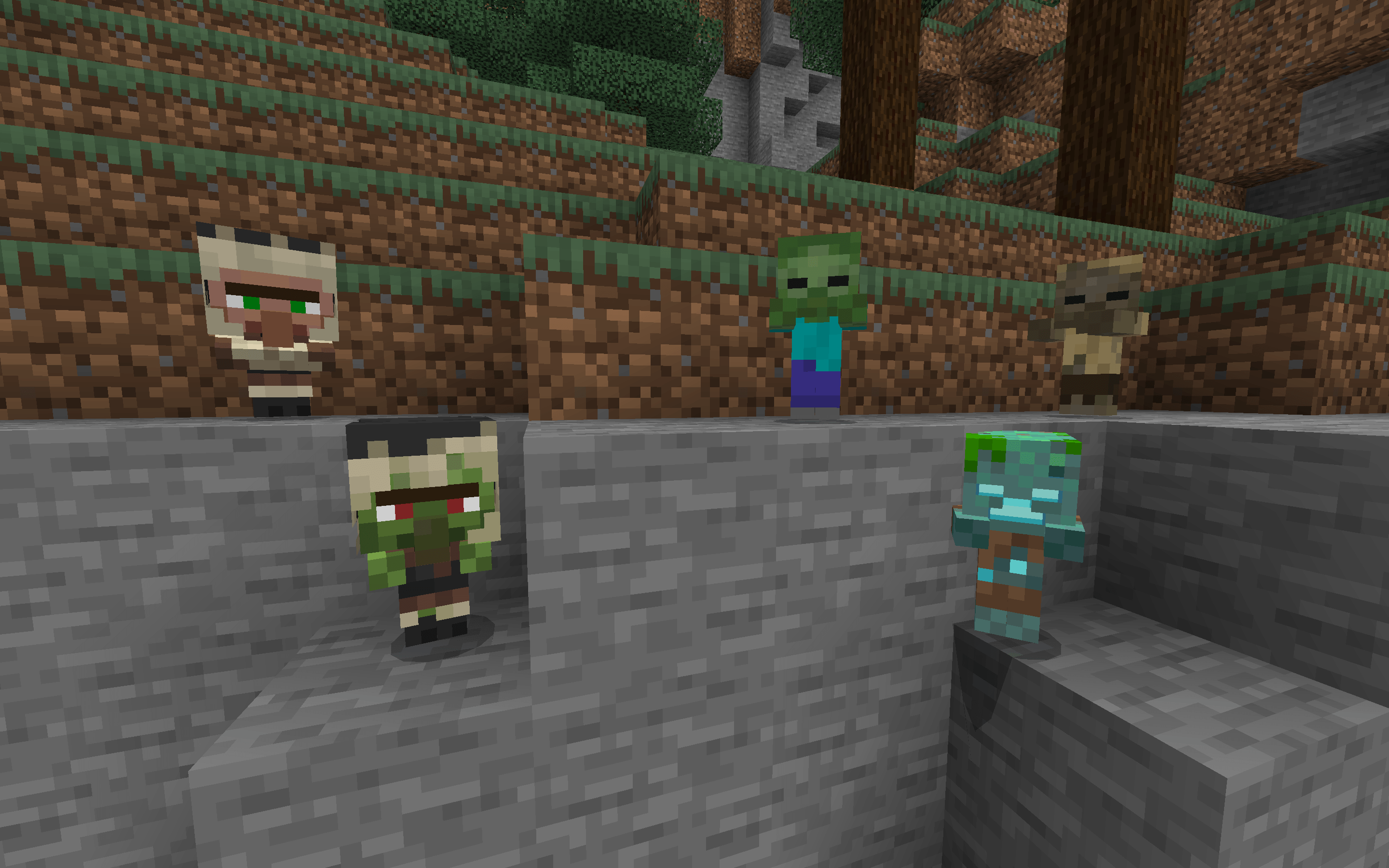
- Baby Villagers/Zombie Villagers
- Their nose is extended 1 pixel down
- Baby Zombies, Baby Husks, and Gurgles
- Now they have their classic head, while their geometry size remains the same
- The "Full Experience" built-in subpack is enabled by default, and can be disabled in the Resource Pack Setting screen of this pack.
- If you switch to the Vanilla Experience subpack, these mobs' models will keep unchanged as vanilla.
Installation Instructions
- Directly download the .mcpack file from this page.
- Open the downloaded file, and your Minecraft will import it automatically.
- Before you import a newer version of this pack, it's recommended to delete the old one first.
Tiny Takeback 설치 방법
With Millida Launcher
Install Millida Launcher
The launcher is free: download it at millida.net/launcher and sign in with any nickname.
Click “Install” on this page
The launcher opens and installs the resource pack for Minecraft 26.10–26.50 automatically.
Launch the game
A profile with it appears in the launcher: click “Play”.
Manually
Download the archive
Pick the file TinyTakeback-v1.2.mcpack (240 KB) for your game version. No need to unpack it.
Put it in the resourcepacks folder
The easiest way: “Options”, then “Resource Packs”, then “Open Pack Folder”, and drag the archive there.
Enable the pack
In the same window, move the pack to the right-hand “Selected” column and click “Done”.
버전
의존성 포함
| Minecraft | 로더 | 파일 | 날짜 | 작업 |
|---|---|---|---|---|
| 26.10 | — | Tiny Takeback v1.2240 KB |
FAQ
Which Minecraft versions does Tiny Takeback work on?
There are files for 26.10–26.50, 8 versions in total. The newest is 26.50.
Where can I download Tiny Takeback safely?
On this page: the file TinyTakeback-v1.2.mcpack (240 KB) is stored on Millida’s server, with no link shorteners. SHA-1 checksum: 44e87f2c87466f764ff249b8413d7f71b7c554c0.
리뷰
Tiny Takeback의 첫 평가를 남겨 보세요



