
Minecraft 26.30용 Sukuna Visual Theme 리소스 팩
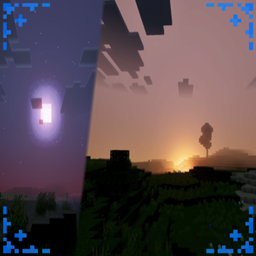
Sukuna Visual Theme는 영화 같은 일몰 조명, 분위기 있는 안개, 생동감 넘치는 하늘 색상으로 당신의 세계를 더욱 역동적으로 만들어 Minecraft 풍경에 생명을 불어넣습니다.
ANIMA DISCORD
Sukuna Visual Theme makes your world feel more dynamic and cinematic. Warm sunset lighting, soft atmospheric haze, and vibrant sky colors create a dramatic horizon that brings your Minecraft landscape to life. Deep shadows across the terrain and smooth lighting transitions enhance every moment, turning a simple sunset into a breathtaking visual experience. 🔥
Featuring PBR, realistic colors, and realistic shadows, it makes your world fire with epicness.
(You can see all the features of this addon/shader in the photo below)

Sukuna Visual Theme 설치 방법
With Millida Launcher
Install Millida Launcher
The launcher is free: download it at millida.net/launcher and sign in with any nickname.
Click “Install” on this page
The launcher opens and installs the resource pack for Minecraft 26.20–26.30 automatically.
Launch the game
A profile with it appears in the launcher: click “Play”.
Manually
Download the archive
Pick the file sukuna visual theme 1.5.mcpack (223 KB) for your game version. No need to unpack it.
Put it in the resourcepacks folder
The easiest way: “Options”, then “Resource Packs”, then “Open Pack Folder”, and drag the archive there.
Enable the pack
In the same window, move the pack to the right-hand “Selected” column and click “Done”.
버전
의존성 포함
| Minecraft | 로더 | 파일 | 날짜 | 작업 |
|---|---|---|---|---|
| 26.20 | — | sukuna visual theme 1.5223 KB 1 |
FAQ
Which Minecraft versions does Sukuna Visual Theme work on?
There are files for 26.30, 26.20. The newest is 26.30.
Where can I download Sukuna Visual Theme safely?
On this page: the file sukuna visual theme 1.5.mcpack (223 KB) is stored on Millida’s server, with no link shorteners. SHA-1 checksum: 3d7a653936fd8c71b433b532ea24dc748c0c0fd3.
리뷰
Sukuna Visual Theme의 첫 평가를 남겨 보세요



