
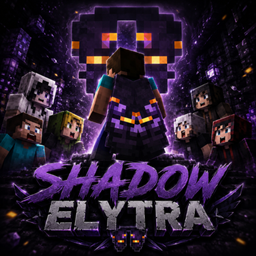
Minecraft 26.50용 Shadow Elytra 리소스 팩
Shadow Elytra는 Minecraft에 어둡고 신비로운 날개 디자인을 추가하여 캐릭터에게 서사적인 그림자 기반의 모습을 선사합니다. 🪽
Shadow Elytra 리소스 팩 정보
Shadow Elytra is a dark and mysterious Minecraft resource pack that gives your elytra a powerful shadow-style design. With deep purple tones, glowing details, and an epic fantasy vibe, this elytra makes every flight feel more dramatic and unique.
Equip the wings, rise from the shadows, and glide through your Minecraft world with a legendary look. 🪽


Shadow Elytra 설치 방법
With Millida Launcher
Install Millida Launcher
The launcher is free: download it at millida.net/launcher and sign in with any nickname.
Click “Install” on this page
The launcher opens and installs the resource pack for Minecraft 1.21.94–26.50 automatically.
Launch the game
A profile with it appears in the launcher: click “Play”.
Manually
Download the archive
Pick the file Mojang_Office_Elytra_Shadow_Skin(1).mcaddon (8 KB) for your game version. No need to unpack it.
Put it in the resourcepacks folder
The easiest way: “Options”, then “Resource Packs”, then “Open Pack Folder”, and drag the archive there.
Enable the pack
In the same window, move the pack to the right-hand “Selected” column and click “Done”.
버전
의존성 포함
| Minecraft | 로더 | 파일 | 날짜 | 작업 |
|---|---|---|---|---|
| 1.21.101 | — | Mojang_Office_Elytra_Shadow_Skin(1).mcaddon7.9 KB |
FAQ
Which Minecraft versions does Shadow Elytra work on?
There are files for 1.21.94–26.50, 24 versions in total. The newest is 26.50.
Where can I download Shadow Elytra safely?
On this page: the file Mojang_Office_Elytra_Shadow_Skin(1).mcaddon (8 KB) is stored on Millida’s server, with no link shorteners. SHA-1 checksum: c71a01ccec6101f2e0ecb719c62918a5336a2ab8.
리뷰
Shadow Elytra의 첫 평가를 남겨 보세요



