
Minecraft 26.40용 Saturation 리소스 팩
이 팩은 Minecraft 텍스처의 채도를 높여 원래의 시각적 스타일을 그대로 유지하면서 세계에 더 풍부한 색감과 더 생생하고 활기찬 모습을 선사합니다.
Saturation
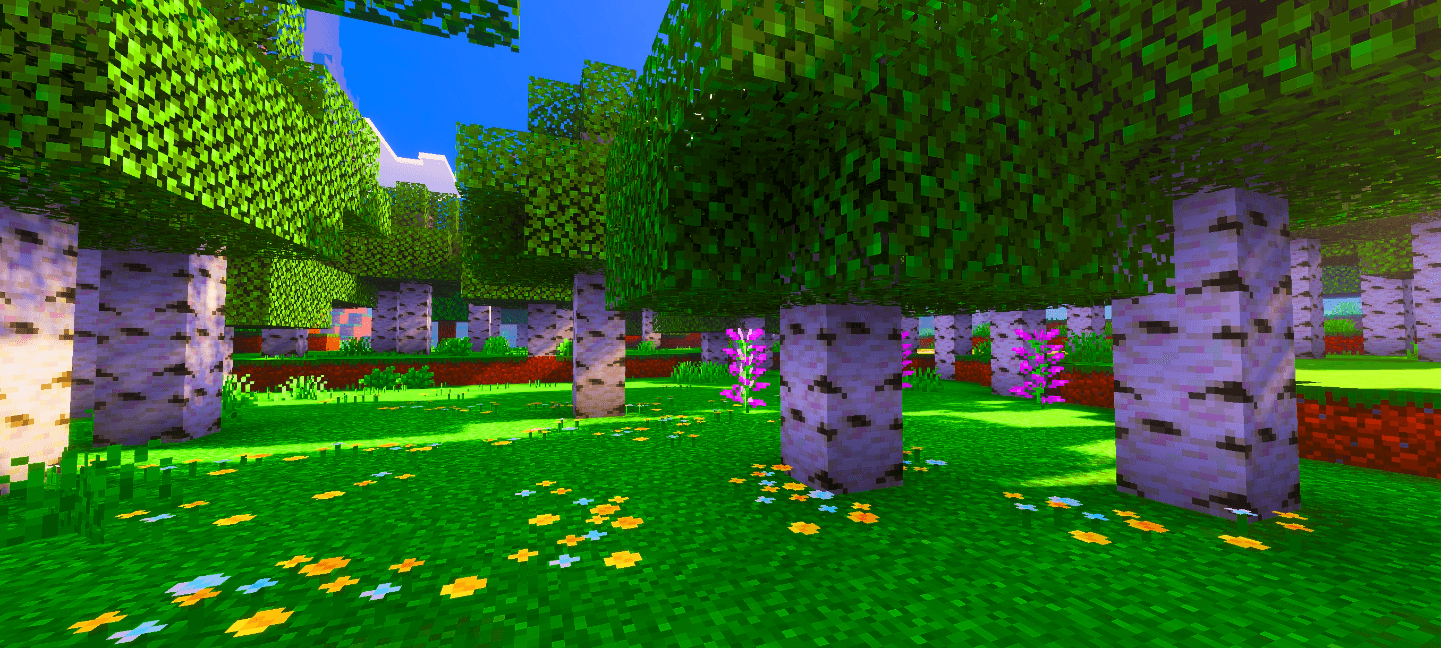
This pack boosts the saturation of Minecraft’s textures, making the world look more vibrant, colorful, and lively. It enhances blocks, items, and environments with richer tones while keeping the original style intact.
The saturation in the preview images was increased externally to make them look better. In-game textures will not appear that strong.
I will also release additional versions soon with different saturation levels, allowing you to choose how much saturation you prefer. This feature is still in development, so it may take some time, but updates will continue. If you have any feedback or want to report something, the comments section is open for you.

Saturation 설치 방법
With Millida Launcher
Install Millida Launcher
The launcher is free: download it at millida.net/launcher and sign in with any nickname.
Click “Install” on this page
The launcher opens and installs the resource pack for Minecraft 26.40 automatically.
Launch the game
A profile with it appears in the launcher: click “Play”.
Manually
Download the archive
Pick the file Saturation.mcpack (13 MB) for your game version. No need to unpack it.
Put it in the resourcepacks folder
The easiest way: “Options”, then “Resource Packs”, then “Open Pack Folder”, and drag the archive there.
Enable the pack
In the same window, move the pack to the right-hand “Selected” column and click “Done”.
버전
의존성 포함
| Minecraft | 로더 | 파일 | 날짜 | 작업 |
|---|---|---|---|---|
| 26.40 | — | Saturation.mcpack13.2 MB 3 |
리뷰
Saturation의 첫 평가를 남겨 보세요



