

Minecraft 26.50용 Sans Visual Shade 리소스 팩
Sans Visual Shade는 Undertale 팬을 위한 셰이더지만 Sans 전용입니다. 이 셰이더는 비주얼을 향상시켜 줍니다. PBR, ACE 톤 매핑, 화이트 밸런스 온도, 복잡한 미드톤을 갖추고 있습니다.
Sans Visual Shade 리소스 팩 정보
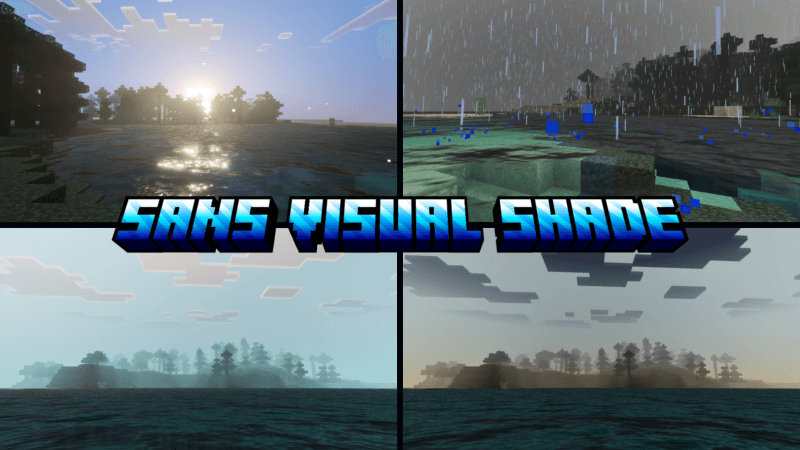
Sans Visual Shade is dedicated to the character Sans from the Undertale game, where the visual aspect will naturally change into a Sans theme.
This shader will enhance your visuals. It is equipped with PBR, ACE tone mapping, white balance temperature, and complex midtones. This shader is not dark like other shaders; everything is balanced like in real life.
(All photos can be checked in the media or below)

Sans Visual Shade 설치 방법
With Millida Launcher
Install Millida Launcher
The launcher is free: download it at millida.net/launcher and sign in with any nickname.
Click “Install” on this page
The launcher opens and installs the resource pack for Minecraft 26.40–26.50 automatically.
Launch the game
A profile with it appears in the launcher: click “Play”.
Manually
Download the archive
Pick the file Sans Visual Shade 1.9.mcpack (292 KB) for your game version. No need to unpack it.
Put it in the resourcepacks folder
The easiest way: “Options”, then “Resource Packs”, then “Open Pack Folder”, and drag the archive there.
Enable the pack
In the same window, move the pack to the right-hand “Selected” column and click “Done”.
버전
의존성 포함
| Minecraft | 로더 | 파일 | 날짜 | 작업 |
|---|---|---|---|---|
| 26.40 | — | Sans Visual Shade 1.9292 KB |
FAQ
Which Minecraft versions does Sans Visual Shade work on?
There are files for 26.50, 26.40. The newest is 26.50.
Where can I download Sans Visual Shade safely?
On this page: the file Sans Visual Shade 1.9.mcpack (292 KB) is stored on Millida’s server, with no link shorteners. SHA-1 checksum: 3f66e008ffb4f87fdaadbdb3e2b64a41465ee957.
리뷰
Sans Visual Shade의 첫 평가를 남겨 보세요


