

RX FPS Booster
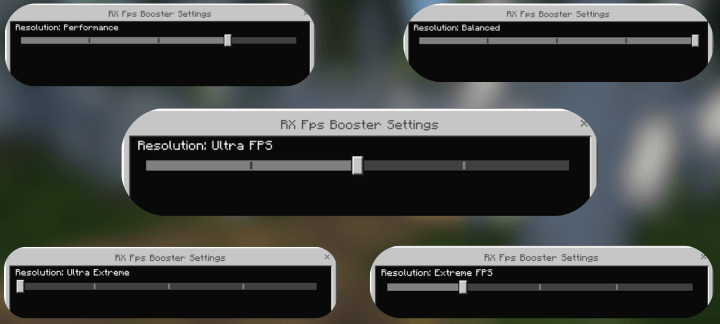
### RX FPS Booster is a performance-focused resource pack designed to make Minecraft Bedrock run more smoothly by reducing particles, animations and unnecessary visual effects. Choose between five different optimization profiles:
### Balanced - Improves performance while keeping most visual effects.
### Performance - Reduces demanding effects for a smoother experience.
### Ultra FPS - Prioritizes frame rate over visual quality.
### Extreme FPS - Removes most unnecessary particles and effects.
### Ultra Extreme - Maximum optimization for low-end devices, large worlds and demanding situations.Each profile lets you decide how much visual quality you want to sacrifice in exchange for better performance. You can switch profiles whenever you need without installing separate packs.
Adaptative Profiles
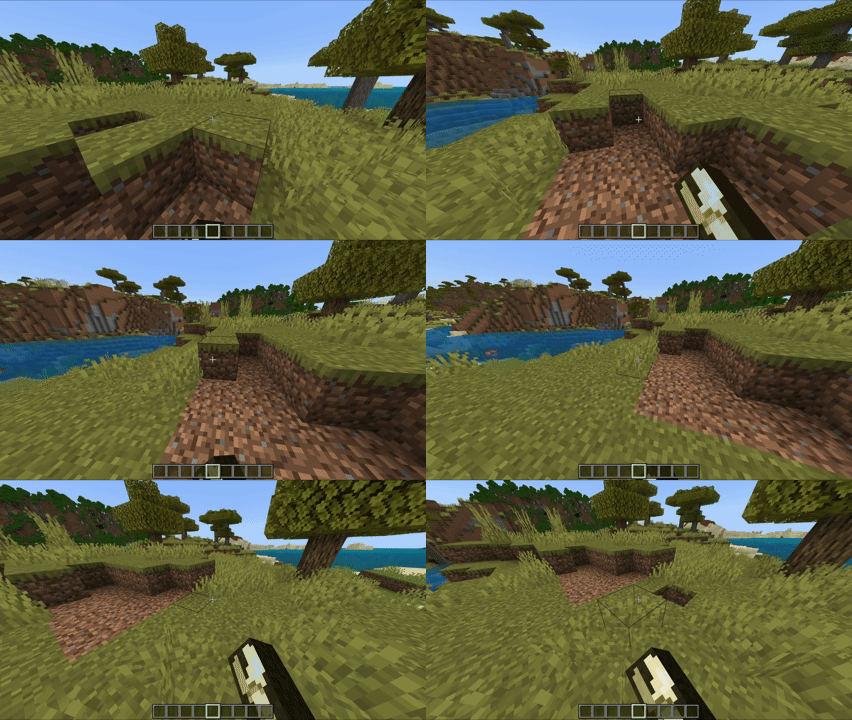
Ultra Extreme Profile NO PARTICLES
🌟 Support Our Creative Journey!
Help us continue delivering exceptional content! Every contribution fuels development, enhances resources, and drives innovation. If our work enriches your Minecraft experience, consider supporting our growth. Your generosity means everything! 💖 [Donate Now]
🌐 Exclusive Early Access
Discover all our addons and be the first to experience new updates on our official website! Latest versions debut here before anywhere else. [Visit Official Website]
❄️🦊 Join Iced Fox Studios! 🦊❄️
Unlock Minecraft's full potential with our hub for mods, tools, and exclusive rewards:
Feature Highlights
🎁 Daily Rewards Free skins, textures, and loot + seasonal event cosmetics.
🛠️ Pro Tools World editors, texture creators, auto-updaters (beginner to expert).
🕹️ Minigames Play to support us + earn redeemable points.
🌐 Community Forums, Discord, achievement tracking & collaborative projects.
RX Fps Booster 설치 방법
With Millida Launcher
Install Millida Launcher
The launcher is free: download it at millida.net/launcher and sign in with any nickname.
Click “Install” on this page
The launcher opens and installs the resource pack for Minecraft 1.21.40–26.30 automatically.
Launch the game
A profile with it appears in the launcher: click “Play”.
Manually
Download the archive
Pick the file RX_Fps_Booster_v1.0.11_25_Languages.mcpack (483 KB) for your game version. No need to unpack it.
Put it in the resourcepacks folder
The easiest way: “Options”, then “Resource Packs”, then “Open Pack Folder”, and drag the archive there.
Enable the pack
In the same window, move the pack to the right-hand “Selected” column and click “Done”.
버전
의존성 포함
| Minecraft | 로더 | 파일 | 날짜 | 작업 |
|---|---|---|---|---|
| 1.21.50 | — | DOWNLOAD V1.0.11483 KB 3 |
리뷰
RX Fps Booster의 첫 평가를 남겨 보세요


