

Recognizable Textures 리소스 팩 정보
Tired of missing important details in the heat of battle or walking right past valuable resources in dark caves? Recognizable Textures optimizes the most important visual elements of your Minecraft world to give you complete control over your gameplay-without ruining the classic look.
Whether you’re digging deep into the mines for diamonds, keeping an eye on your effects, or diving into thrilling PvP battles: This pack gives you the decisive visual edge while preserving the beloved vanilla charm!
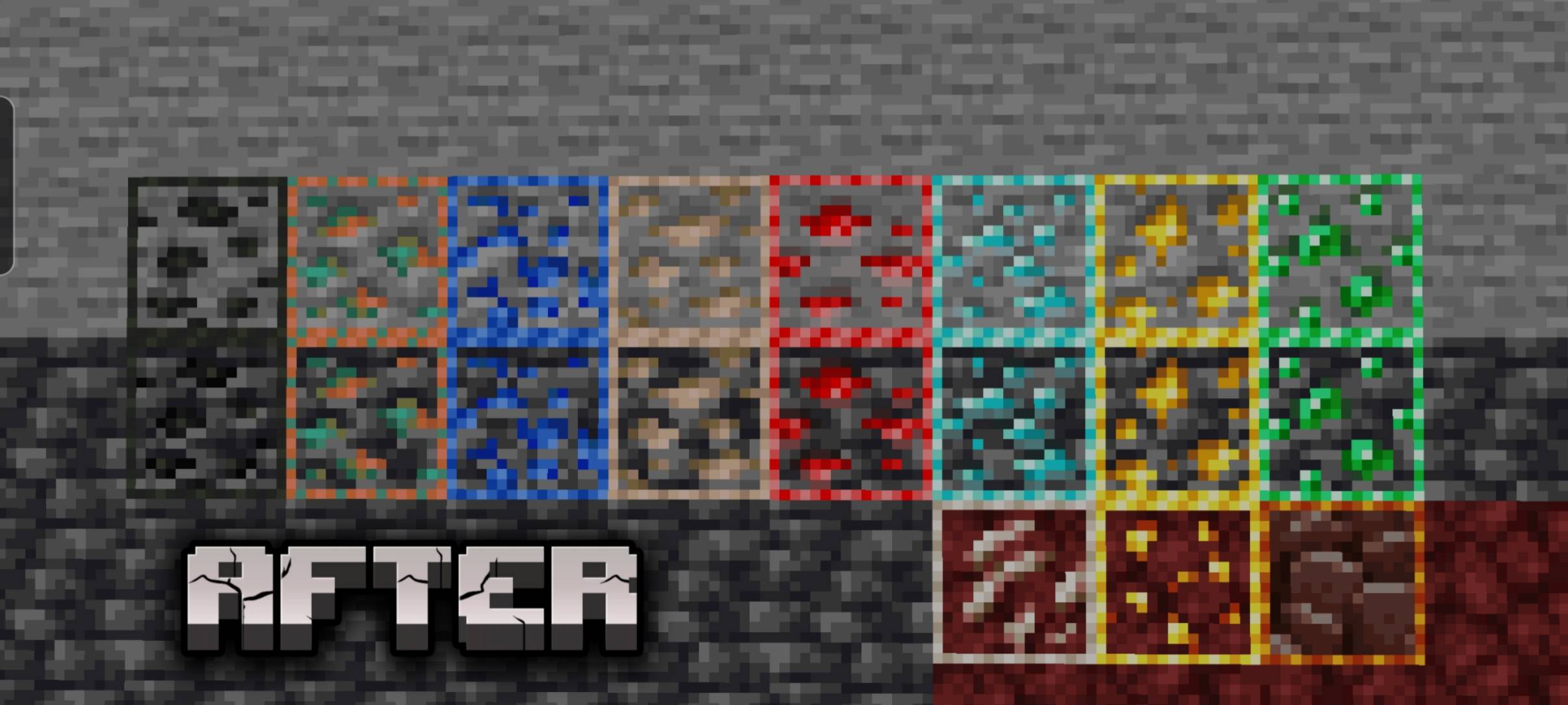
🖌️ Customize the resource pack to suit your personal playstyle by clicking the gear icon when you activate the resource pack and choosing from the following categories:
⬜ Minimal - Play with ore outlines only (always active)
🟧 Redstone Utility - Play with Redstone indicators
🟨 PvP/Combat - Get effect borders, potion indicators, and an improved mining UI
🟩 Pure Gameplay - Get Redstone indicators, potion indicators, and effect indicators
🟦 Full Experience - Play with all Recognizable Textures
🖼️ Clear Vision, Better Reaction Time
Put an end to visual chaos and get the most out of your gameplay:
✨ Distinct Ore Outlines: Find diamonds, gold, and ancient scrap in the blink of an eye. The clear outlines make ores stand out immediately, even in the darkest caves.
🏹 Precise Interface: Optimized arrows and clearer UI indicators ensure you can grasp your menus, navigation, and stats in a flash.
🔌 Smart Redstone Indicators: Build faster and smarter! Enjoy distinct side and back indicators for Pistons, Sticky Pistons, Observers, Daylight Sensors, Repeaters, and Comparators-no more guessing block orientations in tight circuits.
⛏️ Improved mining animation: The revamped destruction animation shows you the progress of mining blocks much more clearly, without blocking your view of your surroundings.
🔍 Technical Highlights & Features
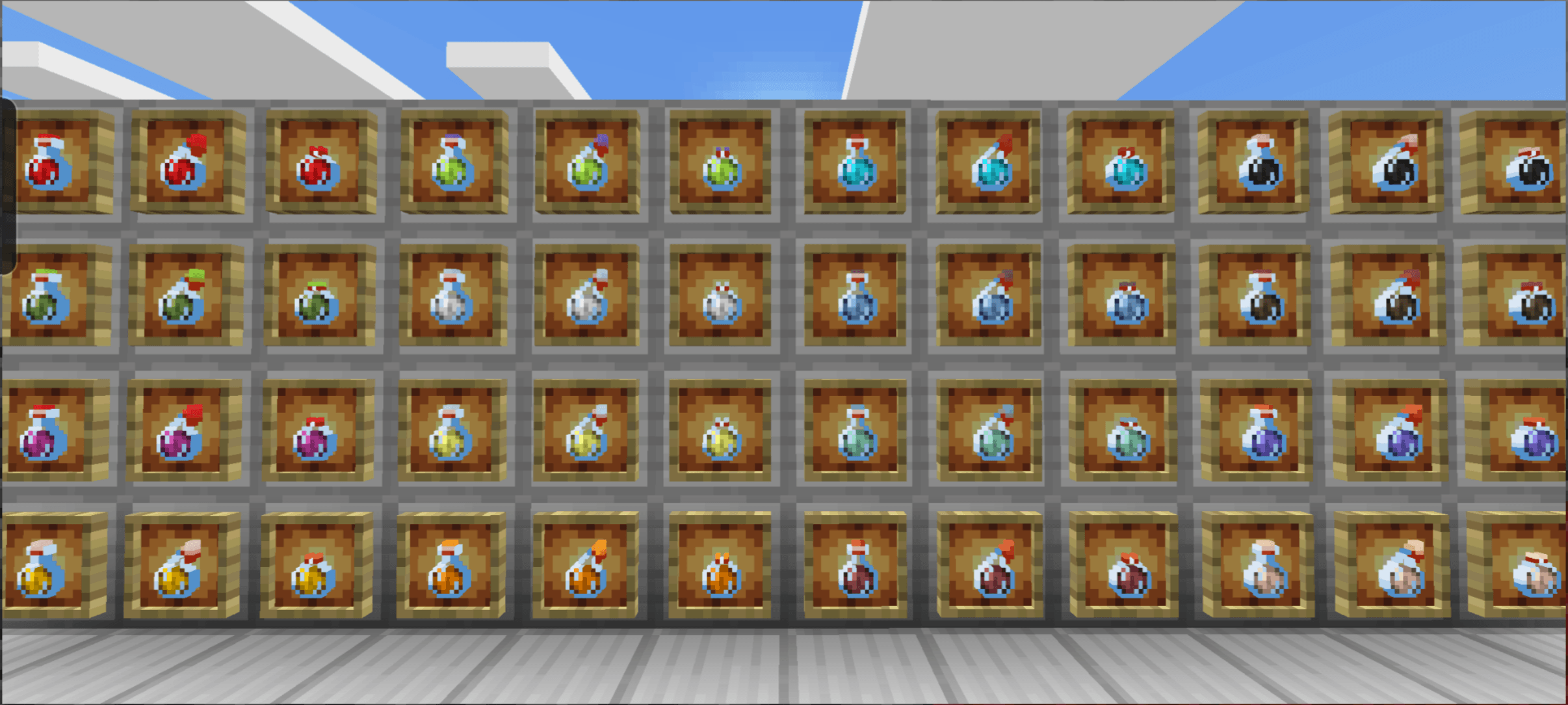
🧪 Visible Effect Borders: Keep a perfect eye on your active potion and status effects thanks to optimized visual borders.
💀 Tactical Edge: In PvP or Hardcore Survival mode, every second counts. With this enhanced overview, you’ll spot dangers and resources faster than ever before.
⚡ Performance-Friendly: No heavy mods required! This resource pack is extremely lightweight, runs absolutely smoothly on all Bedrock platforms (console, mobile, PC), and preserves your FPS.
Recognizable Textures 설치 방법
With Millida Launcher
Install Millida Launcher
The launcher is free: download it at millida.net/launcher and sign in with any nickname.
Click “Install” on this page
The launcher opens and installs the resource pack for Minecraft 1.20–26.30 automatically.
Launch the game
A profile with it appears in the launcher: click “Play”.
Manually
Download the archive
Pick the file recognizable-textures-1.7.5.mcpack (5.0 MB) for your game version. No need to unpack it.
Put it in the resourcepacks folder
The easiest way: “Options”, then “Resource Packs”, then “Open Pack Folder”, and drag the archive there.
Enable the pack
In the same window, move the pack to the right-hand “Selected” column and click “Done”.
버전
의존성 포함
| Minecraft | 로더 | 파일 | 날짜 | 작업 |
|---|---|---|---|---|
| 1.20.40 | — | Recognizable Textures 1.7.55 MB |
FAQ
Which Minecraft versions does Recognizable Textures work on?
There are files for 26.30, 26.20, 1.20.50, 1.20.40, 1.20.1, 1.20. The newest is 26.30.
Where can I download Recognizable Textures safely?
On this page: the file recognizable-textures-1.7.5.mcpack (5.0 MB) is stored on Millida’s server, with no link shorteners. SHA-1 checksum: 17618b320b84ce9bf67fa97eb4c305823915991f.
리뷰
Recognizable Textures의 첫 평가를 남겨 보세요


