

Minecraft 1.20.1, 1.21.1용 Realistic Chests 리소스 팩
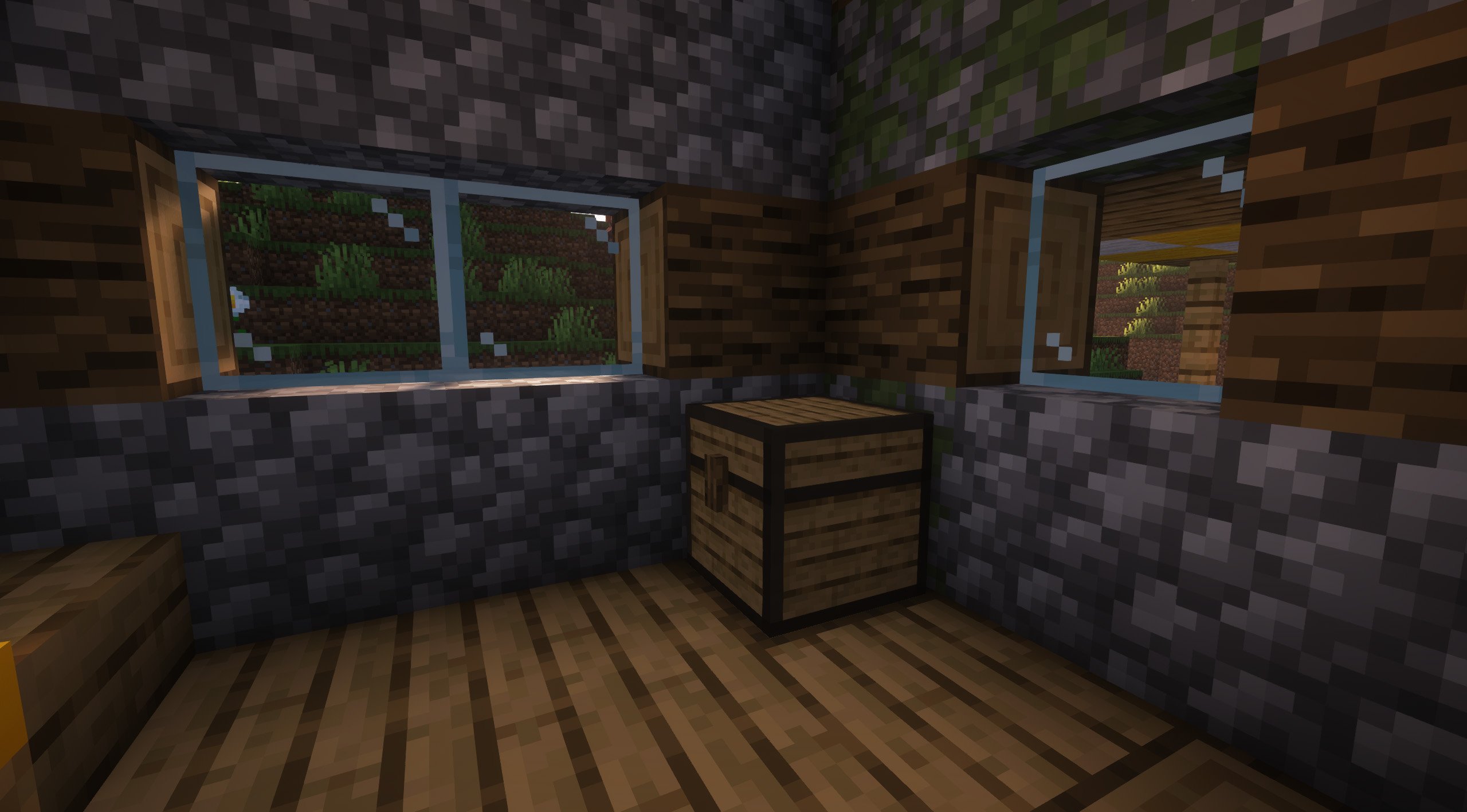
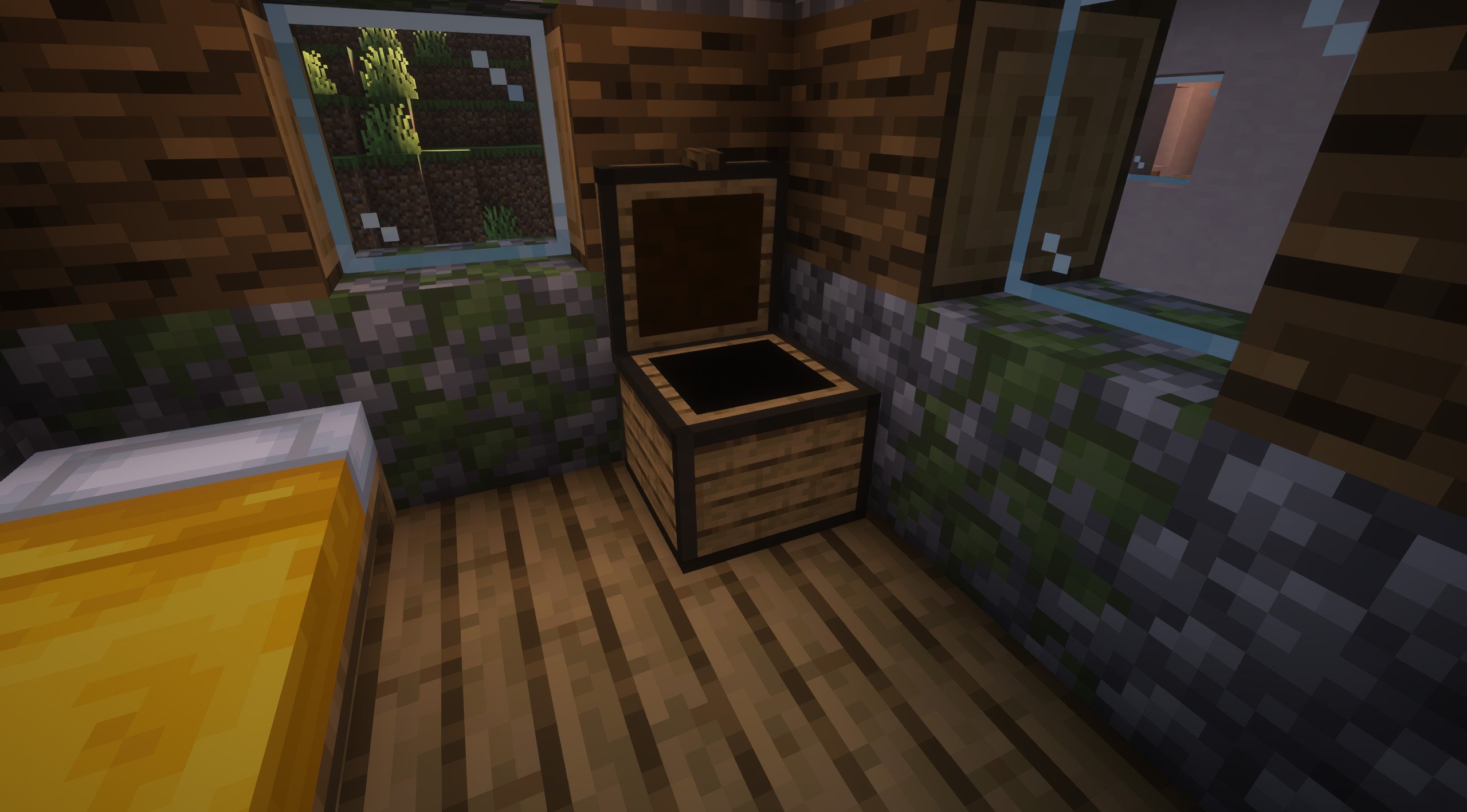
바닐라 상자의 지루한 외형은 잊으세요. 이제 더 사실적인 텍스처를 갖게 됩니다!
- 다운로드
- 15 다운로드
- 조회수
- 129 조회수
- 업데이트됨
- 업데이트됨 04.09.2026
- 1.16 — 26.2
 바닐라 게임
- 클라이언트
Realistic Chests 리소스 팩 정보
More than ten years have passed, and the appearance of the chests is still the same... We think it's time for a change.
Now, with these textures, you can enjoy a much more realistic and fun look for the chests, we hope you like them!
The designer of these textures and models is AviArt.

Do you need a server to play with your friends?
For exceptional server hosting services, look no further than BisectHosting. Of course, you can install all the mods or modpacks you want, and their support team is always available to help you.
With the code "Lupin" you will get a 25% discount! Click here!
Over a decade has passed, and Minecraft chests still look the same... It's time for a refresh! With our texture pack, chests get a vibrant, realistic, and fun makeover. Elevate your gameplay with stunning new designs that bring style and immersion to every storage moment. Try it now and enjoy the change!

Does it work on servers?
### Sure! Remember that the best way to play with mods and friends is with BisectHosting, and by clicking on this link you can get a 25% discount.
Can this resourcepack be used in modpacks?
### Of course! As long as it is published only on Modrinth or CurseForge. Uploading it to any other platform would be violating our rights and is not allowed at all.
However, we are really grateful if you consider adding it to your Modrinth or CurseForge modpack. If you need any small changes or have any questions, contact us!
Realistic Chests 설치 방법
With Millida Launcher
Install Millida Launcher
The launcher is free: download it at millida.net/launcher and sign in with any nickname.
Click “Install” on this page
The launcher opens and installs the resource pack for Minecraft 1.16–26.2 automatically.
Launch the game
A profile with it appears in the launcher: click “Play”.
Manually
Download the archive
Pick the file Realistic Chests - 2.0.zip (496 KB) for your game version. No need to unpack it.
Put it in the resourcepacks folder
The easiest way: “Options”, then “Resource Packs”, then “Open Pack Folder”, and drag the archive there.
Enable the pack
In the same window, move the pack to the right-hand “Selected” column and click “Done”.
버전
의존성 포함
| Minecraft | 로더 | 파일 | 날짜 | 작업 |
|---|---|---|---|---|
| 1.21 | — | 1.21496 KB 15 | ||
| 26.2 | — | 26.2496 KB | — | |
| 26.1 | — | 26.1496 KB | — | |
| 1.21.11 | — | 1.21.11496 KB | — | |
| 1.19.2 | — | 1.19.2496 KB | — | |
| 1.18.2 | — | 1.18.2496 KB | — | |
| 1.16.5 | — | 1.16.5496 KB | — |
FAQ
Does Realistic Chests need mods?
No, the resource pack works in the plain game without loaders: put it into the resourcepacks folder and enable it in the options.
How do I download Realistic Chests?
With Millida Launcher: it installs Realistic Chests into a modpack by itself, for the right game version and loader. The launcher is free.
리뷰
Realistic Chests의 첫 평가를 남겨 보세요



