

Minecraft 1.21.101용 Quick Chat 리소스 팩
Quick Chat은 Minecraft를 위한 UI 향상 팩으로, 소통을 더 빠르고 원활하며 효율적으로 만들어 줍니다. 캐주얼 플레이어와 명령어 전문가 모두에게 완벽하며, 채팅 경험을 향상시키고 게임 내 상호작용을 개선합니다.
Quick Chat 리소스 팩 정보
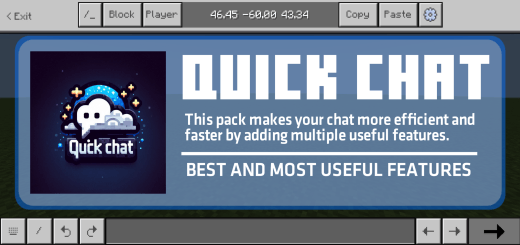
FEATURES:
Undo Message:
- Easily view and restore previously typed messages.
- Switch between past and future chat inputs without retyping.
Command Switcher:
- Quickly cycle through different command variations with a single button.
- No need to manually retype entire commands, saving time and effort.
No Chat Typing Limit:
- The chat input box has no character limit, allowing unlimited text.
- Useful for long messages or complex commands.
Better Coordinates Copy-Paste:
- Easily copy and paste coordinates.
- Improves navigation.
Touch Chat Interaction:
- Select commands directly from the chat box with a simple tap.
- No need to manually type commands like /give @s, just tap and select.
No Auto-Scroll on New Messages:
- When a new message appears, the chat won’t auto-scroll to it.
- This allows you to read past messages without interruptions.
Chat Stays Open When Hurt:
- The chat screen will not close if your player takes damage.
- Ensures seamless communication even in intense situations.
Quick Chat 설치 방법
With Millida Launcher
Install Millida Launcher
The launcher is free: download it at millida.net/launcher and sign in with any nickname.
Click “Install” on this page
The launcher opens and installs the resource pack for Minecraft 1.21.101 automatically.
Launch the game
A profile with it appears in the launcher: click “Play”.
Manually
Download the archive
Pick the file Quick_Chat_v1.1.mcpack (871 KB) for your game version. No need to unpack it.
Put it in the resourcepacks folder
The easiest way: “Options”, then “Resource Packs”, then “Open Pack Folder”, and drag the archive there.
Enable the pack
In the same window, move the pack to the right-hand “Selected” column and click “Done”.
버전
의존성 포함
| Minecraft | 로더 | 파일 | 날짜 | 작업 |
|---|---|---|---|---|
| 1.21.101 | — | Quick_Chat_v1.1.mcpack871 KB |
FAQ
Which Minecraft versions does Quick Chat work on?
Only Minecraft 1.21.101: there are no files for other versions.
Where can I download Quick Chat safely?
On this page: the file Quick_Chat_v1.1.mcpack (871 KB) is stored on Millida’s server, with no link shorteners. SHA-1 checksum: 80f3ff6cc65fe7971ac7a39820d0b56f1d79910e.
리뷰
Quick Chat의 첫 평가를 남겨 보세요


