
Minecraft 26.30용 Player Hitbox 리소스 팩
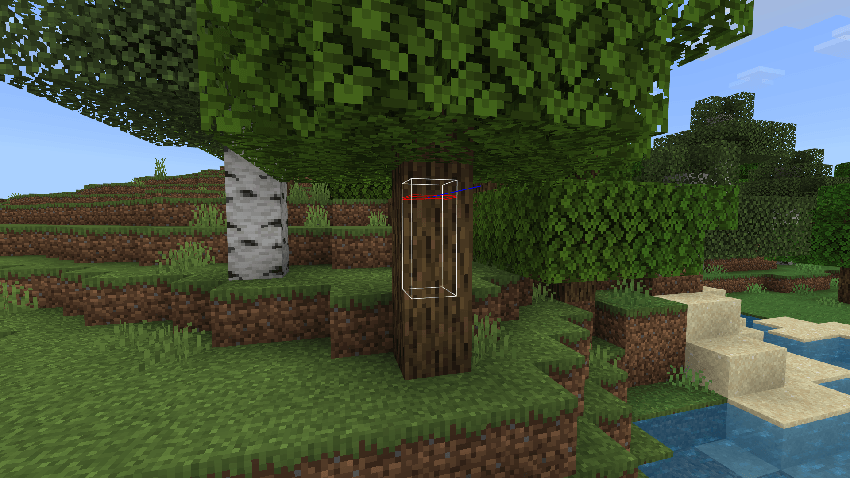
Player Hitbox는 Minecraft Bedrock에서 플레이어의 히트박스에 시각적 외곽선을 추가하는 리소스 팩입니다.
Have you ever dreamed of seeing the hitbox of a player in Minecraft Bedrock?
This is possible with this resource pack, which is compatible with most servers. With this resource pack, you will always know where to aim to inflict damage. This will give you an advantage in combat and increase your chances of winning.
The player standing:
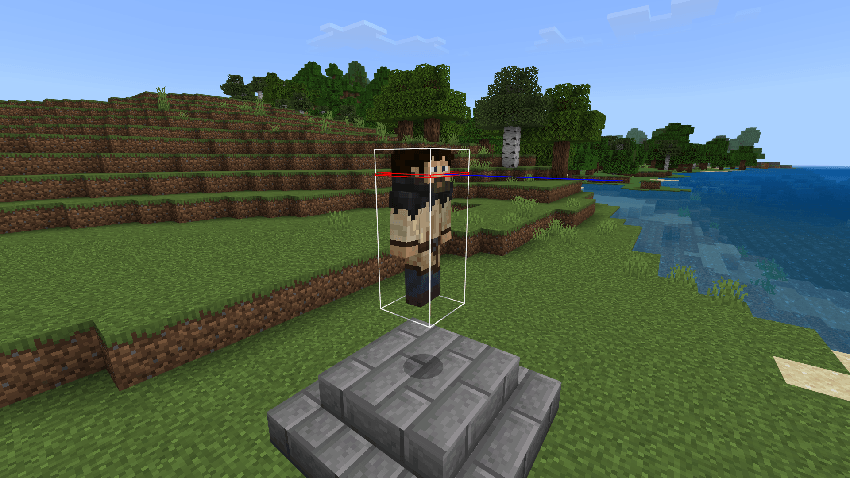
The player sneaking:
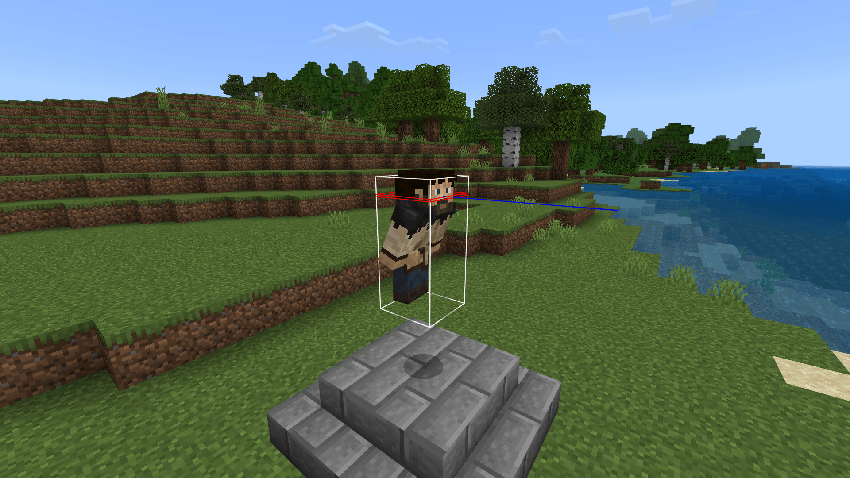
The player crawling (the crawl hitbox is the same size as the swim hitbox):
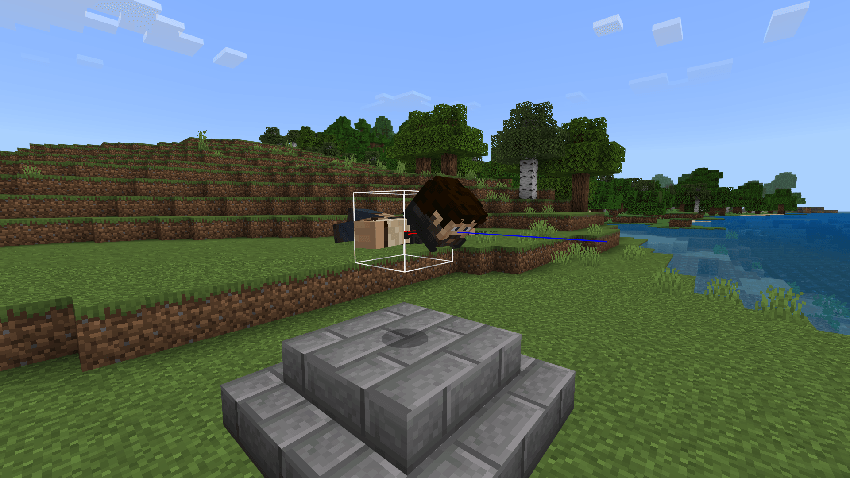
The player flies on elytra:
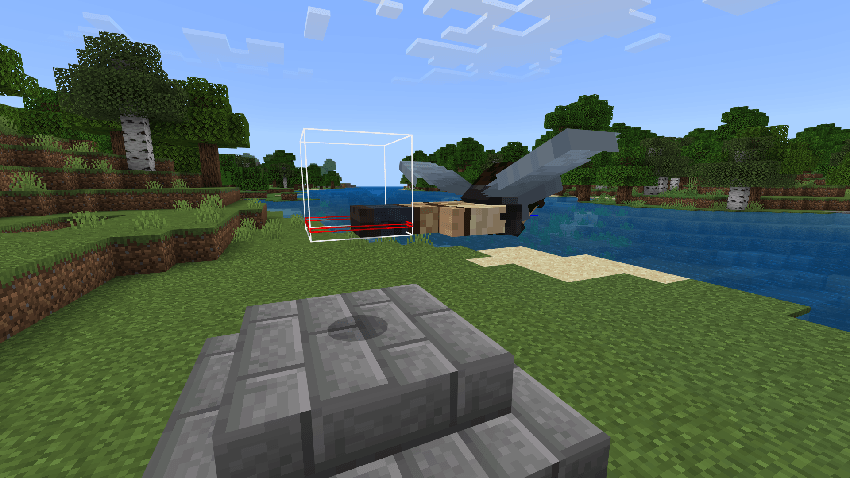
The player sleeping:
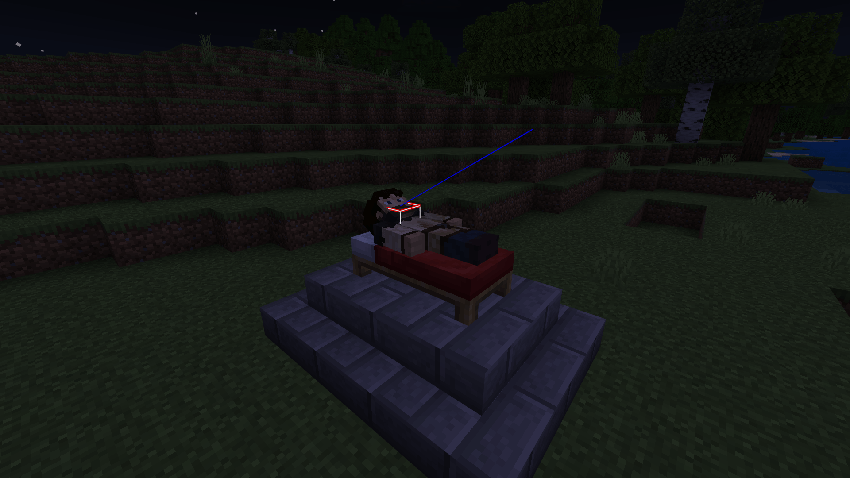
There is also a switch to make hitboxes visible through walls (Initially hitboxes are not visible through walls):
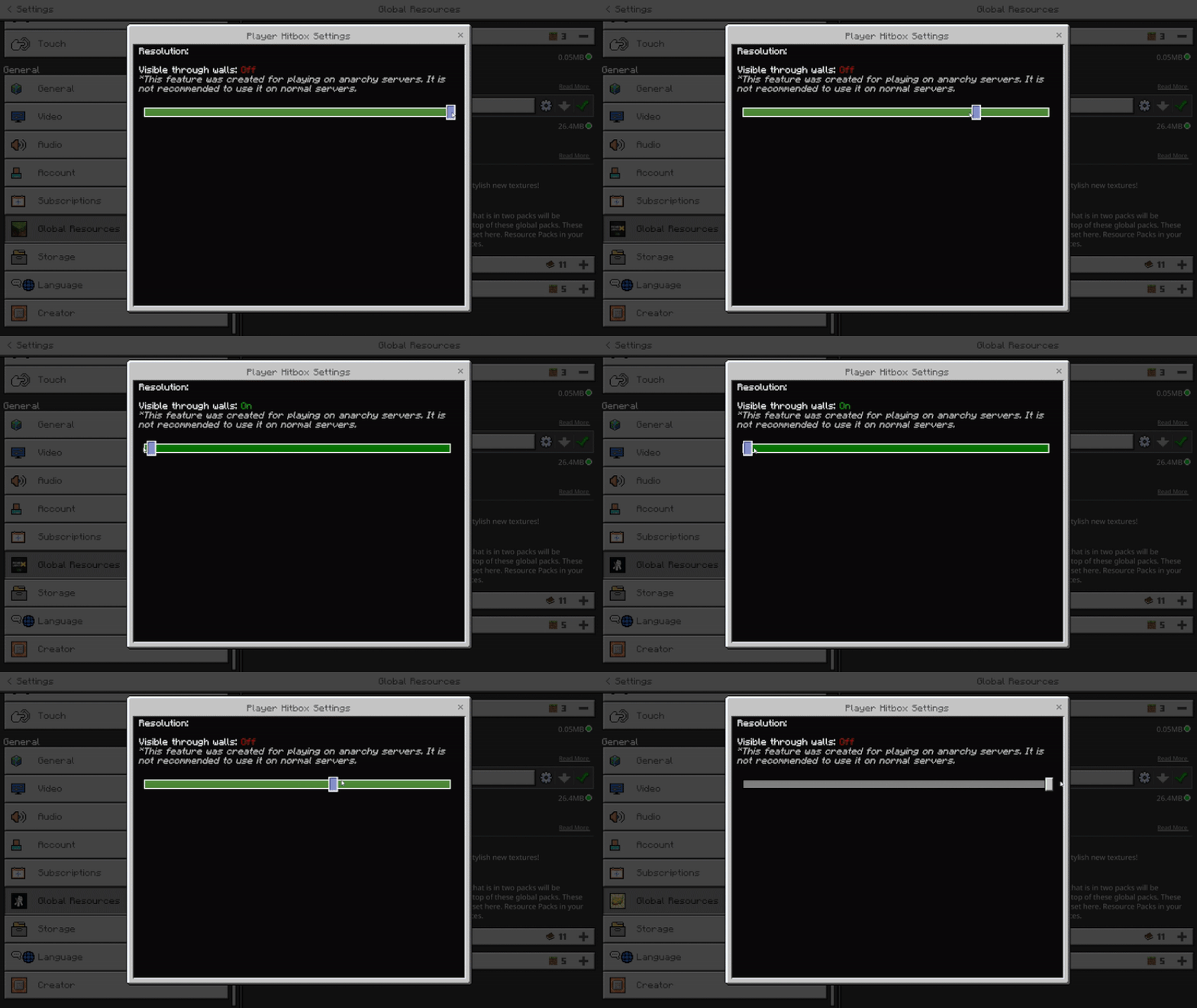
The function that allows you to see hitboxes through walls was created for anarchy servers, where there are no rules and restrictions. On such servers, you can do whatever you want, and no one will stop you.
But if you try to use this function on regular servers, you can get into trouble. First, this is considered cheating, and you violate the rules of the game. Second, the server administration may detect this, and you may be banned from the server. Third, this may ruin your reputation among other players.
Therefore, I strongly recommend that you do not use this function on regular servers. It is intended only for anarchy servers, where you can enjoy freedom and impunity. On regular servers, you should play fairly and respectfully to other players. Only then will you be able to enjoy the game and not spoil your mood.
MCPEDL | CurseForge
Player Hitbox 설치 방법
With Millida Launcher
Install Millida Launcher
The launcher is free: download it at millida.net/launcher and sign in with any nickname.
Click “Install” on this page
The launcher opens and installs the resource pack for Minecraft 26.0–26.30 automatically.
Launch the game
A profile with it appears in the launcher: click “Play”.
Manually
Download the archive
Pick the file Player_Hitbox_v1.0.1.mcpack (18 KB) for your game version. No need to unpack it.
Put it in the resourcepacks folder
The easiest way: “Options”, then “Resource Packs”, then “Open Pack Folder”, and drag the archive there.
Enable the pack
In the same window, move the pack to the right-hand “Selected” column and click “Done”.
버전
의존성 포함
| Minecraft | 로더 | 파일 | 날짜 | 작업 |
|---|---|---|---|---|
| 26.0.02 | — | Player Hitbox v1.0.118.3 KB 5 |
FAQ
Which Minecraft versions does Player Hitbox work on?
There are files for 26.0–26.30, 9 versions in total. The newest is 26.30.
Where can I download Player Hitbox safely?
On this page: the file Player_Hitbox_v1.0.1.mcpack (18 KB) is stored on Millida’s server, with no link shorteners. SHA-1 checksum: 6c8657b74bd0a7a54489178aaf9d44eef10ddb99.
리뷰
Player Hitbox의 첫 평가를 남겨 보세요



