

PEYN Shader 리소스 팩 정보
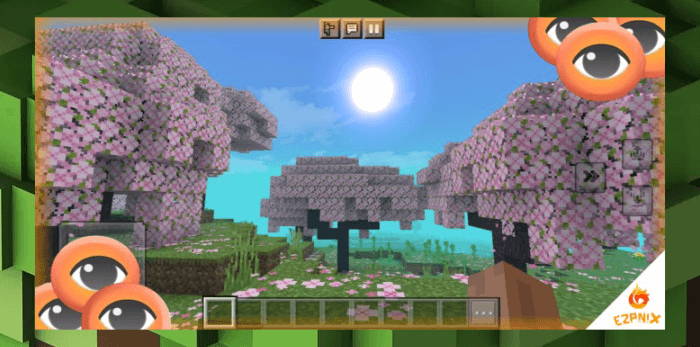
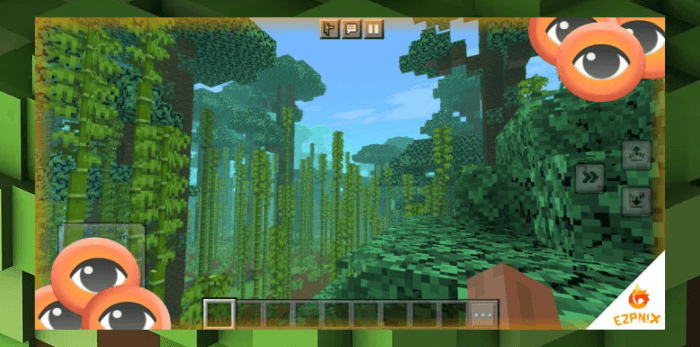
Ready to explore the vast world of Minecraft Bedrock Edition? How about changing it up a notch with a little this and that! We are offering you a choice to make your world come alive in just a matter of seconds in just a push of a download button down below. This shader features a range of multiple sky variations and a different atmosphere which shows both a stagnant and a non-stagnant environment. The ocean is blended in a way of fluidity. And this shader has been deemed a game booster for performance in low-end devices.
疼痛 Minimum Requirements 疼痛
- MCBE Versions 1.20.30 and above
- At least 4 GB of RAM or more
- Octa-core processor
More updates will be coming soon with game optimizations and hopefully new features from the creator. If you would like to suggest some, contact us or comment down below what's good. Feedback is greatly appreciated.

How to get this graphics pack to work in the latest versions of Minecraft BE when a problem occurs:
(Note: This method only works for newly generated worlds unfortunately!)
- Create a new world, scroll down to experimental toggles and turn on the render dragon features for creators.
- Once you have entered your world, go to your settings, head unto the video section, then enable the deferred technical preview from the graphics mode section.
- Return back to your game and enjoy the graphics pack.
Thank you for making this shader surprass 50k downloads and more <3
PEYN Shader 설치 방법
With Millida Launcher
Install Millida Launcher
The launcher is free: download it at millida.net/launcher and sign in with any nickname.
Click “Install” on this page
The launcher opens and installs the resource pack for Minecraft 1.15–1.19 automatically.
Launch the game
A profile with it appears in the launcher: click “Play”.
Manually
Download the archive
Pick the file PEYN Shader v1.01 [New Update].mcpack (3.8 MB) for your game version. No need to unpack it.
Put it in the resourcepacks folder
The easiest way: “Options”, then “Resource Packs”, then “Open Pack Folder”, and drag the archive there.
Enable the pack
In the same window, move the pack to the right-hand “Selected” column and click “Done”.
버전
의존성 포함
| Minecraft | 로더 | 파일 | 날짜 | 작업 |
|---|---|---|---|---|
| 1.18 | — | PEYNSHADER.mcpack3.8 MB |
FAQ
Which Minecraft versions does PEYN Shader work on?
There are files for 1.19, 1.18, 1.15. The newest is 1.19.
Where can I download PEYN Shader safely?
On this page: the file PEYN Shader v1.01 [New Update].mcpack (3.8 MB) is stored on Millida’s server, with no link shorteners. SHA-1 checksum: d22c27b4e32eb593d51d427f32fcefe404be5b86.
리뷰
PEYN Shader의 첫 평가를 남겨 보세요


