
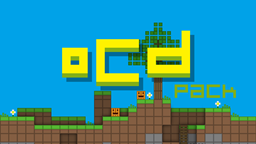
oCd Pack 리소스 팩 정보
1.7.x ready!
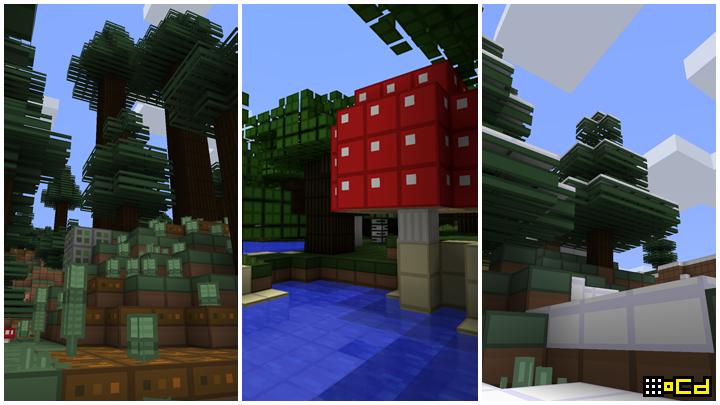
Disco-fied Highly simplified Slightly stylized
Obsessive, Compulsive; and not the least bit Disordered. (80% complete XD)
2,000,000+ DOWNLOADS! thanks everyone for your support!
Was a personal texture pack, but after uploading my redstone creation videos on youtube a lot of people wanted the pack.
The theme is basically:
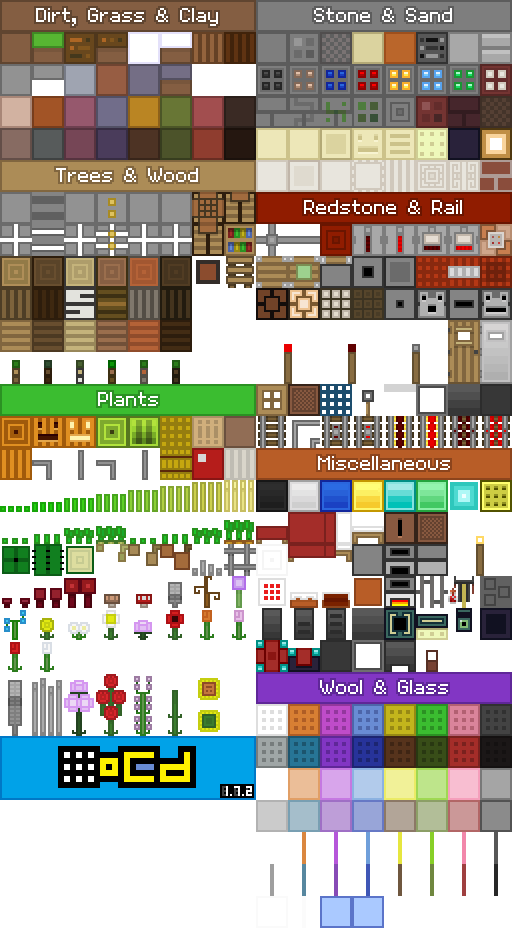
Default pack inspired. No noise. No harsh colors. Symmetrical All angles @ 90 degrees. (even the rails/grass etc XD) All spacing even... OCD even
Official Page: http://www.ocddisco.com/ocdpack/
Website: http://www.ocddisco.com/
Twitter: http://twitter.com/ocddisco
Facebook: http://facebook.com/fvdisco
Twitch: http://twitch.tv/fvdisco
oCd Pack 설치 방법
With Millida Launcher
Install Millida Launcher
The launcher is free: download it at millida.net/launcher and sign in with any nickname.
Click “Install” on this page
The launcher opens and installs the resource pack for Minecraft 1.7.2 automatically.
Launch the game
A profile with it appears in the launcher: click “Play”.
Manually
Download the archive
Pick the file OCD_pack_1.7.2.zip (830 KB) for your game version. No need to unpack it.
Put it in the resourcepacks folder
The easiest way: “Options”, then “Resource Packs”, then “Open Pack Folder”, and drag the archive there.
Enable the pack
In the same window, move the pack to the right-hand “Selected” column and click “Done”.
버전
의존성 포함
| Minecraft | 로더 | 파일 | 날짜 | 작업 |
|---|---|---|---|---|
| 1.7.2 | — | OCD_pack_1.7.2.zip830 KB |
FAQ
Which Minecraft versions does oCd Pack work on?
Only Minecraft 1.7.2: there are no files for other versions.
Where can I download oCd Pack safely?
On this page: the file OCD_pack_1.7.2.zip (830 KB) is stored on Millida’s server, with no link shorteners. SHA-1 checksum: c0b9d0a2c865cc619a905346cfee686fb6d6686b.
리뷰
oCd Pack의 첫 평가를 남겨 보세요



