
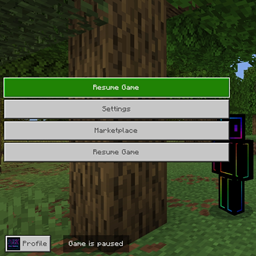
No Quit Button
By SissoKassem



BisectHosting is an awesome Minecraft Server host for both Bedrock and Java editions!
Their top-tier features include, but are not limited to:
- Multi-Game Hosting: Server hosting for 110+ games with BisectOne.
- One-Click Modpacks: Pre-install 2,300+ Minecraft modpacks automatically.
- 24/7/365 Support: Round-the-clock troubleshooting for your server and mods.
- Premium Performance: Powered by the latest Ryzen hardware.
- Global Network: 21 locations across the globe for low latency.
- Advanced Security: Built-in DDoS protection.
Starting from just $5.99! Click the link below or use code "sisso" at checkout for 25% off your first month!
using this recorce pack you can trap your freinds (and yourself) in your world or server, since it is a recorce pack you dont need to enable expirements
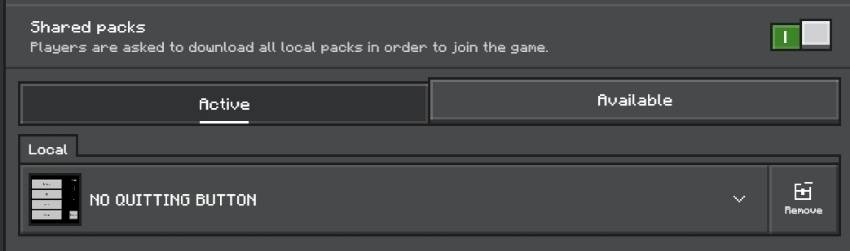
however you need to enable one option "Shared Packs":
herar's how it looks ingame:
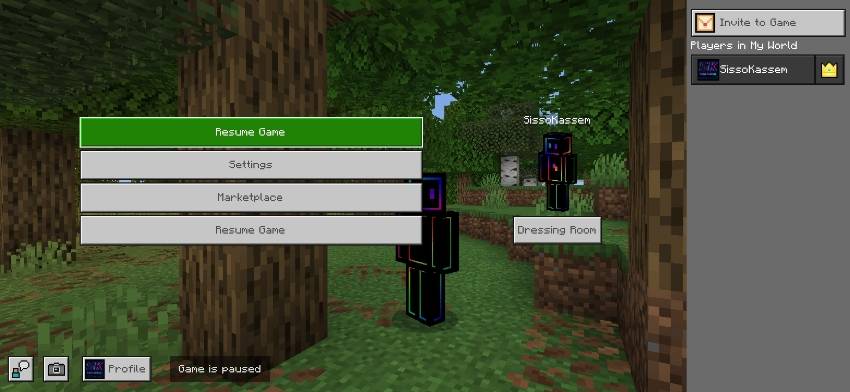
and if you somehow didn't already know it has really great trolling potential
my freind's geniune reaction

so, just download it, add it and enjoy :)
No Quit Button 설치 방법
With Millida Launcher
Install Millida Launcher
The launcher is free: download it at millida.net/launcher and sign in with any nickname.
Click “Install” on this page
The launcher opens and installs the resource pack for Minecraft 1.18–26.30 automatically.
Launch the game
A profile with it appears in the launcher: click “Play”.
Manually
Download the archive
Pick the file no quit button (v2).mcpack (423 KB) for your game version. No need to unpack it.
Put it in the resourcepacks folder
The easiest way: “Options”, then “Resource Packs”, then “Open Pack Folder”, and drag the archive there.
Enable the pack
In the same window, move the pack to the right-hand “Selected” column and click “Done”.
버전
의존성 포함
| Minecraft | 로더 | 파일 | 날짜 | 작업 |
|---|---|---|---|---|
| 1.20.40 | — | No Quit Button (v2)423 KB |
리뷰
No Quit Button의 첫 평가를 남겨 보세요



