
Modernity 리소스 팩 정보
Announcement.
This pack will now focus on supporting vanilla textures, to keep the file size down.

Support for mod textures has been split off into Modernity Adjunct.
Download additional Climate-mapped water color packs: Format 1 (JE 1.6-1.8) | Format 2 (JE 1.9-1.10) | Format 3 (JE 1.11-1.12) Remember to put your chosen mapping as priority above Modernity.
Climate Water breakdown / screenshots:
Basic
This pack applies a very simple color mapping that should be noticeable across many biomes.
Water very gradually shifts from the general JE 1.13 color to green-gray swamp at high temperature and humidity, and to deeper blue/indigo at low temperatures. Very high temp/humidity biomes like jungles have a grayish water.
Strict
This pack's color mapping is similar to the basic pack, except that the green-gray and deep blue water colors only occur when temperature/humidity values are very close to swampland/cold biomes.
The default water color is applied to every unique Temperature/Humidity pairing occupied by vanilla biomes, except for Swampland and the Cold/Frozen biomes. The result is that the water color looks like the version without this pack everywhere except in biomes close to those T/H values.
Bedrock
Bedrock Edition uses a different water coloration for almost every vanilla biome. This pack sets a corresponding value to each unique temperature/humidity pairing occupied by one or more vanilla biomes. In cases where multiple very different values could be applied (e.g. lower left), I picked the value that made the color map the least blotchy.
Water colors overall seem to be lighter and greener than with the other packs.
Hybrid
This pack tries to unite the best properties of the above packs.
The pack uses comparatively few nodes to allow for gradual blending like the basic pack; it makes higher-temperature climates greener by using Bedrock Edition values for the Mesa in the lower left, Birch Forest in the center, and Jungle in the upper left; and it adds BE's Mushroom Island and puts JE's Warm Ocean in the top-left corner in case any modded biomes occupy that region.
If you opt not to use any of the packs, your water will be the default 1.13 color (pictured using Modernity 3.3.0):
Modernity also updates/adapts/backports textures for many mods, either to adapt their Nether ores to the modern style, or to backport post-1.12 mod textures. I'm not going to list all of the mods here because there are so many. Just download the pack and see if it works for your modset.
Notes:
- As of v3.1.2, the villager textures use the 1.14 versions. These textures include headwear which is ordinarily invisible. I highly recommend the Villager Mantle Fix mod to see at least part of these headwear textures (things like wide hat brims are not rendered by that mod).
- Alternately, you may find my main mod, Village Names, to be appealing! It backports the 1.14 skins in their entirety as faithfully as I could manage. Don't use it at alongside Villager Mantle Fix though, as they necessarily conflict.
- Boat models are different from 1.9. on, as are horse models from 1.13 on. I tried to map the Jappa textures onto the older boat/horse models as best as I could.
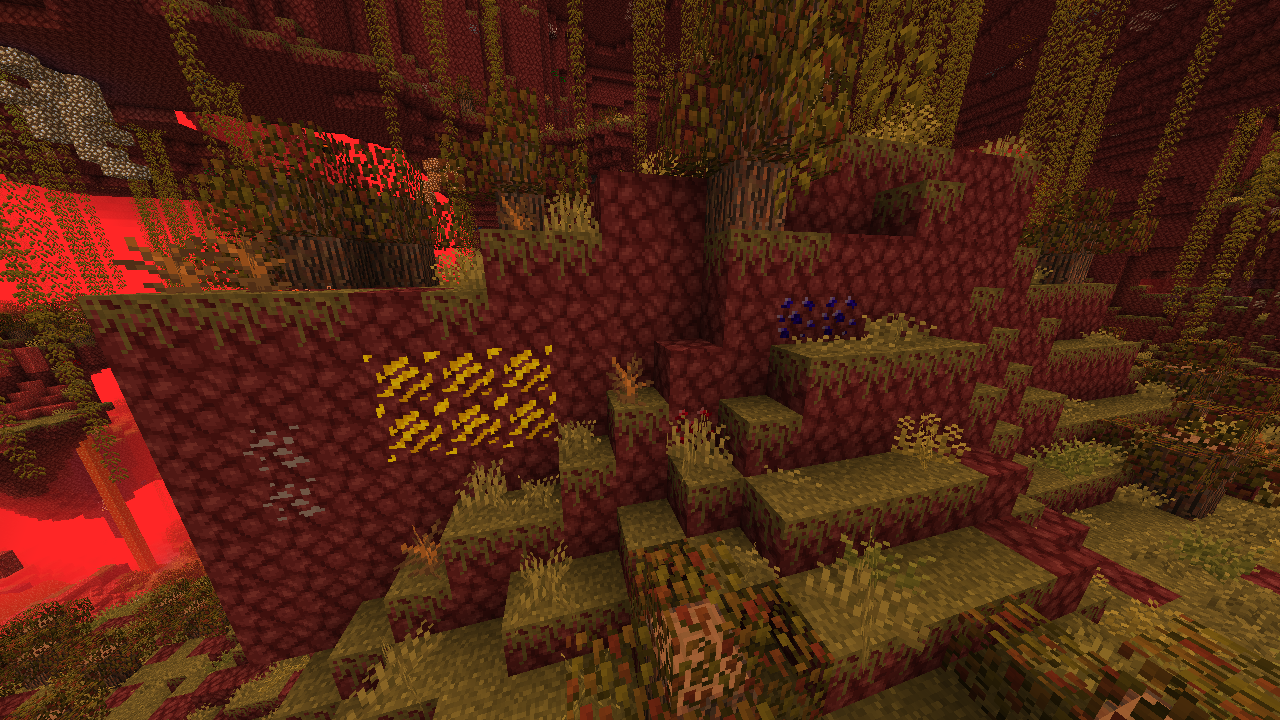
The modern Netherrack texture makes modded Nether ores stick out. I tried to adapt as many of these ores as possible to fit the new Netherrack design. Feel free to report any mods I might have missed.
- Format 1 versions of this pack (JE 1.6-1.8) contain textures for things like Beetroot and Prismarine and Chorus Fruit. If you're using a mod that backports these things and that placed their texture files in vanilla addresses, they should implement these versions appropriately.
I also have a Discord server where you can talk about my projects or just hang out.
Modernity 설치 방법
With Millida Launcher
Install Millida Launcher
The launcher is free: download it at millida.net/launcher and sign in with any nickname.
Click “Install” on this page
The launcher opens and installs the resource pack for Minecraft 1.6.4–1.8.9 automatically.
Launch the game
A profile with it appears in the launcher: click “Play”.
Manually
Download the archive
Pick the file Modernity-f1-3.10.3.1.zip (1.8 MB) for your game version. No need to unpack it.
Put it in the resourcepacks folder
The easiest way: “Options”, then “Resource Packs”, then “Open Pack Folder”, and drag the archive there.
Enable the pack
In the same window, move the pack to the right-hand “Selected” column and click “Done”.
버전
의존성 포함
| Minecraft | 로더 | 파일 | 날짜 | 작업 |
|---|---|---|---|---|
| 1.7.10 | — | Modernity 3.10.3.1 (JE 1.6–1.8)1.8 MB 5 |
FAQ
Which Minecraft versions does Modernity work on?
There are files for 1.8.9, 1.7.10, 1.6.4. The newest is 1.8.9.
Where can I download Modernity safely?
On this page: the file Modernity-f1-3.10.3.1.zip (1.8 MB) is stored on Millida’s server, with no link shorteners. SHA-1 checksum: d3d5e2ca8de846c6719ae1c2766190b6f2fe133d.
리뷰
Modernity의 첫 평가를 남겨 보세요



