
Mob Effects on HUD Screen
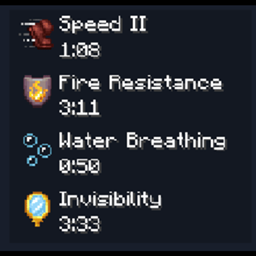
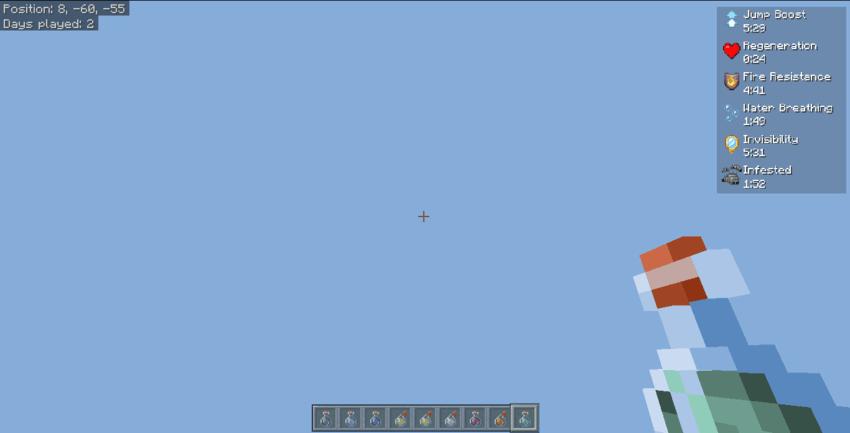
This resource pack allows you to see your effects on your main HUD screen while playing on any server or world.
You can see everything including all your effects, time left, name, etc.
Usage
You just have to click your Mob effects key-bind button which is 'Z' and effects will appear if any.
FUNCTIONAL ON PC/XBOX only.
Mob Effects HUD 설치 방법
With Millida Launcher
Install Millida Launcher
The launcher is free: download it at millida.net/launcher and sign in with any nickname.
Click “Install” on this page
The launcher opens and installs the resource pack for Minecraft 1.21–1.21.50 automatically.
Launch the game
A profile with it appears in the launcher: click “Play”.
Manually
Download the archive
Pick the file Mob effects HUD.mcpack (7 KB) for your game version. No need to unpack it.
Put it in the resourcepacks folder
The easiest way: “Options”, then “Resource Packs”, then “Open Pack Folder”, and drag the archive there.
Enable the pack
In the same window, move the pack to the right-hand “Selected” column and click “Done”.
버전
의존성 포함
| Minecraft | 로더 | 파일 | 날짜 | 작업 |
|---|---|---|---|---|
| 1.21.30 | — | Mob effects HUD.mcpack6.5 KB |
FAQ
Which Minecraft versions does Mob Effects HUD work on?
There are files for 1.21–1.21.50, 10 versions in total. The newest is 1.21.50.
Where can I download Mob Effects HUD safely?
On this page: the file Mob effects HUD.mcpack (7 KB) is stored on Millida’s server, with no link shorteners. SHA-1 checksum: 27d9e0766596e7da633112783fa44babe4aa33bd.
리뷰
Mob Effects HUD의 첫 평가를 남겨 보세요


