

Minecraft 1.20.1, 1.21.1용 Light Leak 리소스 팩
횃불과 랜턴 같은 광원을 영화처럼 보기 좋게 만드는 것을 목표로 하는 리소스팩입니다!
- 다운로드
- 8 다운로드
- 조회수
- 69 조회수
- 업데이트됨
- 업데이트됨 12.08.2026
- 1.20 — 26.2
 바닐라 게임
- 클라이언트
Light Leak 리소스 팩 정보

Did you ever feel like minecrafts lightsources looked a bit boring? Say no more!
Light Leaks main feature are coloured light shimmers, light cones and light spots added to the lightsources in minecraft!
Additionally it slightly changes the models of minecrafts lightsources to look more realistic and visually pleasing, while staying true to minecrafts vision!

Features
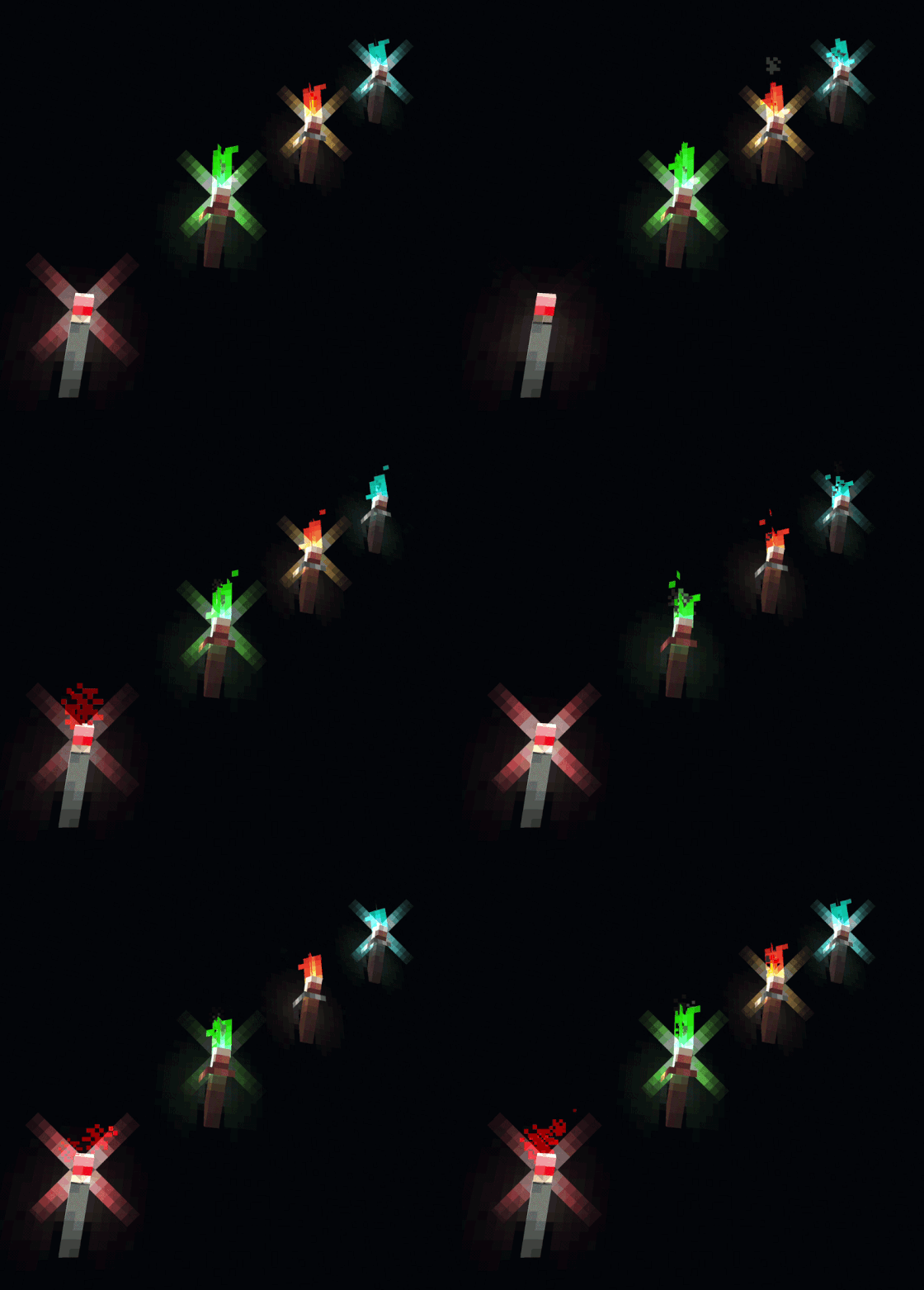
Using the pack could lead to some performance issues, due to more particles and more complex block- and itemmodels being rendered.
The following blocks/items and more are currently affected by Light Leak:

- All Torches
- All Lanterns
- Chains
- Comparators
- Repeaters
- Lava Cauldrons
- All Candles
For even more blocks and items such as redstone components and and building blocks other than torches and lanterns check out Light Leaks Add-Ons!
Alternatively head to the versions page to download Light Leak with all AddOns included!
Compatibility and Dependencies
As long as your shader supports the added particles there is no reason why the pack shoudn't work with them. Try for yourself!
Polytone is required for all of Light Leaks features to work!

Light Leak 설치 방법
With Millida Launcher
Install Millida Launcher
The launcher is free: download it at millida.net/launcher and sign in with any nickname.
Click “Install” on this page
The launcher opens and installs the resource pack for Minecraft 1.20–26.2 automatically.
Launch the game
A profile with it appears in the launcher: click “Play”.
Manually
Download the archive
Pick the file §eLight §6Leak §8[v1.5.0] §9+ all AddOns.zip (911 KB) for your game version. No need to unpack it.
Put it in the resourcepacks folder
The easiest way: “Options”, then “Resource Packs”, then “Open Pack Folder”, and drag the archive there.
Enable the pack
In the same window, move the pack to the right-hand “Selected” column and click “Done”.
버전
의존성 포함
| Minecraft | 로더 | 파일 | 날짜 | 작업 |
|---|---|---|---|---|
| 26.2 | — | 26.2911 KB 6 | ||
| 26.1 | — | 26.1911 KB | ||
| 1.21.11 | — | 1.21.11911 KB 1 |
FAQ
Which Minecraft versions does Light Leak work on?
There are files for 1.20–26.2, 23 versions in total. The newest is 26.2.
Does Light Leak need mods?
No, the resource pack works in the plain game without loaders: put it into the resourcepacks folder and enable it in the options.
리뷰
Light Leak의 첫 평가를 남겨 보세요



