
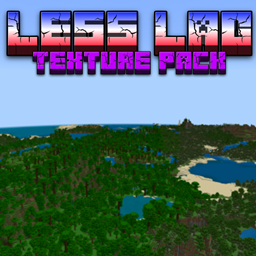
Minecraft 1.20.1, 1.21용 Less Lag Texture Pack
렉 감소 텍스처 팩을 소개합니다. 모험을 그 어느 때보다 매끄럽게 만들어 주도록 설계된, 마인크래프트 경험에 획기적인 변화를 가져올 추가 요소입니다.
Less Lag Texture Pack 리소스 팩 정보
This carefully crafted texture pack is your ultimate solution for eliminating or lightening those resource-intensive particles that often cause lag on lower-end devices or during intense in-game situations. We've meticulously fine-tuned every detail to strike the perfect balance between performance optimization and retaining the essence of Minecraft's enchanting world.
<figure class="image"> </figure>
Key Features:
- Lag-Free Gaming: Say goodbye to stuttering, freezing, and lag-induced frustration. Our texture pack optimizes the game's visuals without compromising your gaming experience.
- Particle Reduction: Enjoy the beauty of Minecraft without the performance hit from excessive particle effects. We've reduced or lightened particles like rain, fireworks, and explosions to ensure smooth gameplay.
- Enhanced Performance: Unlock the full potential of your device by reducing the strain on system resources. You'll be amazed at how much better Minecraft runs with our texture pack enabled.
- Customizable Options: Tailor the experience to your preferences. Choose from multiple versions of the texture pack, each offering varying levels of particle reduction, or even fine-tune settings to suit your exact needs.
- Retained Aesthetics: We've taken care to preserve the iconic look and feel of Minecraft. While reducing lag, we've ensured that the game's visual charm remains intact.
- Compatibility: Our texture pack is compatible with a wide range of Minecraft Bedrock Edition versions, ensuring accessibility for players on various platforms.
Whether you're exploring vast landscapes, battling mobs, or constructing epic structures, the Lag-Reducing Texture Pack is your secret weapon for a smoother, more enjoyable Minecraft adventure. Say hello to uninterrupted gameplay and rediscover the joy of exploring the blocky world you love.
Don't let lag hold you back. Install the Lag-Reducing Texture Pack today and experience Minecraft Bedrock Edition like never before. Optimize your gameplay, reduce frustration, and immerse yourself in the limitless possibilities of the Minecraft universe.
Less Lag Texture Pack 설치 방법
With Millida Launcher
Install Millida Launcher
The launcher is free: download it at millida.net/launcher and sign in with any nickname.
Click “Install” on this page
The launcher opens and installs the resource pack for Minecraft 1.20–1.21.51 automatically.
Launch the game
A profile with it appears in the launcher: click “Play”.
Manually
Download the archive
Pick the file Less-Lag-Texture-Pack.mcaddon (64 KB) for your game version. No need to unpack it.
Put it in the resourcepacks folder
The easiest way: “Options”, then “Resource Packs”, then “Open Pack Folder”, and drag the archive there.
Enable the pack
In the same window, move the pack to the right-hand “Selected” column and click “Done”.
버전
의존성 포함
| Minecraft | 로더 | 파일 | 날짜 | 작업 |
|---|---|---|---|---|
| 1.20.40 | — | Less-Lag-Texture-Pack.mcaddon64.1 KB |
FAQ
Which Minecraft versions does Less Lag Texture Pack work on?
There are files for 1.20–1.21.51, 18 versions in total. The newest is 1.21.51.
Where can I download Less Lag Texture Pack safely?
On this page: the file Less-Lag-Texture-Pack.mcaddon (64 KB) is stored on Millida’s server, with no link shorteners. SHA-1 checksum: 826217fd7c1a232eba0d56747e7b58945b412d65.
리뷰
Less Lag Texture Pack의 첫 평가를 남겨 보세요



