

Minecraft 1.12.2, 1.16.5용 JeridoMaster Pack +FPS
모든 버전에 대해 게임의 많은 텍스처를 변경하는 팩
JeridoMaster Pack +FPS 리소스 팩 정보
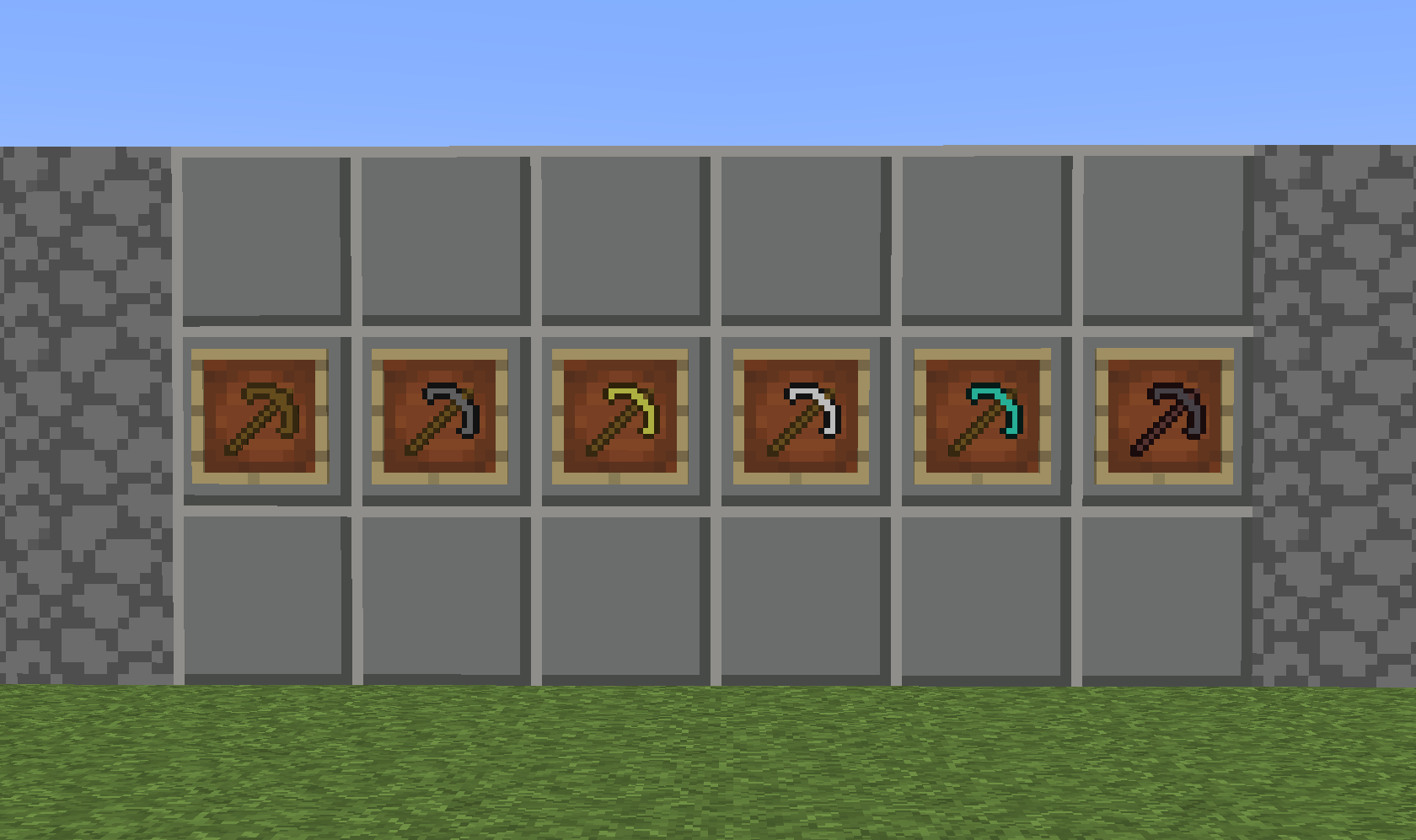
This pack gives the game a unique look, giving it a new environment but without losing the classic Minecraft essence, it changes practically all the textures, minerals, blocks, tools, armor, food, hearts, etc ... It also leads to an increase in the Fps rate. Works for all versions as well as being great for pvp It has a modern "Cartoon" look.
JeridoMaster Pack +FPS 설치 방법
With Millida Launcher
Install Millida Launcher
The launcher is free: download it at millida.net/launcher and sign in with any nickname.
Click “Install” on this page
The launcher opens and installs the resource pack for Minecraft 1.6.4–1.18 automatically.
Launch the game
A profile with it appears in the launcher: click “Play”.
Manually
Download the archive
Pick the file JeridoMaster-pack +Fps.zip (4.6 MB) for your game version. No need to unpack it.
Put it in the resourcepacks folder
The easiest way: “Options”, then “Resource Packs”, then “Open Pack Folder”, and drag the archive there.
Enable the pack
In the same window, move the pack to the right-hand “Selected” column and click “Done”.
버전
의존성 포함
| Minecraft | 로더 | 파일 | 날짜 | 작업 |
|---|---|---|---|---|
| 1.7.6 | — | JeridoMaster-pack +FPS4.6 MB 23 |
FAQ
Which Minecraft versions does JeridoMaster Pack +FPS work on?
There are files for 1.6.4–1.18, 54 versions in total. The newest is 1.18.
Where can I download JeridoMaster Pack +FPS safely?
On this page: the file JeridoMaster-pack +Fps.zip (4.6 MB) is stored on Millida’s server, with no link shorteners. SHA-1 checksum: 3a2ca0353e9d254d6064f6ead297a58405736752.
리뷰
JeridoMaster Pack +FPS의 첫 평가를 남겨 보세요



