
Minecraft 26.30용 Java Mob Shading 리소스 팩
대부분의 개체에 더 어두운 방향성 음영을 적용하고, Java와 정확히 일치하는 피해 오버레이를 제공하며, 불타는 모습의 주황색 오버레이를 제거합니다.
Java Mob Shading 리소스 팩 정보
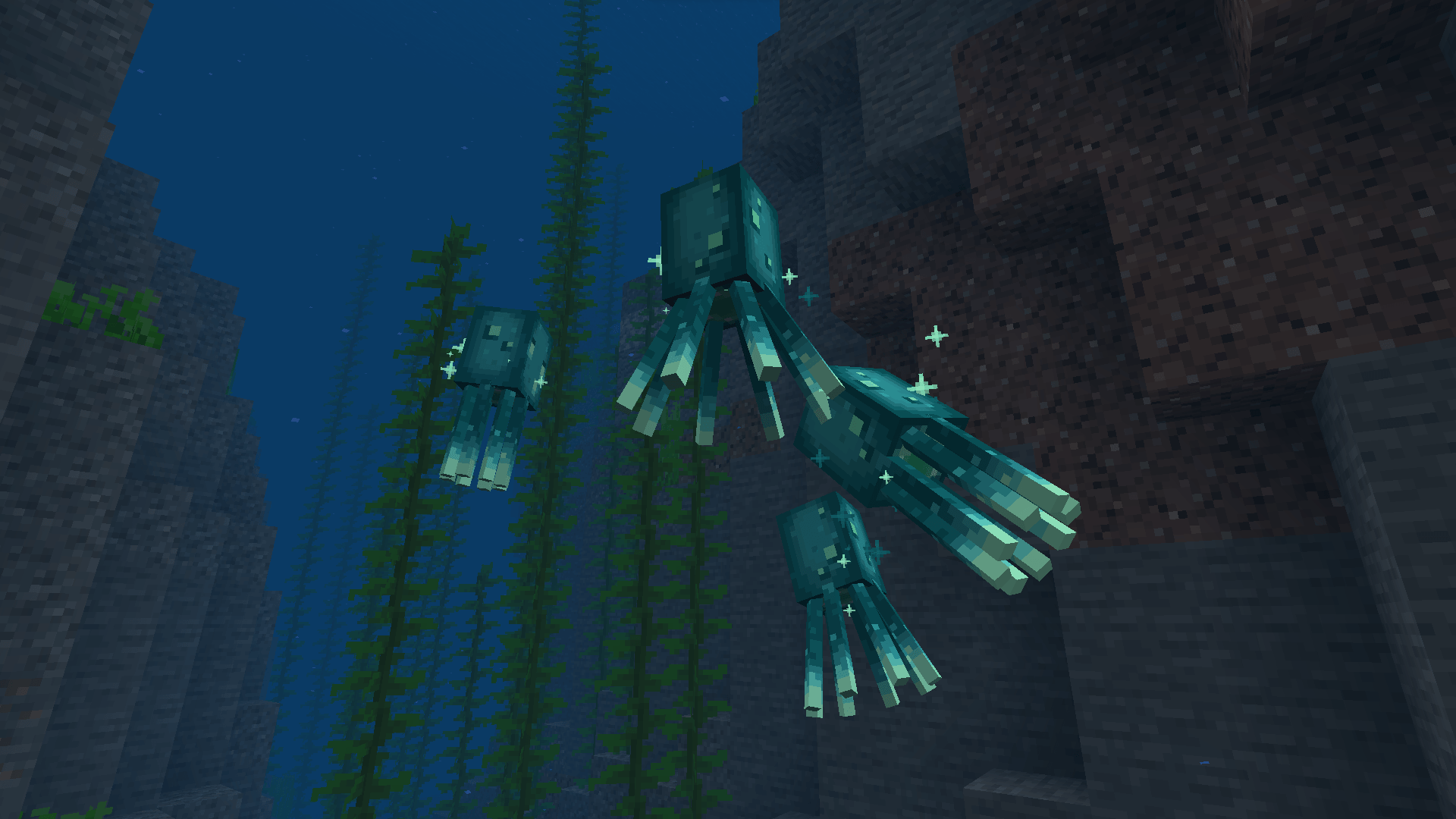
This pack makes entities look more like Java by giving them darker directional shading, a Java accurate hurt overlay, and removing the on fire overlay. It also fixes a few bugs with the way certain mobs render, such as Blazes and Glow Squids having no directional shading and Wolves not turning darker when going in the rain.
NOTE: This pack will not work with Vibrant Visuals enabled. Set your graphics mode to "fancy" for the closest Java experience.
I have another pack called Console Mob Shading if you are interested in shading that matches Legacy Console.
If you have questions, you can contact me on Discord (lionhead07)
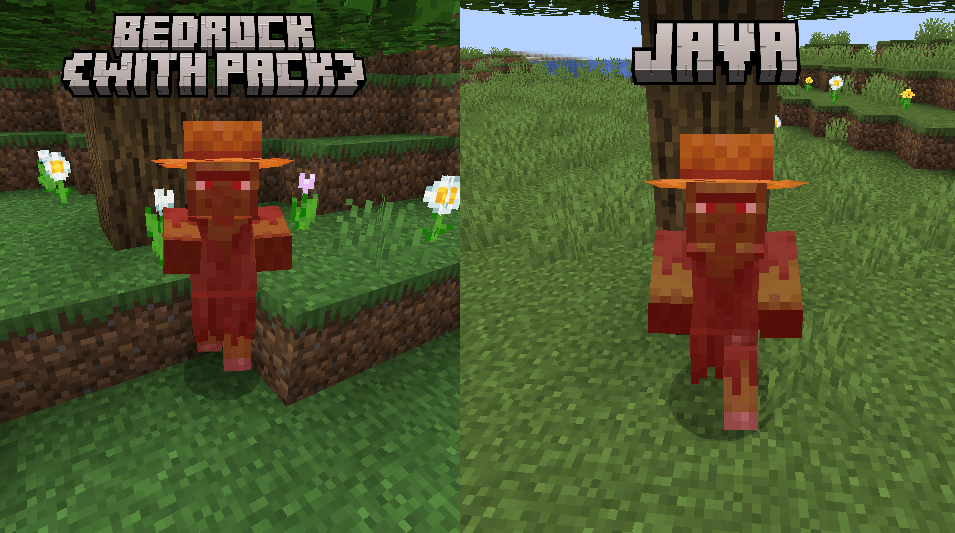
Here are a few comparisons to show what directional shading for entities looks like with and without the pack compared to Java
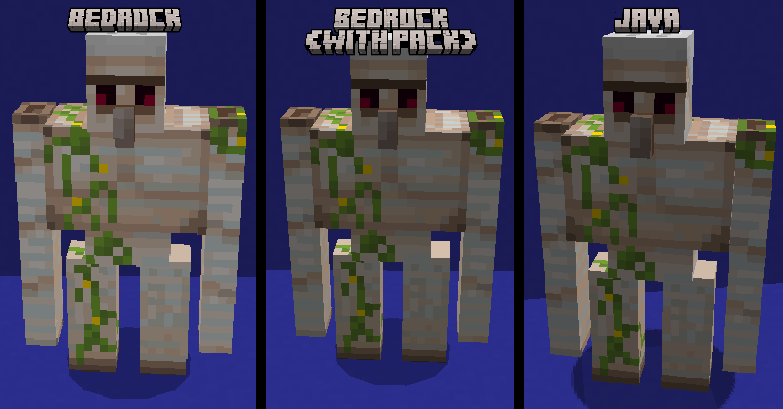

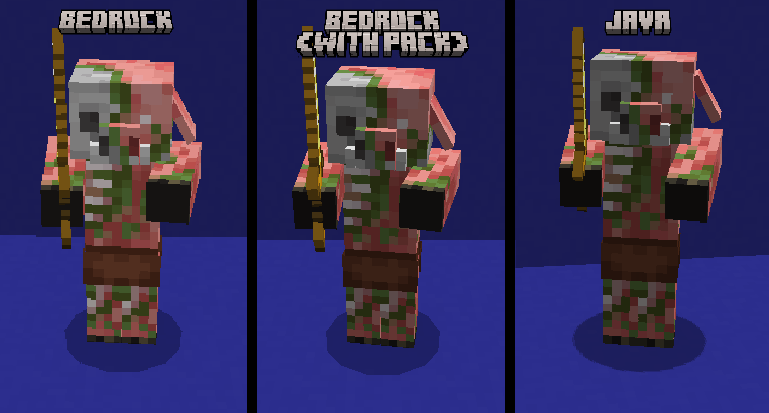
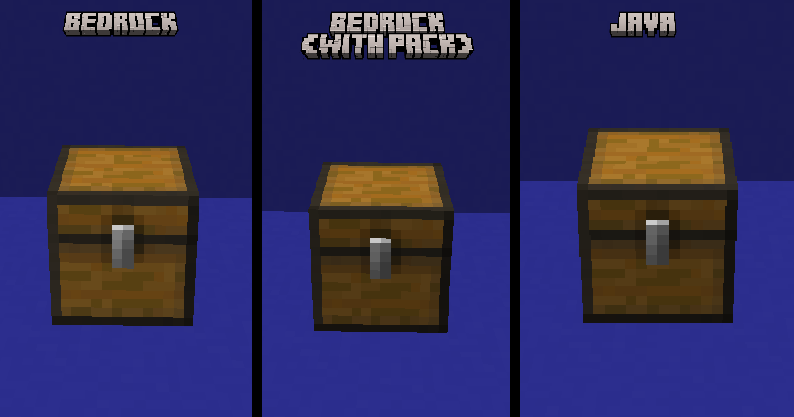
The hurt overlay has been changed, I tried getting it as close to Java as possible
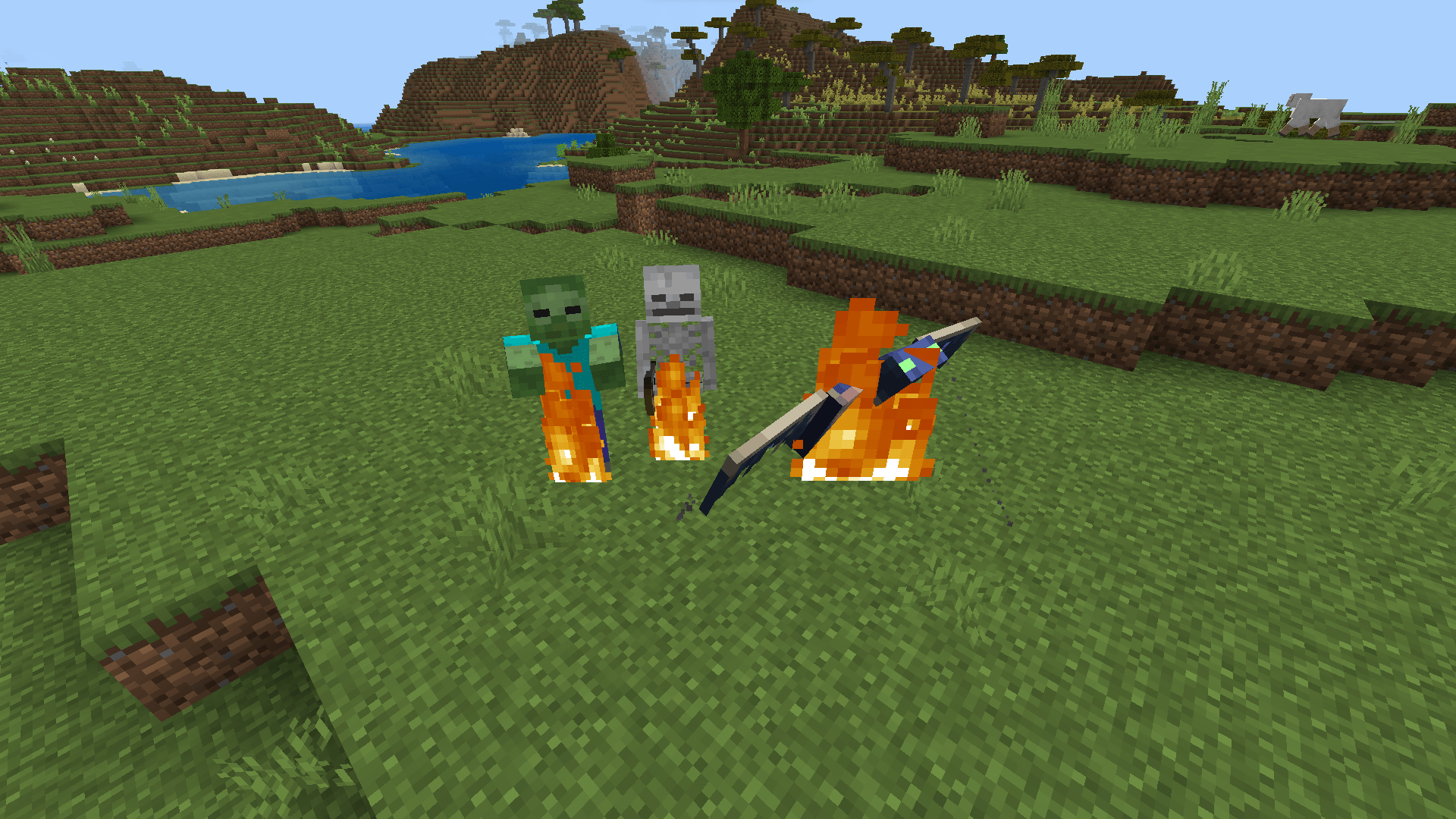
The orange overlay when mobs are on fire has also been removed
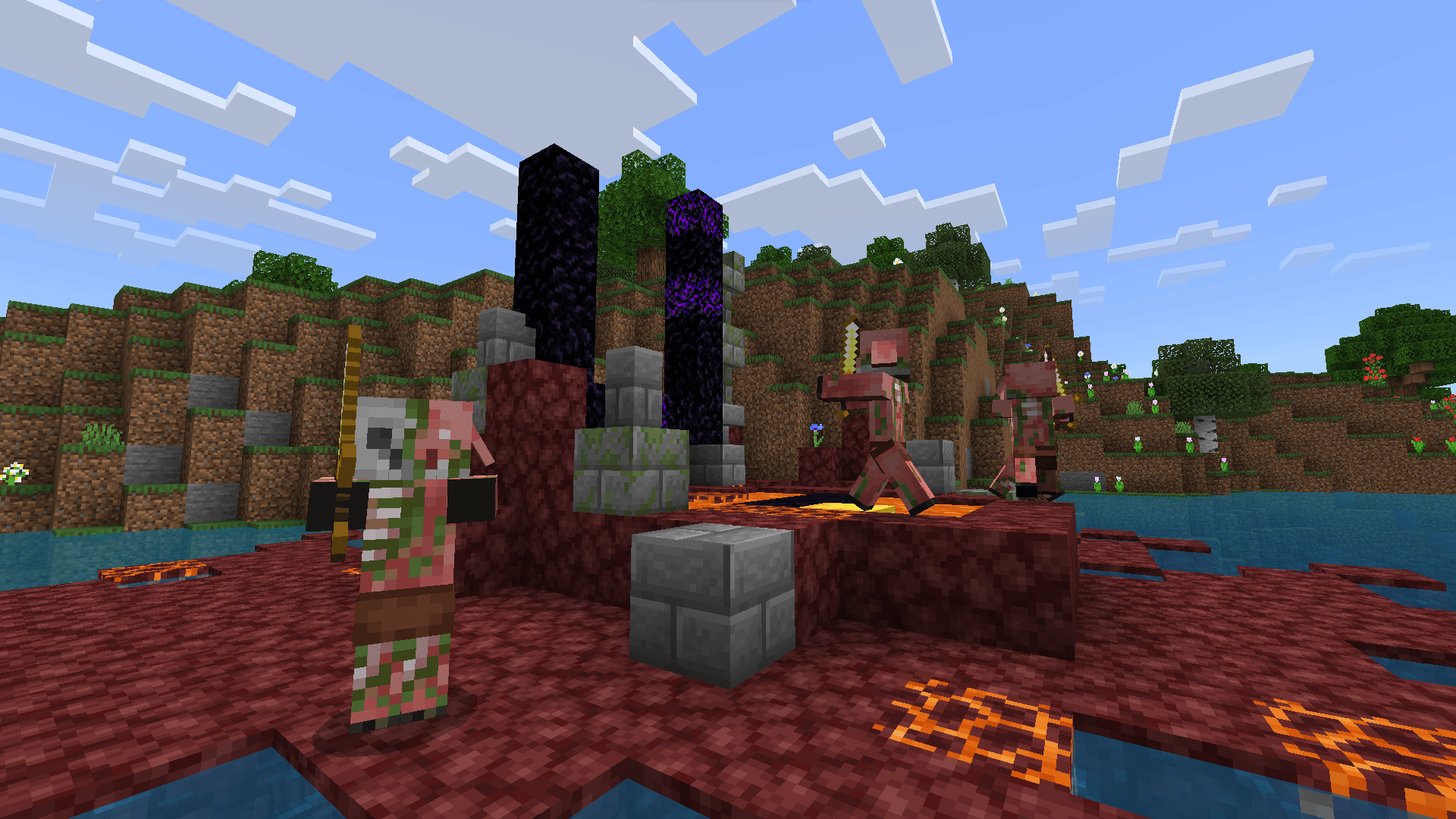
A few other screenshots with the pack applied
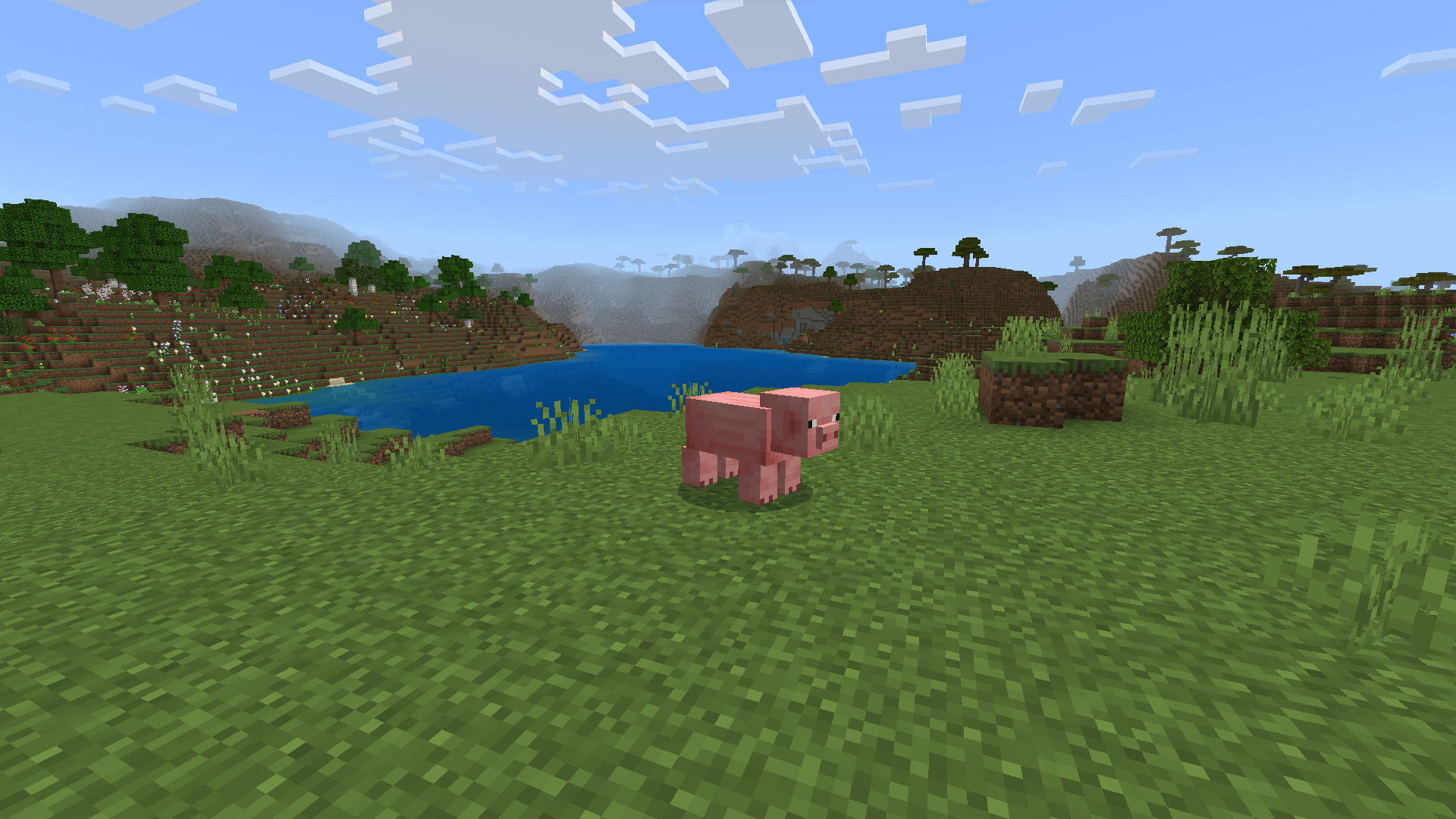
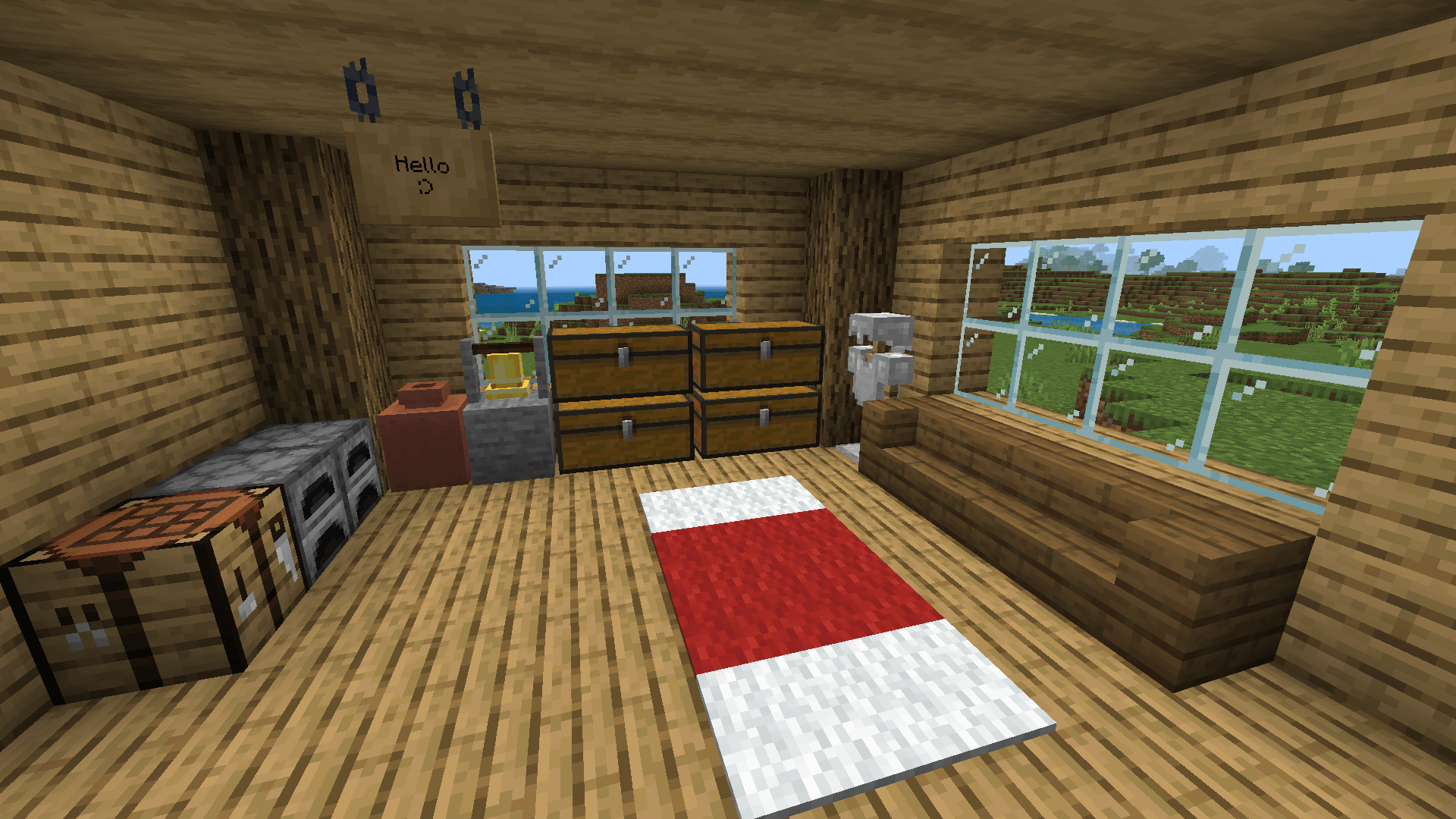
This pack should be compatible with most other packs, however you should still apply this pack above any others that you are using to ensure that it works.
Java Aspects Compatibility
This pack should be fully compatible with Java Aspects! Make sure this pack is placed ABOVE Java Aspects to ensure they can be compatible together.
Known Issues
The bottom faces of mobs are shaded too dark: This issue cannot be fixed without adding seperate bottom geometries, textures, and render controllers for every single mob, along with entity files for each of them as well. This is because the pack darkens all faces that have shading applied, including the bottom faces. Since adding all of this would take a very long time and would remove a ton of compatibilty with other resource packs, this issue is very unlikely to be fixed.
The top faces of some mobs are shaded too dark in the Nether: This is caused by a Bedrock issue where the top faces of mobs in the Nether use really dark shading. I have partially fixed this issue for most mobs found naturally in the Nether, however fixing it for all mobs is probably not going to happen for the same reasons as fixing the bottom shading of mobs.
This pack will break how some mobs look when Vibrant Visuals is enabled: This cannot and will not be fixed, as you should be using the "fancy" graphics mode to make your game look the most like Java.
Permissions
You are allowed to:
- Use or showcase this pack in videos
- Modify this pack for personal use
- Use files from this pack that I have created if you ask and I give permission
You are not allowed to:
- Re-upload this pack on any other website
- Modify this pack for public use
- Use files from this pack without permission
Java Mob Shading 설치 방법
With Millida Launcher
Install Millida Launcher
The launcher is free: download it at millida.net/launcher and sign in with any nickname.
Click “Install” on this page
The launcher opens and installs the resource pack for Minecraft 26.20–26.30 automatically.
Launch the game
A profile with it appears in the launcher: click “Play”.
Manually
Download the archive
Pick the file JavaMobShading.mcpack (646 KB) for your game version. No need to unpack it.
Put it in the resourcepacks folder
The easiest way: “Options”, then “Resource Packs”, then “Open Pack Folder”, and drag the archive there.
Enable the pack
In the same window, move the pack to the right-hand “Selected” column and click “Done”.
버전
의존성 포함
| Minecraft | 로더 | 파일 | 날짜 | 작업 |
|---|---|---|---|---|
| 26.20 | — | JavaMobShading1.1.0.mcpack646 KB 1 |
FAQ
Which Minecraft versions does Java Mob Shading work on?
There are files for 26.30, 26.20. The newest is 26.30.
Where can I download Java Mob Shading safely?
On this page: the file JavaMobShading.mcpack (646 KB) is stored on Millida’s server, with no link shorteners. SHA-1 checksum: 5bbf17b32561a0017410cf4b7adb11083892e6e1.
리뷰
Java Mob Shading의 첫 평가를 남겨 보세요



