

Minecraft 26.40용 Java hitbox 리소스 팩
Java Hitbox는 F3+B 없이도 플레이어 히트박스를 보이게 해주는 깔끔하고 단순한 PvP 텍스처 팩입니다. 더 나은 조준, 깔끔한 전투, 부드러운 Java 스타일 PvP 경험을 위해 설계되었습니다. By Baku.
📦 Java Hitbox Pack - Clean PvP Utility
Welcome to the Java Hitbox Pack, a clean and simple PvP texture pack designed for players who want better aim visibility and a smoother combat experience ⚔️.
This pack makes player hitboxes visible without needing F3 + B, giving Minecraft Bedrock a Java-style PvP feel with cleaner and more accurate fights 🔥.
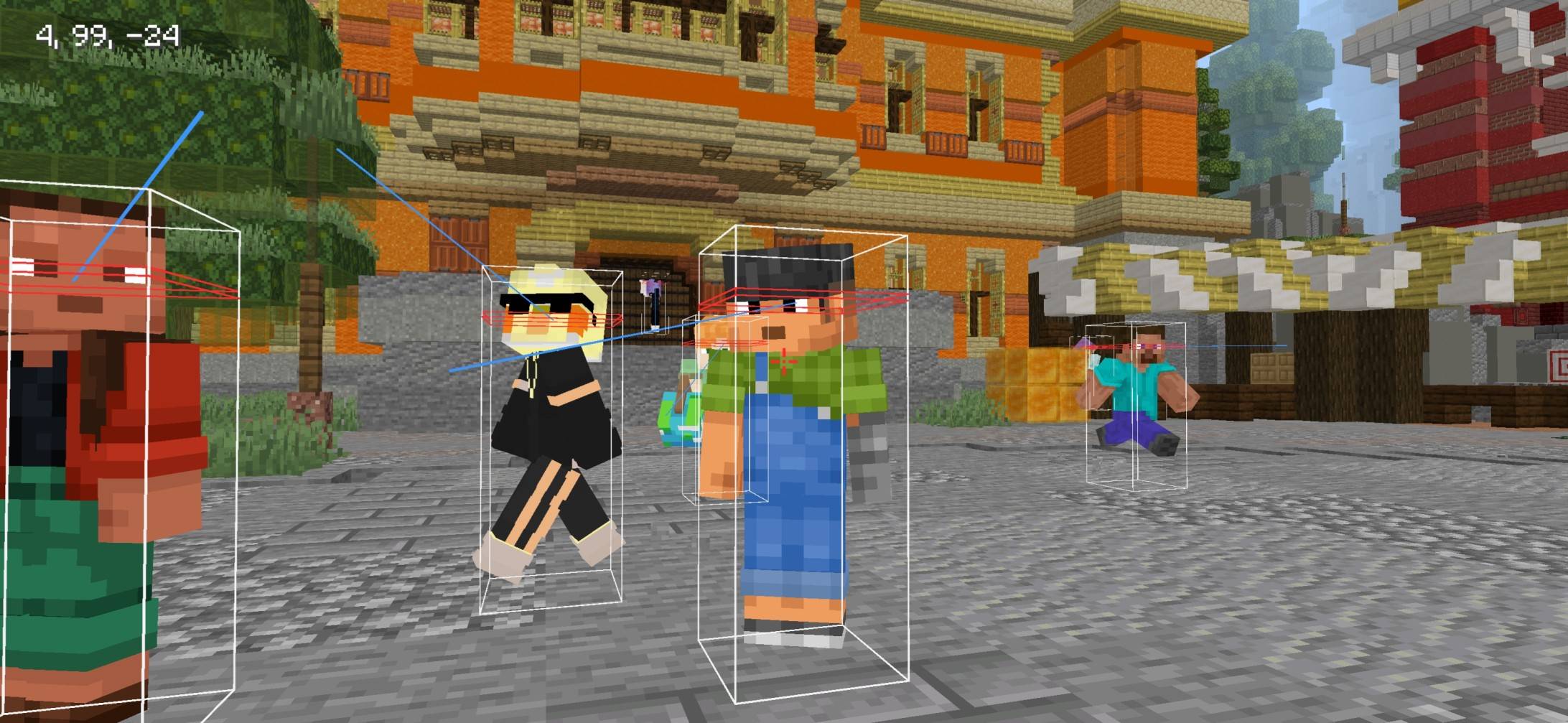
🎯 Pack Features
- 📦 Visible Hitboxes - Easily track player positions during combat.
- ⚔️ Java Style PvP - Inspired by clean Java Edition fighting experience.
- ✨ Simple & Clean Design - Minimal visuals with no unnecessary clutter.
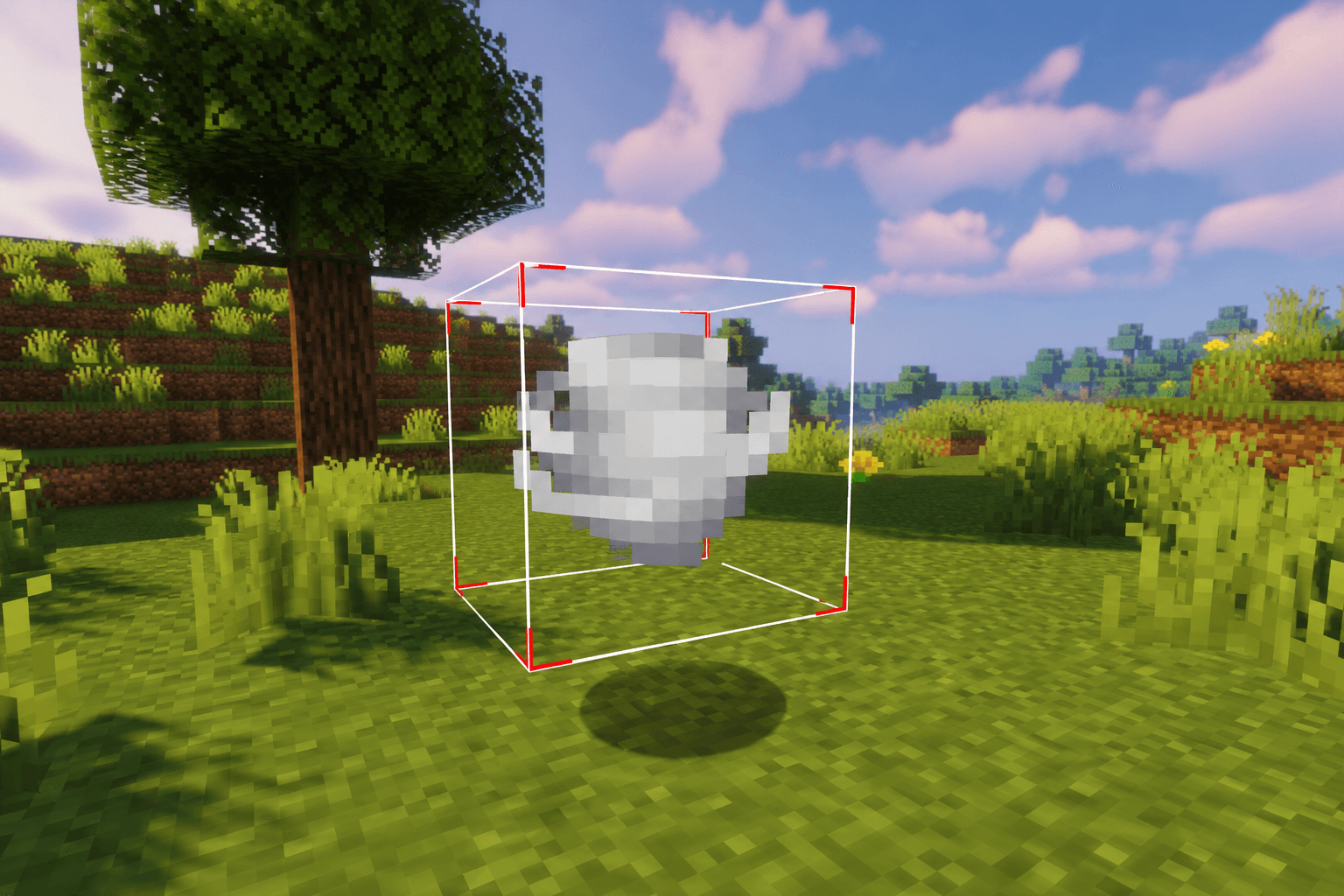
⚡ Gameplay Benefits
- 🎯 Better Aim Accuracy - Improved targeting during PvP fights.
- ⚔️ Cleaner Combat - Easier tracking of enemy movement.
- 🚀 Smooth Gameplay - Lightweight and optimized textures.
- 🧼 Minimal Interface - Simple visuals for distraction-free gameplay.
🌍 Pack Highlights
- 📦 Visible Player Hitboxes
- ⚔️ Java PvP Inspired
- ✨ Clean & Simple Style
- 📱 MCPE/Bedrock Friendly
⚙️ Pack Info
- 🎮 Type: PvP Utility Pack
- 📦 Feature: Visible Java-Style Hitboxes
- 📱 Platform: MCPE / Bedrock
- ⚡ Lightweight & Smooth
⭐ Why Use This Pack?
If you want a clean and competitive PvP experience with visible hitboxes and better aiming accuracy, this pack is perfect for you 💯.
👤 Credits
Pack Creator: BAKU
💬 Support & Feedback
⭐ Please rate this pack and leave a review if you enjoyed it - it really helps!
💭 Have any questions or suggestions? Join my Discord and ask here 👉 Click to Join Discord
Java hitbox 설치 방법
With Millida Launcher
Install Millida Launcher
The launcher is free: download it at millida.net/launcher and sign in with any nickname.
Click “Install” on this page
The launcher opens and installs the resource pack for Minecraft 26.12–26.40 automatically.
Launch the game
A profile with it appears in the launcher: click “Play”.
Manually
Download the archive
Pick the file JAVA_HITBOX_BY_BAKU_v1_8_0_PRO.mcpack (142 KB) for your game version. No need to unpack it.
Put it in the resourcepacks folder
The easiest way: “Options”, then “Resource Packs”, then “Open Pack Folder”, and drag the archive there.
Enable the pack
In the same window, move the pack to the right-hand “Selected” column and click “Done”.
버전
의존성 포함
| Minecraft | 로더 | 파일 | 날짜 | 작업 |
|---|---|---|---|---|
| 26.12 | — | JAVA_HITBOX_BY_BAKU_v1_8_0_PRO.mcpack142 KB 5 |
FAQ
Which Minecraft versions does Java hitbox work on?
There are files for 26.40, 26.30, 26.20, 26.13, 26.12. The newest is 26.40.
Where can I download Java hitbox safely?
On this page: the file JAVA_HITBOX_BY_BAKU_v1_8_0_PRO.mcpack (142 KB) is stored on Millida’s server, with no link shorteners. SHA-1 checksum: 71c6ed6c8c1a2bccf6a2a7cf69f14be3b25335e9.
리뷰
Java hitbox의 첫 평가를 남겨 보세요



