

Minecraft 1.20.1, 1.21용 Item Info+ 리소스 팩
필수 편의성 팩! 간단하고 다채로운 아이콘으로 아이템 이름에 능력치를 표시합니다. 몹의 HP, 몹 적대성, 현수막, 폭죽, 마법 부여 아이콘, 음식의 허기 및 포화도, 방어구 포인트, 물약 능력치 등을 확인하세요!
Item Info+ for Minecraft Bedrock
Check out my personal website! :D https://honkit26113.com/
Follow me on Twitter (X) for exclusive sneak peeks & announcements! x.com/honkit1103
4 different subpacks are available!
Go into Global Resources, activate the pack, and click on the cog next to the Deactivate button.
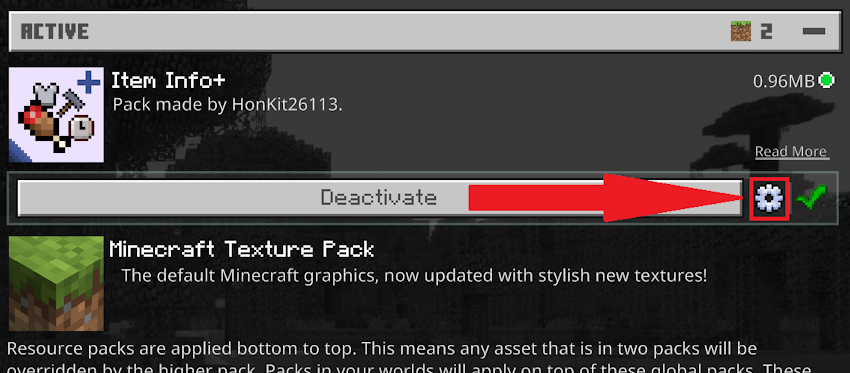
Then, simply choose what information you want to see on item names. You must restart Minecraft for the changes to take effect.
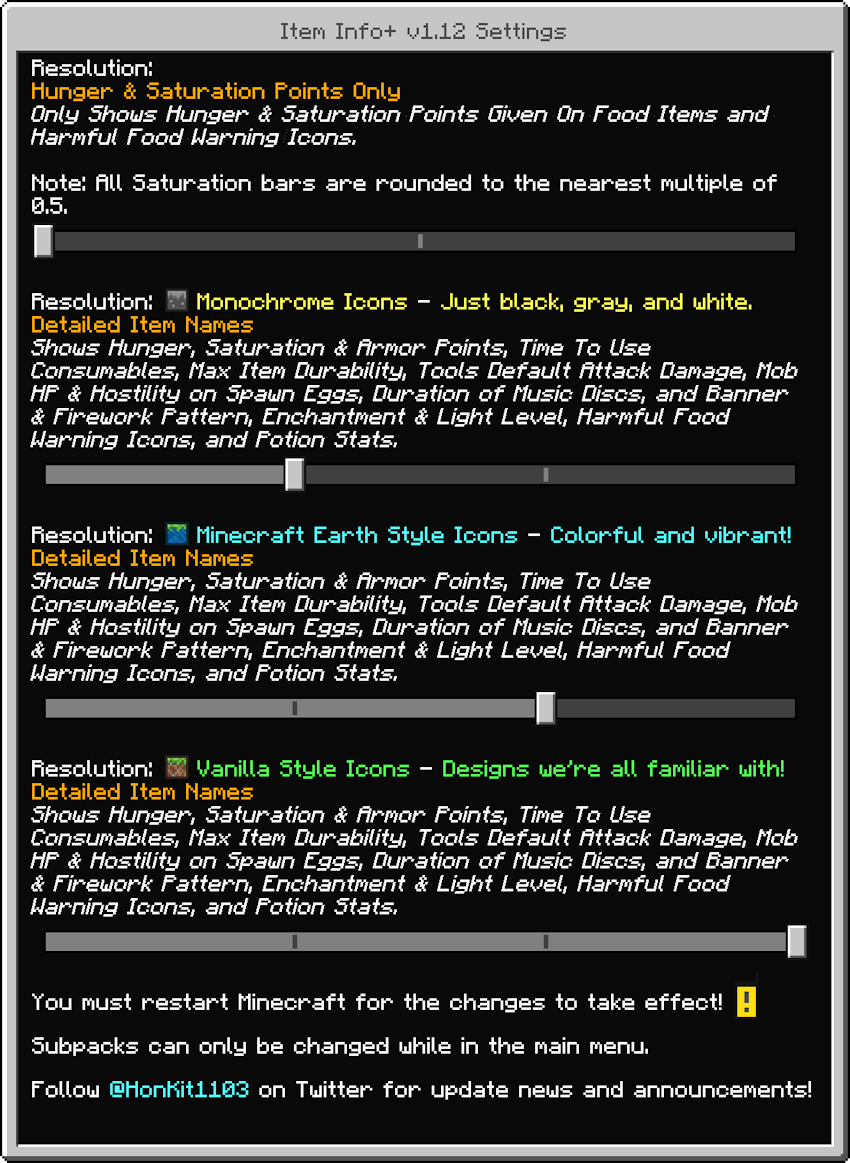
Mode 1: Hunger & Saturation Points Only
Hunger & Saturation Points Only
Only the following will be shown in item names:
- the amount of hunger points & saturation given after being consumed
- a warning icon if the food is harmful
In this mode, all saturation bars are rounded off to 1 or 0.5 due to technical and design reasons.
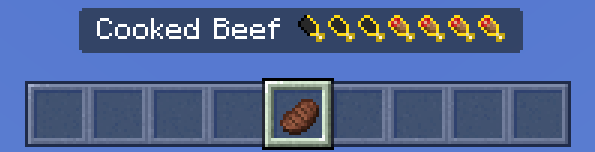
^ Cooked Beef: gives 8 Hunger Points (4 Hunger Bars) & 12.8 Saturation Points (6.4 Saturation Bars, rounded off to 6.5 bars)
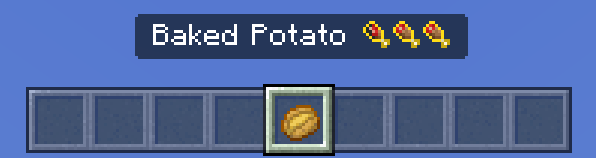
^ Baked Potato: gives 5 Hunger Points (2.5 Hunger Bars) & 6 Saturation Points (3 Saturation Bars)
Please note: Some foods give extremely low amounts of saturation, so it will be rounded to 0 bars.
Don't know how the saturation system works? The Minecraft Wiki has got you covered: https://minecraft.wiki/Hunger#Mechanics
Mode 2: Detailed Item Names
Detailed Item Names
The following will be shown in item names & descriptions:
- Hunger, Saturation & Armor Points
- Time To Use Consumables & Warning Icons for Harmful Foods
- Max Item Durability
- Tools' Default Attack Damage
- Mob HP & Hostility on Spawn Eggs
- Duration of Music Discs
- Banner Pattern & Firework Pattern Icons
- Enchantment & Light Level Icons
- Potion & Tipped Arrow Stats
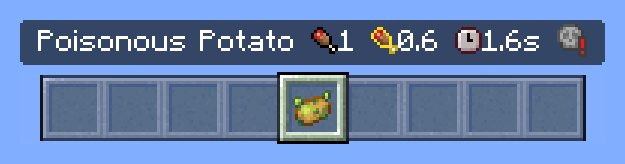
^ Poisonous Potato: fills 1 Hunger Bar, fills 0.6 Saturation Bars, takes 1.6 seconds to eat, and gives you harmful effects
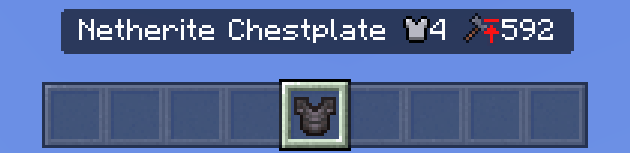
^ Netherite Chestplate: gives 4 Armor Points. It has a maximum of 592 durability.
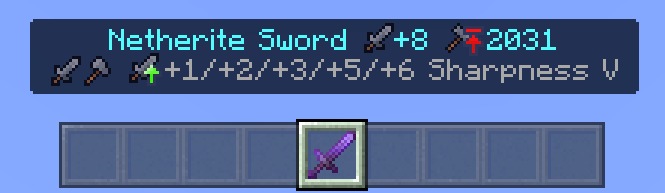
^ The Netherite Sword does +8 attack damage when unenchanted, and has a maximum of 2031 durability. Sharpness I - V gives 1, 2, 3, 5, and 6 additional attack damage respectively.
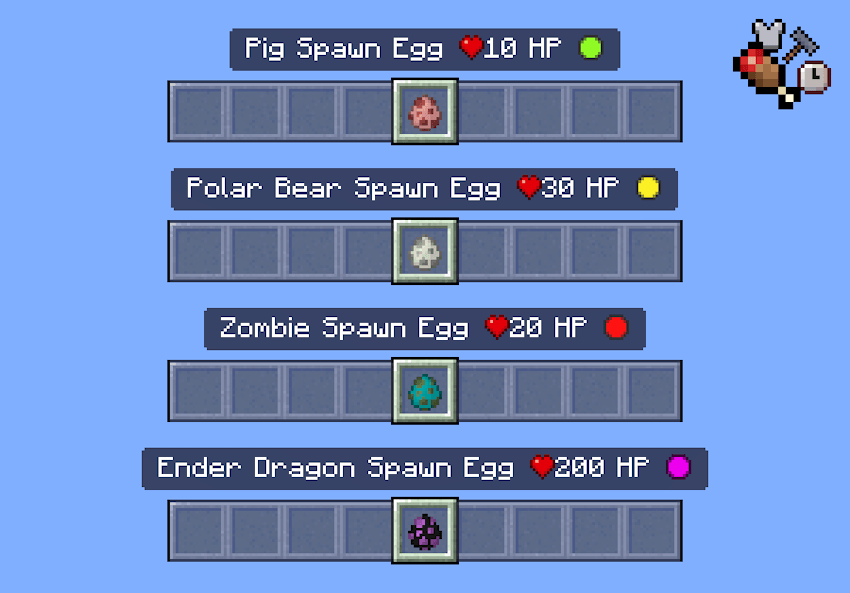
^ Spawn Eggs show the mob's HP and hostility.
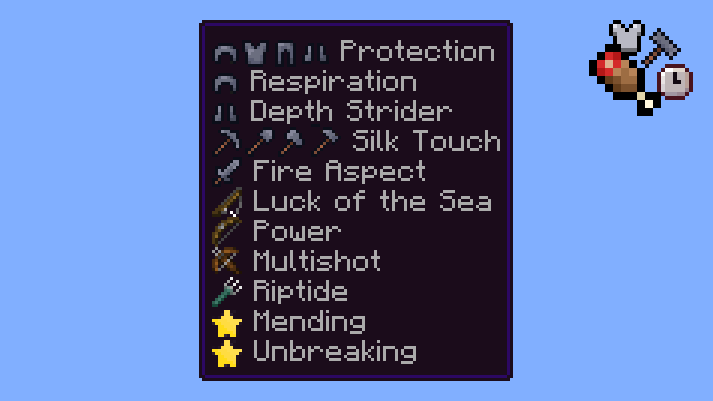
^ All Enchantments now have icons showing you what tool they can be applied to.
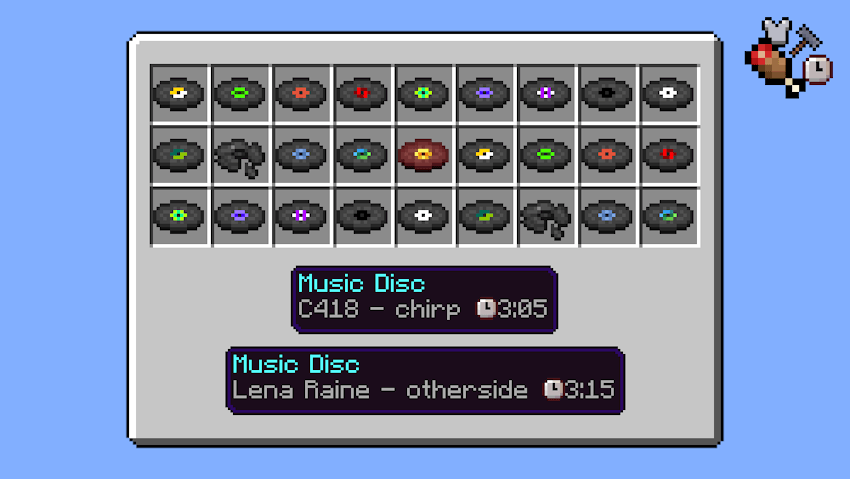
^ All Music Discs now show the duration of respective songs.
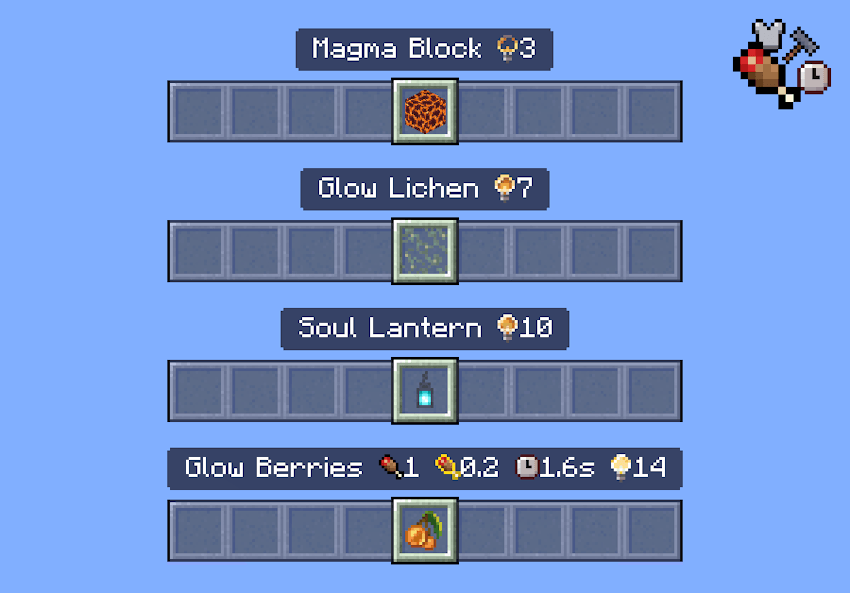
^ All Blocks & Items that emit light now have icons showing you their light level emission.
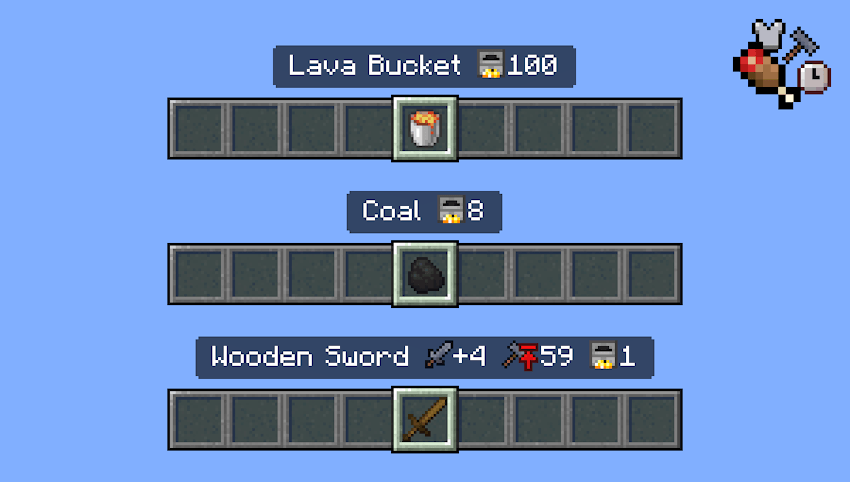
^ Items that can be used as furnace fuel now show the amount of items that can be smelted.
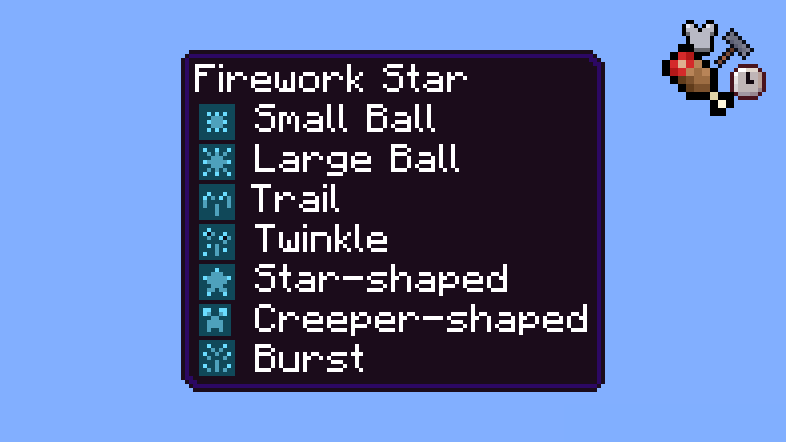
^ Firework Rockets & Firework Stars now have icons next to their pattern names!
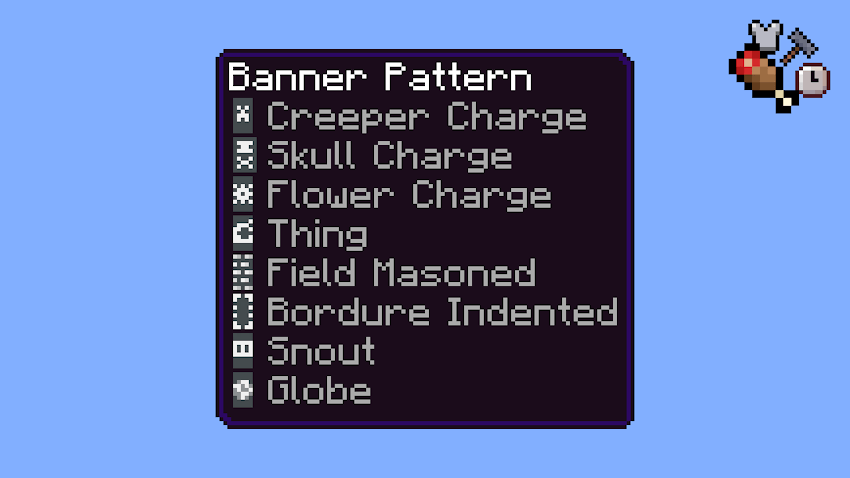
^ All Banner Patterns now have an icon next to their name.
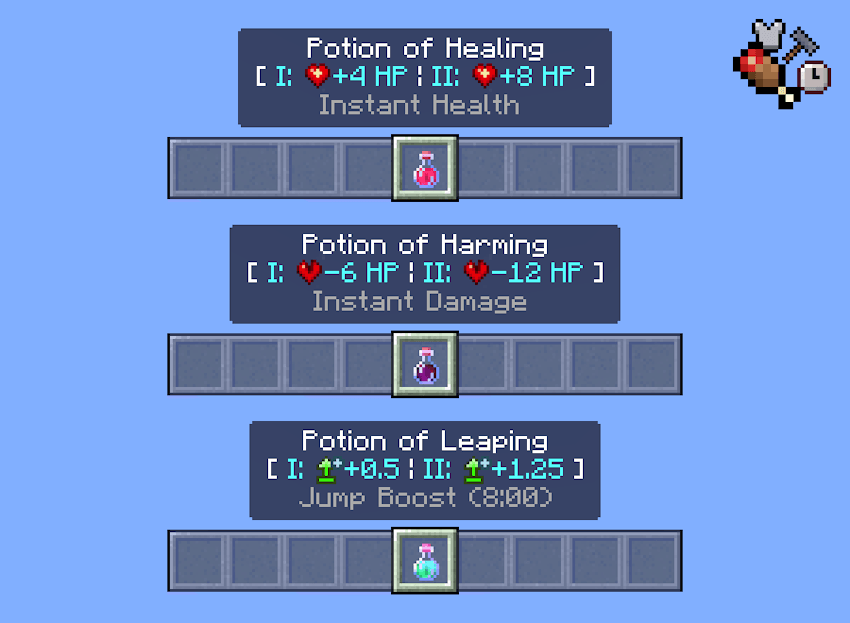
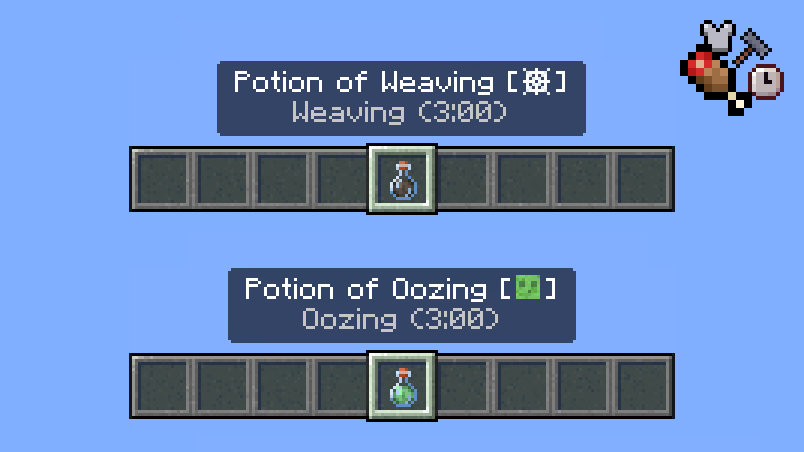
^ Potions & Tipped Arrows now have stats displayed next to their names! Please note: Some potions do not have any stats displayed, as their effects are self-explanatory.
Minecraft Earth Style Icons
If vanilla style icons are too boring for you, you might like these icons! These icons are all in the style of Minecraft Earth. Some icons are replicated from Minecraft Earth itself!
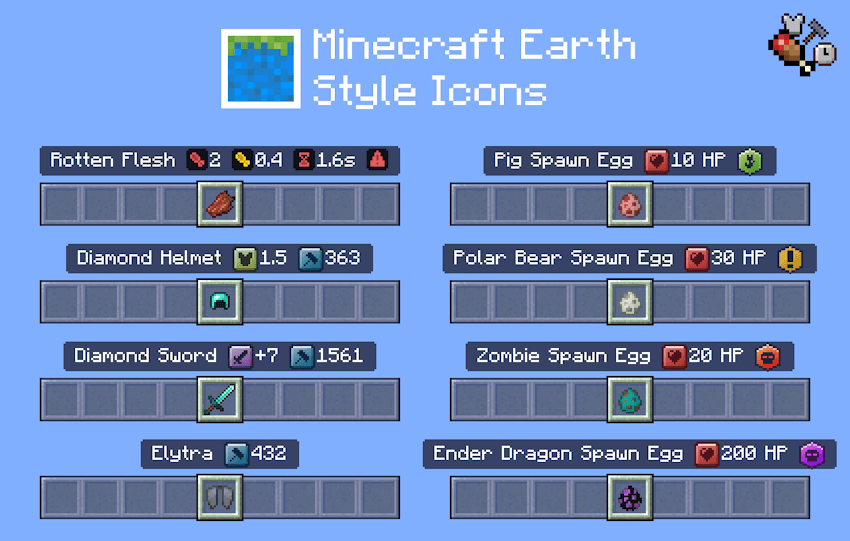
This icon style is only available for Mode 2: Detailed Item Names.
Monochrome Icons
Prefer a simpler, cleaner look? These Monochrome Icons are only in black, gray, and white.
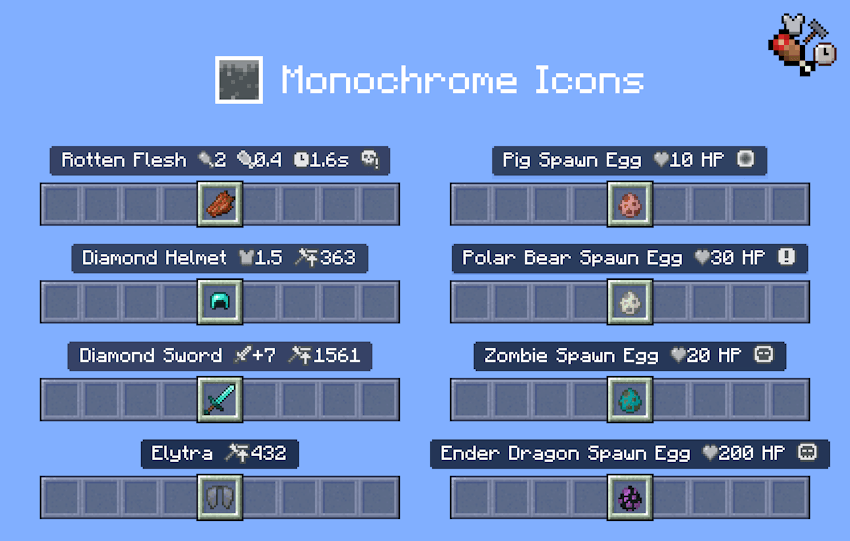
This icon style is only available for Mode 2: Detailed Item Names.
Additional Features
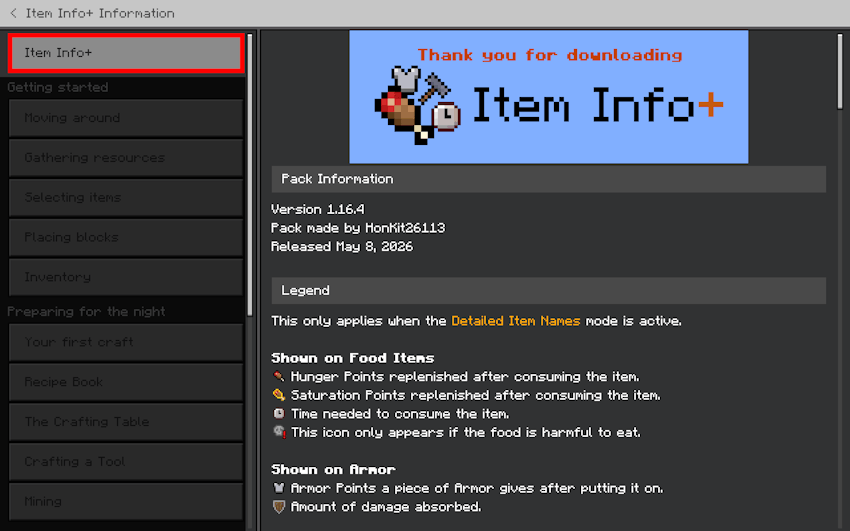
There is now a new section in How to Play! This section includes an explanation of all the icons and the changelog of the latest update, so you can check without having to revisit this site every time.
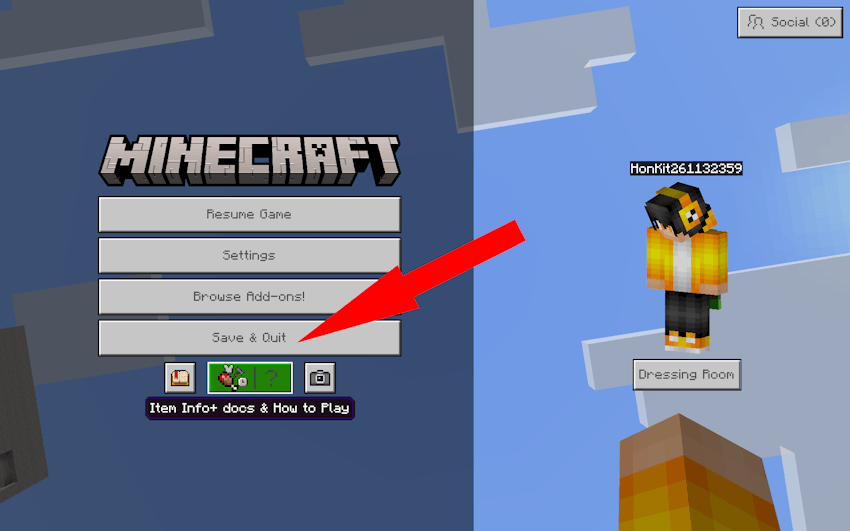
You can access this section in game easily by going to the Pause screen.
Supported Languages
This pack supports all languages in the game in addition to Vietnamese, for a total of 30 languages!
- English (US, UK)
- Deutsch (Deutschland)
- Español (España, México)
- Français (France, Canada)
- Italiano (Italia)
- 日本語 (日本)
- 한국어 (대한민국)
- Português (Brasil, Portugal)
- 中文 (简体, 繁體)
- Nederlands (Nederland)
- Čeština (Česko)
- Dansk (Danmark)
- Ελληνικά (Ελλάδα)
- Suomi (Suomi)
- Magyar (Magyarország)
- Indonesia (Indonesia)
- Norsk bokmål (Norge)
- Polski (Polska)
- Slovenčina (Slovensko)
- Svenska (Sverige)
- Türkçe (Türkiye)
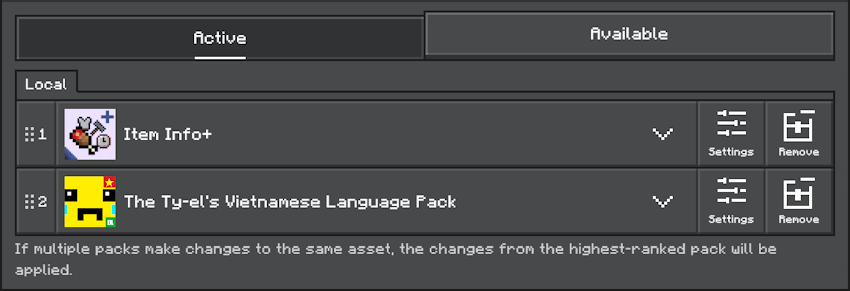
- Tiếng Việt (Việt Nam), via The Ty-el's Vietnamese Language Pack. If you would like to use this pack in Vietnamese, you must download the language pack, and then place the packs in the following order:
DLCs
There is currently 1 DLC available. This is an additional pack that works together with Item Info+ to further enhance your gameplay experience.
Download the DLC now!
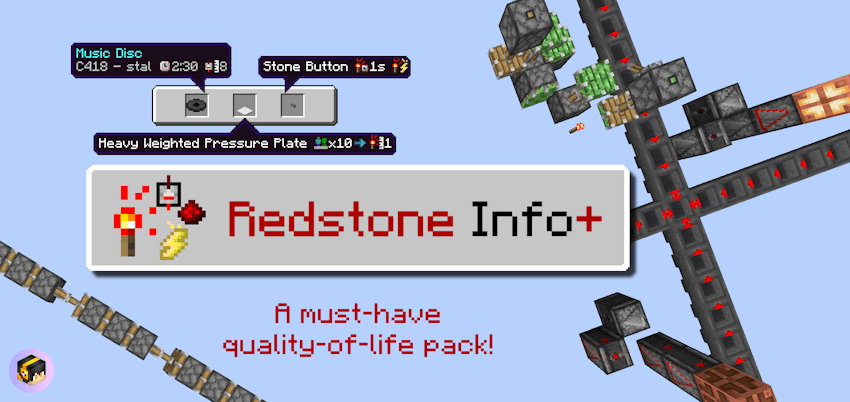
- Redstone Info+: A quality of life pack that makes it easier to build with redstone! Not only are there new textures, but icons have also been added to items to display more information.
Add-on Compatibility
- This pack supports the Beyond The Underground add-on. Place the resource packs in the following order for the packs to work correctly. Even if you have already enabled the pack in Global Resources, you still need to activate it again per world.
- Beyond The Underground is an add-on that adds many new cave types for you to explore! Download the pack today!
Terms of Use
You are allowed to:
- Edit the pack for personal use.
- Use the pack in your private modpack that you aren’t releasing publicly. You cannot use the pack in a public modpack.
- Make videos & media content with the pack if you leave the link to this page.
You are NOT allowed to:
- Distribute the pack using a new download link. Always share the link to to this page.
- Monetise the pack download. Doing so could result in a copyright takedown.
Item Info+ 설치 방법
With Millida Launcher
Install Millida Launcher
The launcher is free: download it at millida.net/launcher and sign in with any nickname.
Click “Install” on this page
The launcher opens and installs the resource pack for Minecraft 1.19–26.10 automatically.
Launch the game
A profile with it appears in the launcher: click “Play”.
Manually
Download the archive
Pick the file Item Info+ v1.16.4.mcpack (876 KB) for your game version. No need to unpack it.
Put it in the resourcepacks folder
The easiest way: “Options”, then “Resource Packs”, then “Open Pack Folder”, and drag the archive there.
Enable the pack
In the same window, move the pack to the right-hand “Selected” column and click “Done”.
버전
의존성 포함
| Minecraft | 로더 | 파일 | 날짜 | 작업 |
|---|---|---|---|---|
| 1.20.40 | — | Item Info+ v1.16.4.mcpack876 KB 12 |
FAQ
Where can I download Item Info+ safely?
On this page: the file Item Info+ v1.16.4.mcpack (876 KB) is stored on Millida’s server, with no link shorteners. SHA-1 checksum: ecafa0edc215c38f4c169755a51949aef78923e5.
리뷰
Item Info+의 첫 평가를 남겨 보세요



