

HD Controls 리소스 팩 정보
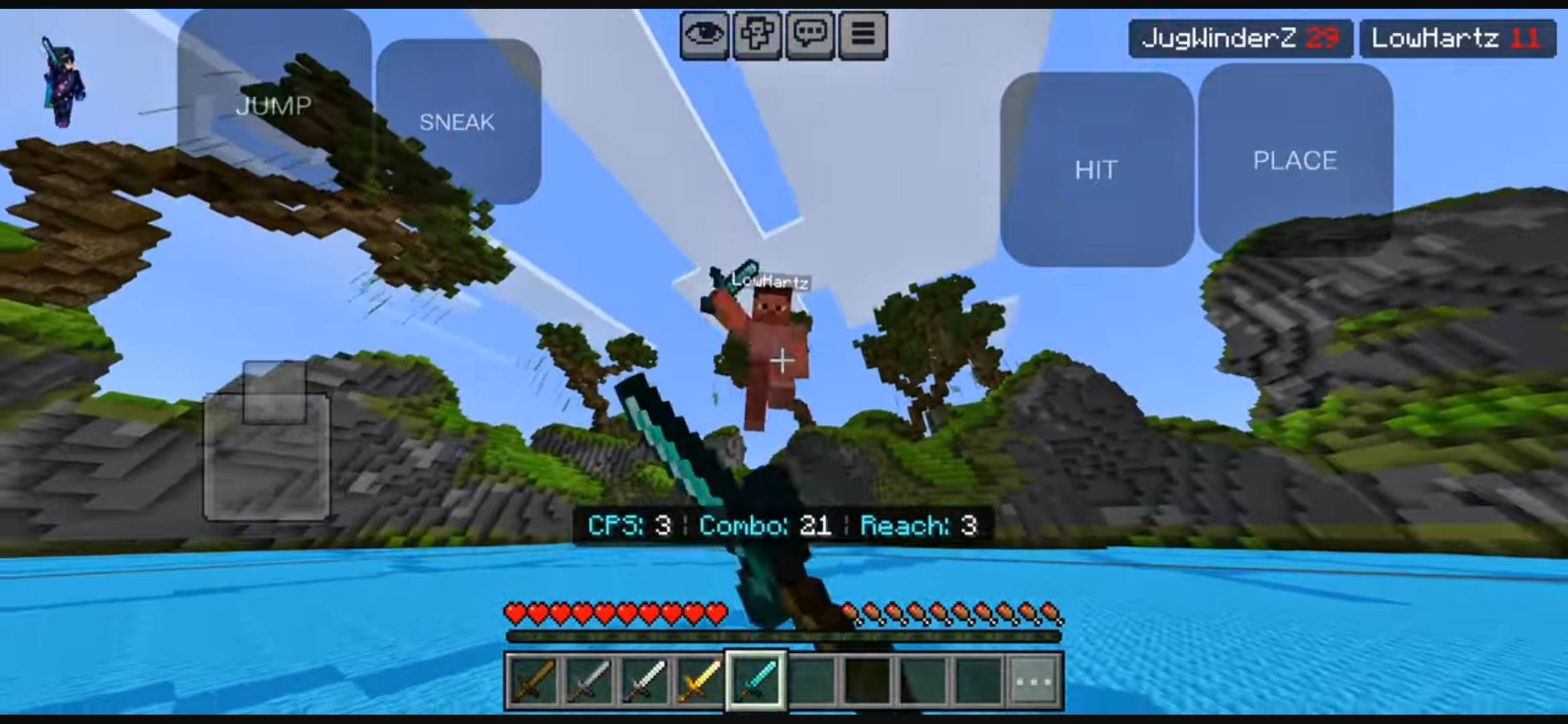
"HD Controls" in Minecraft PE refers to custom user interface (UI) texture packs or built-in settings that optimize mobile touch buttons.
Core Features
Cleaner Visuals: Replaces large, bulky default buttons with crisp, transparent, or entirely invisible overlays.
Custom Layouts: Allows resizing and moving individual buttons anywhere on the screen for better comfort.
PvP Advantage: Clears up your screen view, making it easier to track enemies and aim during combat.
HD Controls 설치 방법
With Millida Launcher
Install Millida Launcher
The launcher is free: download it at millida.net/launcher and sign in with any nickname.
Click “Install” on this page
The launcher opens and installs the resource pack for Minecraft 1.20–26.30 automatically.
Launch the game
A profile with it appears in the launcher: click “Play”.
Manually
Download the archive
Pick the file HD Controls V1.0.2.mcpack (1.7 MB) for your game version. No need to unpack it.
Put it in the resourcepacks folder
The easiest way: “Options”, then “Resource Packs”, then “Open Pack Folder”, and drag the archive there.
Enable the pack
In the same window, move the pack to the right-hand “Selected” column and click “Done”.
버전
의존성 포함
| Minecraft | 로더 | 파일 | 날짜 | 작업 |
|---|---|---|---|---|
| 1.20 | — | HD Controls V1.0.2.mcpack1.7 MB |
FAQ
Which Minecraft versions does HD Controls work on?
There are files for 1.20–26.30, 10 versions in total. The newest is 26.30.
Where can I download HD Controls safely?
On this page: the file HD Controls V1.0.2.mcpack (1.7 MB) is stored on Millida’s server, with no link shorteners. SHA-1 checksum: c69fd66c5abc21a5f20773ea85df9f7649f1d505.
리뷰
HD Controls의 첫 평가를 남겨 보세요



