
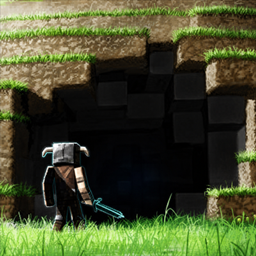
Minecraft 1.20.1, 1.21용 FullBright Pro 리소스 팩
치트를 켜지 않고도 Minecraft를 밝고 선명하게 만들어 줍니다. FullBright는 짙은 안개를 제거하고 선명도를 높여 밤, 폭풍, 어두운 생물 군계를 더 쉽게 볼 수 있게 해줍니다. 서바이벌, 렐름, 업적 활성화 상태에서 플레이하기에 완벽합니다.
FullBright (Bedrock) — Cheats OFF, Achievements Safe
Make Minecraft look clearer without turning on cheats. FullBright substantially reduces distance fog in air and weather, increases underwater visibility, and extends visibility in lava.
Supported versions: Minecraft Bedrock 1.20.0–26.34 Graphics: Works best with Simple and Fancy graphics. The effect may be weaker or less noticeable with Vibrant Visuals because that renderer also uses volumetric fog that this pack does not modify.
Author: Leo Termado
✨ Features
- Cheats OFF / Achievements ON — pure resource pack, no commands.
- Minecraft Bedrock 1.20.0–26.34 — compatible across the currently supported range.
- Simple & Fancy graphics — provides the intended fog-reduction effect.
- Vibrant Visuals — may still reduce some distance fog, but the result can be weaker because volumetric fog remains.
- Works on Realms & servers (where resource packs are allowed).
- Plays nice with other packs — just set pack order.
- Lightweight — zero scripts, minimal files.
📦 Downloads
- FullBright PRO — bright, natural look.
🧰 How to Use
Per-world
- From the main menu, click Edit on your world.
- Go to Resource Packs → Available → FullBright → Activate.
- In Active, move FullBright to the top (highest priority wins).
- Load the world. Done.
Global (all worlds)
Settings → Global Resources → activate FullBright and move it to the top.
With X-Ray or other packs
- Activate both; keep FullBright above the other pack so its fog settings win while textures still apply.
On Realms
- Realm owner → Edit Realm → Resource Packs → upload/activate FullBright.
- (Optional) Enable require/force pack for all players.
🔍 FAQ
Why are caves still dark? Resource packs can’t raise light levels, modify gamma, or provide Night Vision. FullBright reduces distance fog, so the improvement is most visible across large spaces, during weather, underwater, and in lava. Use a Night Vision (Behavior Pack) editions (Simple/Pro) for true brightness underground.
It didn’t change anything. Make sure it’s enabled under Resource Packs and placed at the top of Active packs. Another pack might be overriding its fog settings.
If you are using Vibrant Visuals, the difference may be weaker or difficult to notice. Switch temporarily to Simple or Fancy graphics to confirm that the pack is active.
📝 Credits & License
Made with purpose by Leo Termado. License: MIT — free to use, modify, and bundle. Please credit if you fork or redistribute.
FullBright Pro 설치 방법
With Millida Launcher
Install Millida Launcher
The launcher is free: download it at millida.net/launcher and sign in with any nickname.
Click “Install” on this page
The launcher opens and installs the resource pack for Minecraft 1.20–26.30 automatically.
Launch the game
A profile with it appears in the launcher: click “Play”.
Manually
Download the archive
Pick the file FullBright-Pro-v1.0.1.mcpack (22 KB) for your game version. No need to unpack it.
Put it in the resourcepacks folder
The easiest way: “Options”, then “Resource Packs”, then “Open Pack Folder”, and drag the archive there.
Enable the pack
In the same window, move the pack to the right-hand “Selected” column and click “Done”.
버전
의존성 포함
| Minecraft | 로더 | 파일 | 날짜 | 작업 |
|---|---|---|---|---|
| 1.20.40 | — | FullBright-Pro-v1.0.1.mcpack22.4 KB 2 |
FAQ
Which Minecraft versions does FullBright Pro work on?
There are files for 1.20–26.30, 52 versions in total. The newest is 26.30.
리뷰
FullBright Pro의 첫 평가를 남겨 보세요



