

FPS Boost++ 리소스 팩 정보
⚡ FPS++ Resource Pack
📖 Introduction
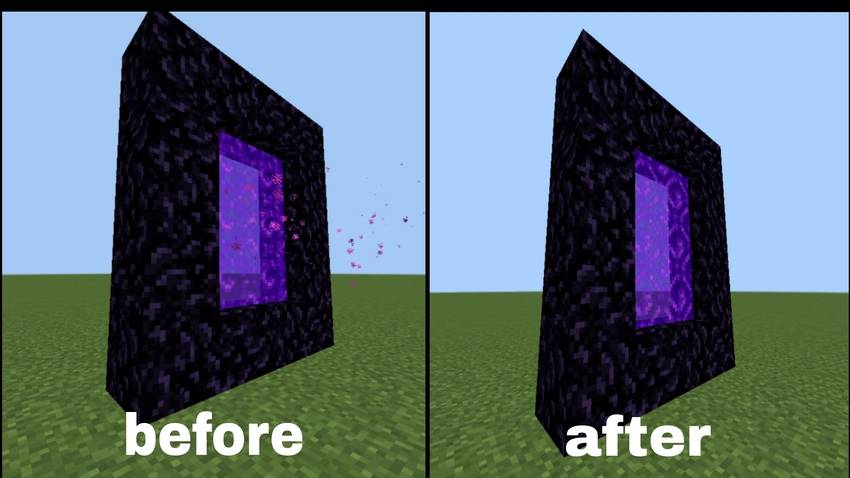
FPS++ is a performance-focused resource pack for Minecraft Bedrock Edition 1.26.x. It is designed to improve FPS by removing or simplifying many unnecessary visual effects and animations, allowing the game to run more smoothly on a wide range of devices.
📝 Description
If you're experiencing low FPS, stuttering, or lag, FPS++ can help deliver a smoother gameplay experience. The pack reduces the game's rendering workload by cutting down on resource-intensive effects while preserving the core Minecraft experience.
To suit different user preferences, FPS++ comes in two editions:
- Lite Edition - Provides balanced optimization while keeping most visual effects intact.
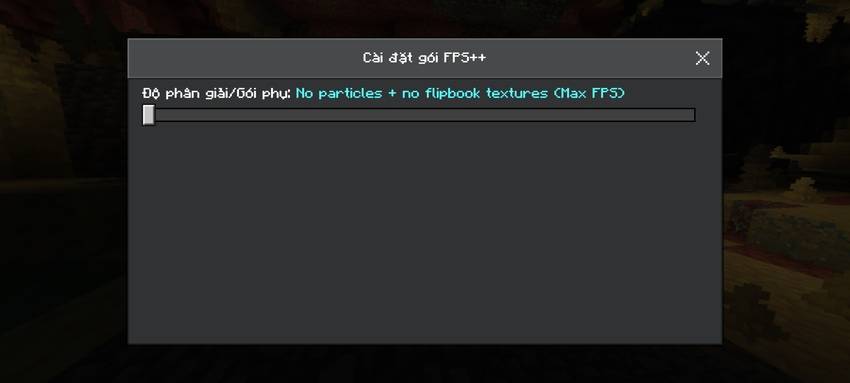
- Ultra Edition - Maximizes performance by removing as many unnecessary effects and animations as possible.
🚀 Features
- ✅ Boosts FPS for smoother gameplay.
- ✅ Reduces lag and frame drops.
- ✅ Removes unnecessary visual effects.
- ✅ Simplifies or disables non-essential animations.
- ✅ Improves overall game stability, especially in large worlds and multiplayer servers.
- ✅ Includes two versions to match different performance needs.
⚠️ Notes
- Compatible with Minecraft Bedrock Edition 1.26.x.
- This is a Resource Pack only and does not modify gameplay mechanics.
- Some visual effects and animations have been simplified or removed to prioritize performance.
- Performance improvements may vary depending on your device's hardware specifications.
❤️ Thank You
Thank you for downloading FPS++! We hope this resource pack helps you enjoy a smoother Minecraft experience. If you like it, consider sharing it with your friends and stay tuned for future updates and optimizations.
FPS Boost++ 설치 방법
With Millida Launcher
Install Millida Launcher
The launcher is free: download it at millida.net/launcher and sign in with any nickname.
Click “Install” on this page
The launcher opens and installs the resource pack for Minecraft 26.0–26.50 automatically.
Launch the game
A profile with it appears in the launcher: click “Play”.
Manually
Download the archive
Pick the file FPS Boost++V1.6.mcpack (696 KB) for your game version. No need to unpack it.
Put it in the resourcepacks folder
The easiest way: “Options”, then “Resource Packs”, then “Open Pack Folder”, and drag the archive there.
Enable the pack
In the same window, move the pack to the right-hand “Selected” column and click “Done”.
버전
의존성 포함
| Minecraft | 로더 | 파일 | 날짜 | 작업 |
|---|---|---|---|---|
| 26.0.02 | — | FPS Boost++V1.6696 KB 4 |
FAQ
Which Minecraft versions does FPS Boost++ work on?
There are files for 26.0–26.50, 11 versions in total. The newest is 26.50.
Where can I download FPS Boost++ safely?
On this page: the file FPS Boost++V1.6.mcpack (696 KB) is stored on Millida’s server, with no link shorteners. SHA-1 checksum: 95147b82349830b0387c843d84e4efec3c871dbd.
리뷰
FPS Boost++의 첫 평가를 남겨 보세요



