
Minecraft 1.21, 1.21.111용 Flags Emoji 리소스 팩
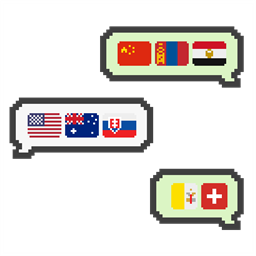
이 텍스처 팩은 각 국가 또는 지역의 국기 이모지를 추가하고 이 이모지를 입력할 수 있게 합니다.
Flags Emoji 리소스 팩 정보
This texture pack adds emoji of each country or region's flag and makes these emoji available for typing.
- Flags Supported✔️
(Map based on BlankMap World Microstates from Wikimedia Commons)
- Typing Method⌨️
- Out-Game Typing - Recommended (Sample Video)
- Refer to “Supported Flag Excel” to get the “Unicode” of the corresponding country/region flag.
5
- Go to Glyph Tools 🇻🇳 and paste the “Unicode” in “Hex ↔ Emoji Converter” on the right to get the characters.
- Press the “Copy” button and paste the character in Minecraft.
- Caution⚠️
- For singleplayer and multiplayer, just apply this texture pack to the world and the method will work.
- In-Game Typing - Not Recommended (Sample Video)
- Refer to “Supported Flag Excel” to get the “Code” of the corresponding country/region flag.
- In the game, enter “:<code>:” (e.g. :US:) to display the flag.
- Caution⚠️
- For singleplayer, you should apply this texture pack to the global resources, otherwise this method will not work and emoji entered by this method will not be displayed.
- For multiplayer, all players should apply this texture pack to the global resources, otherwise this method will not work and emoji entered by this method will only be displayed to the player who applied the texture pack.
- Preview🎮
- Postscript📝
- !!! This texture pack changed Unicode E200-E3FF, so that may conflict with other font texture packs !!!
- ‏Flags emoji modified by me (kurosho)
- The flags are basically added according to the “Regional indicator symbol”, so the style of the flags may not match the actual situation.
- These flags will be added gradually and other flags (including historical and current flags) will be added in the future.
- My mother tongue is Chinese, so please let me know if translations are any mistakes!(っ °Д °;)っ
- And please let me know if the pack is any bugs and mistakes. <(_ _)>
Flags Emoji 설치 방법
With Millida Launcher
Install Millida Launcher
The launcher is free: download it at millida.net/launcher and sign in with any nickname.
Click “Install” on this page
The launcher opens and installs the resource pack for Minecraft 1.20–1.21.111 automatically.
Launch the game
A profile with it appears in the launcher: click “Play”.
Manually
Download the archive
Pick the file flags_emoji_v1.2.0.mcpack (47 KB) for your game version. No need to unpack it.
Put it in the resourcepacks folder
The easiest way: “Options”, then “Resource Packs”, then “Open Pack Folder”, and drag the archive there.
Enable the pack
In the same window, move the pack to the right-hand “Selected” column and click “Done”.
버전
의존성 포함
| Minecraft | 로더 | 파일 | 날짜 | 작업 |
|---|---|---|---|---|
| 1.21.90 | — | flags_emoji_v1.2.047.1 KB |
FAQ
Which Minecraft versions does Flags Emoji work on?
There are files for 1.20–1.21.111, 7 versions in total. The newest is 1.21.111.
Where can I download Flags Emoji safely?
On this page: the file flags_emoji_v1.2.0.mcpack (47 KB) is stored on Millida’s server, with no link shorteners. SHA-1 checksum: 0cc2ed1da25f56f417efb898ffab2b466296e0b1.
리뷰
Flags Emoji의 첫 평가를 남겨 보세요



