
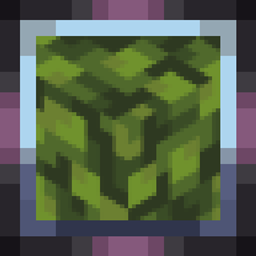
Made for The Last Frontier of Dominion project

This resource pack still won't magically optimize leaves! You'll still need a mod that handles leaf culling, such as More Culling.
🍀 Features:
- Transparency removed from all vanilla leaves
- Dark oak leaves are darker for clearer visual contrast with oak leaves
- Glow lichen no longer has a backside - you almost never see it, so there's no reason for it to exist
For lovers of solid foliage - enjoy using it! 🍂
Fast Leaves 설치 방법
With Millida Launcher
Install Millida Launcher
The launcher is free: download it at millida.net/launcher and sign in with any nickname.
Click “Install” on this page
The launcher opens and installs the resource pack for Minecraft 1.0–26.2 automatically.
Launch the game
A profile with it appears in the launcher: click “Play”.
Manually
Download the archive
Pick the file §2Fast_Leaves§k .zip (9 KB) for your game version. No need to unpack it.
Put it in the resourcepacks folder
The easiest way: “Options”, then “Resource Packs”, then “Open Pack Folder”, and drag the archive there.
Enable the pack
In the same window, move the pack to the right-hand “Selected” column and click “Done”.
버전
의존성 포함
| Minecraft | 로더 | 파일 | 날짜 | 작업 |
|---|---|---|---|---|
| 1.5.3 | — | Fast_Leaves 🍃9.2 KB 4 |
FAQ
Which Minecraft versions does Fast Leaves work on?
There are files for 1.0–26.2, 105 versions in total. The newest is 26.2.
Where can I download Fast Leaves safely?
On this page: the file §2Fast_Leaves§k .zip (9 KB) is stored on Millida’s server, with no link shorteners. SHA-1 checksum: b15947a25cd00e90adae767240d65fd850aee0f6.
리뷰
Fast Leaves의 첫 평가를 남겨 보세요


