
Minecraft 1.21, 26.40용 Fantasy Pack
Mythic Armory의 힘을 펼치세요—모든 전투를 강력하고 몰입감 있게 만들어 주는 장엄한 무기, 빛나는 비주얼, 전설적인 분위기로 여러분의 세계를 바꿔 주는 판타지 리소스 팩입니다 ⚔️🔥
Fantasy Pack 리소스 팩 정보
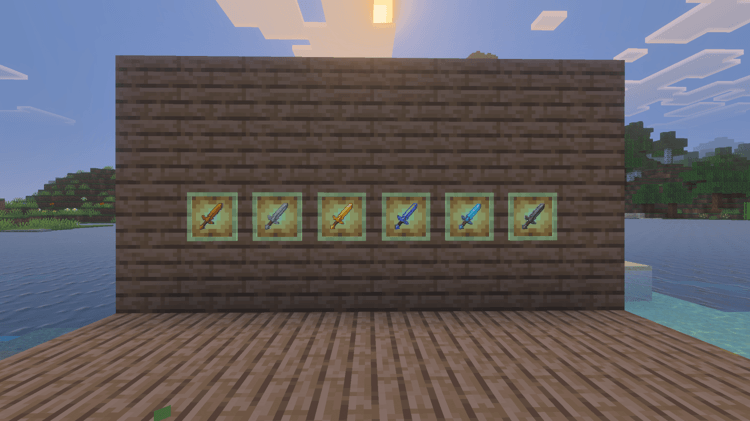
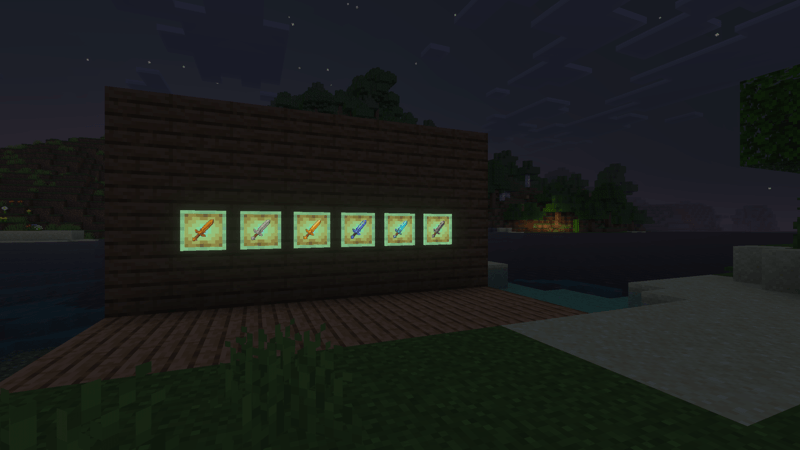
Enter a world of magic and power with Mythic Armory! This fantasy resource pack transforms your weapons into legendary blades, glowing with energy and style. From fiery gold to icy blue and mysterious dark tones, every sword feels unique and powerful.
Experience a whole new atmosphere where every battle looks epic and every weapon feels like it belongs to a true hero. Perfect for players who want a bold, magical upgrade to their Minecraft world. ⚔️✨
✨ Preview:

Fantasy Pack 설치 방법
With Millida Launcher
Install Millida Launcher
The launcher is free: download it at millida.net/launcher and sign in with any nickname.
Click “Install” on this page
The launcher opens and installs the resource pack for Minecraft 1.19–26.40 automatically.
Launch the game
A profile with it appears in the launcher: click “Play”.
Manually
Download the archive
Pick the file Fantasy_Pack_Swords_and_Pickaxes.mcpack (176 KB) for your game version. No need to unpack it.
Put it in the resourcepacks folder
The easiest way: “Options”, then “Resource Packs”, then “Open Pack Folder”, and drag the archive there.
Enable the pack
In the same window, move the pack to the right-hand “Selected” column and click “Done”.
버전
의존성 포함
| Minecraft | 로더 | 파일 | 날짜 | 작업 |
|---|---|---|---|---|
| 1.19 | — | Fantasy_Pack_Swords_and_Pickaxes.mcpack176 KB |
FAQ
Which Minecraft versions does Fantasy Pack work on?
There are files for 1.19–26.40, 20 versions in total. The newest is 26.40.
Where can I download Fantasy Pack safely?
On this page: the file Fantasy_Pack_Swords_and_Pickaxes.mcpack (176 KB) is stored on Millida’s server, with no link shorteners. SHA-1 checksum: a633ab2d972390b18d8f93c744a4f86c5db25ff5.
리뷰
Fantasy Pack의 첫 평가를 남겨 보세요



