

Enchantment Guide
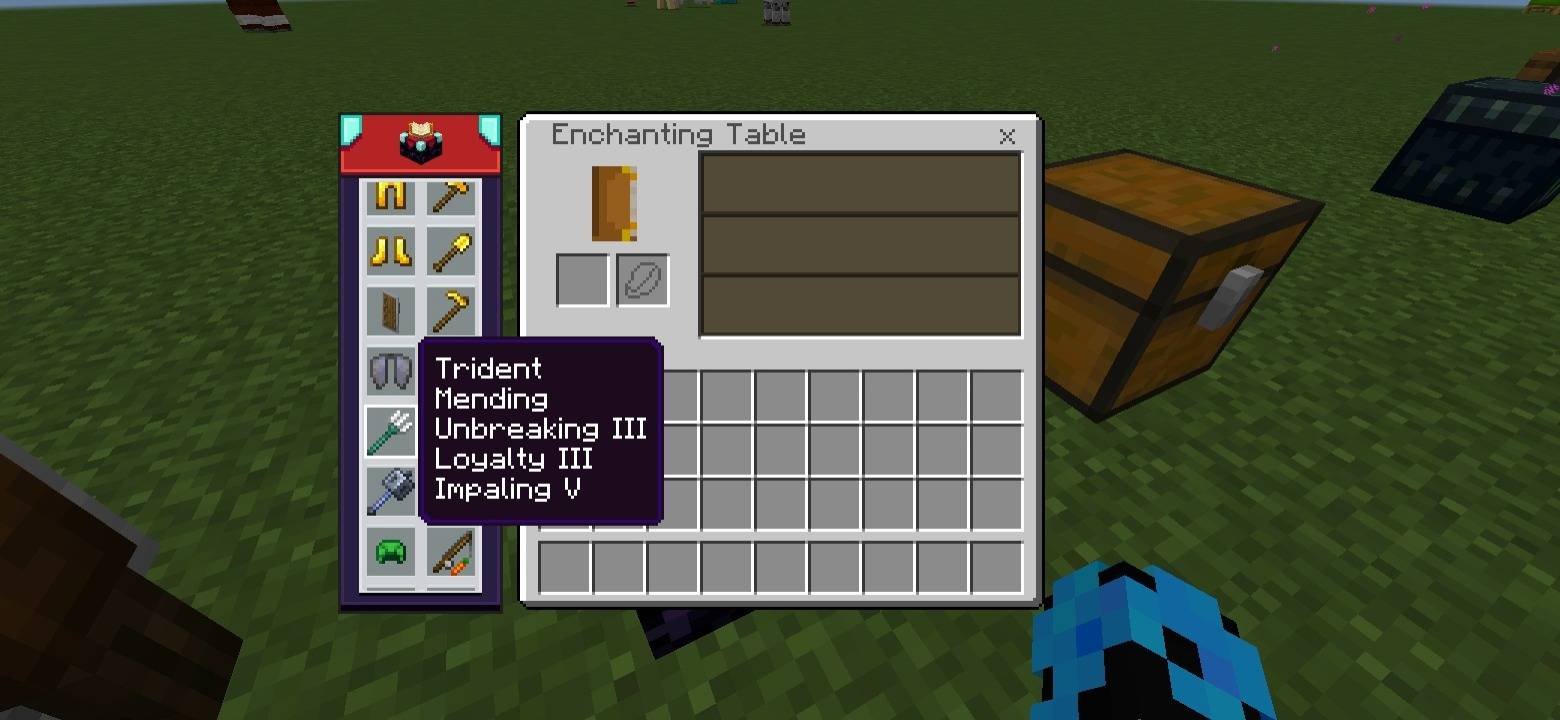
This interactive guide shows the best enchantments for tools, weapons, and armor. Click or hover on any item to see its recommended enchantments.
Tip: For more details about what each enchantment does, click the Enchantment Table icon at the top-center of the guide.
Features
- Interactive guide for all tools, weapons, and armor
- Click or hover on an item to see recommended enchantments
- View detailed info about each enchantment via the Enchantment Table icon
- Works directly inside the anvil and enchantment table
- Simple and easy-to-use for Minecraft players
Standalone Pack: This is a standalone pack of NeBux UI+.
Credit: The idea of this pack is inspired from NotNicto's pack.
Compatible with Pocket UI?: Yes
If you enjoy my packs and want to support me, you can do so on Ko-fi:
nebux18

Enchantment Guide 설치 방법
With Millida Launcher
Install Millida Launcher
The launcher is free: download it at millida.net/launcher and sign in with any nickname.
Click “Install” on this page
The launcher opens and installs the resource pack for Minecraft 1.21.130 automatically.
Launch the game
A profile with it appears in the launcher: click “Play”.
Manually
Download the archive
Pick the file Enchantment_Guide.mcpack (2.8 MB) for your game version. No need to unpack it.
Put it in the resourcepacks folder
The easiest way: “Options”, then “Resource Packs”, then “Open Pack Folder”, and drag the archive there.
Enable the pack
In the same window, move the pack to the right-hand “Selected” column and click “Done”.
버전
의존성 포함
| Minecraft | 로더 | 파일 | 날짜 | 작업 |
|---|---|---|---|---|
| 1.21.130 | — | Enchantment_Guide.mcpack2.8 MB |
리뷰
Enchantment Guide의 첫 평가를 남겨 보세요


