
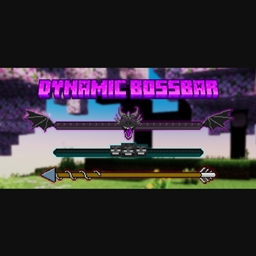
Minecraft 1.21, 1.21.101용 Dynamic Bossbar 리소스 팩
단색 마젠타 색일 뿐인 바닐라 보스바에 지루하신가요? 그렇다면 제대로 찾아오셨습니다. 이 팩은 오래된 보스바를 더 멋진 것으로 바꾸며, 어떤 보스와 싸우느냐에 따라 다른 텍스처를 가집니다
Showcase Video
https://youtube.com/embed//s4fX1C8hdB8
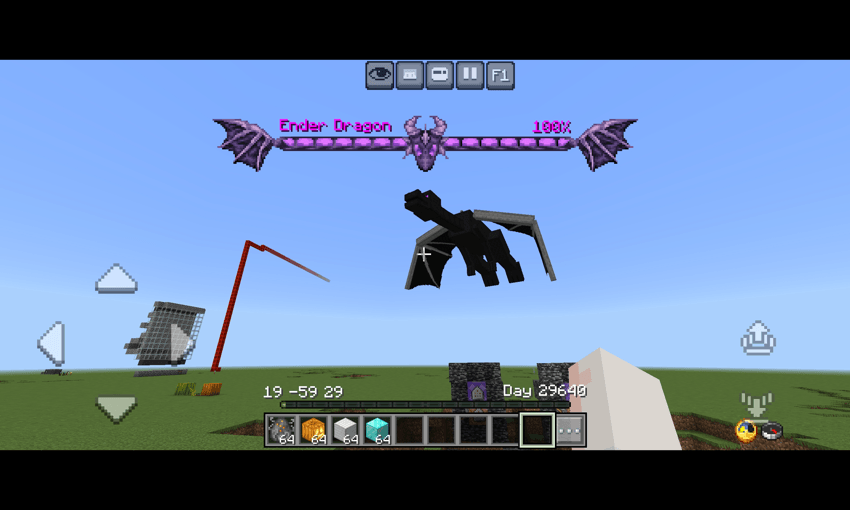
- Ender dragon bossbar
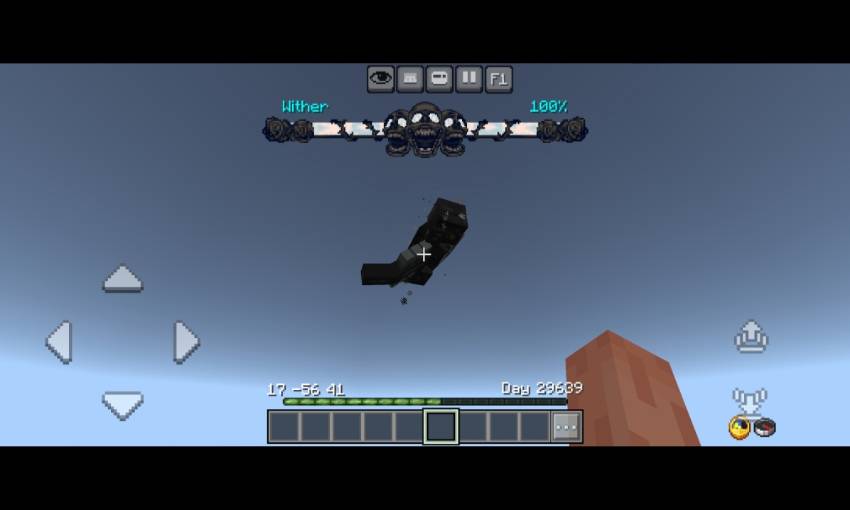
- Wither bossbar
- Raid Bossbar
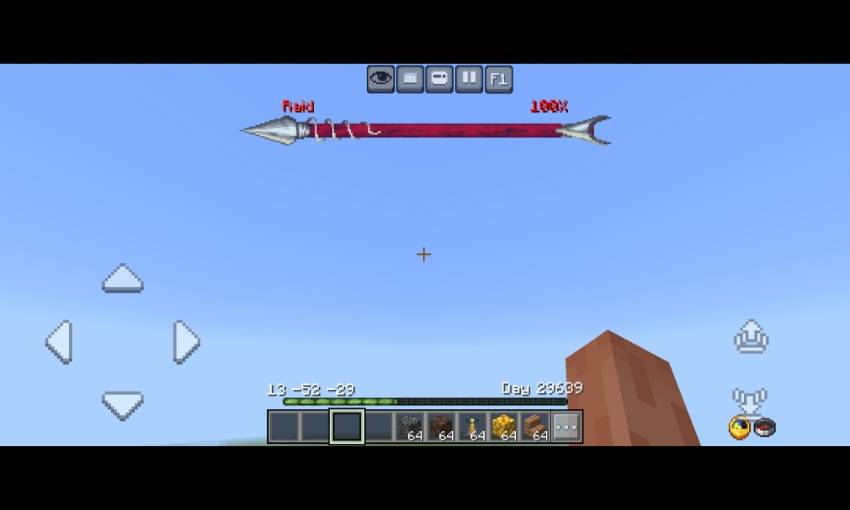
- Moved the boss name to left and added boss heath percentage on the right (shows boss remaining health)
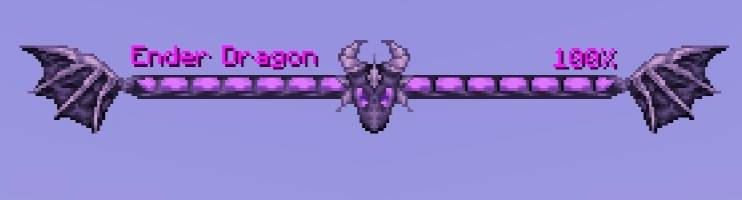
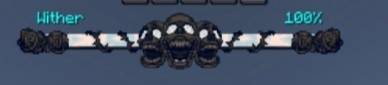
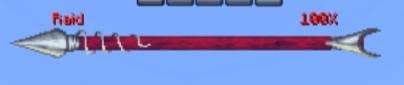
Credits
- Dal4y (https://youtube.com/@dal4y) - bossbar texture
Dynamic Bossbar 설치 방법
With Millida Launcher
Install Millida Launcher
The launcher is free: download it at millida.net/launcher and sign in with any nickname.
Click “Install” on this page
The launcher opens and installs the resource pack for Minecraft 1.20–1.21.101 automatically.
Launch the game
A profile with it appears in the launcher: click “Play”.
Manually
Download the archive
Pick the file Dynamic Bossbar Texture v2.1.0.mcpack (28 KB) for your game version. No need to unpack it.
Put it in the resourcepacks folder
The easiest way: “Options”, then “Resource Packs”, then “Open Pack Folder”, and drag the archive there.
Enable the pack
In the same window, move the pack to the right-hand “Selected” column and click “Done”.
버전
의존성 포함
| Minecraft | 로더 | 파일 | 날짜 | 작업 |
|---|---|---|---|---|
| 1.21.30 | — | Dynamic Bossbar Texture v2.1.0.mcpack27.6 KB |
FAQ
Which Minecraft versions does Dynamic Bossbar work on?
There are files for 1.20–1.21.101, 27 versions in total. The newest is 1.21.101.
Where can I download Dynamic Bossbar safely?
On this page: the file Dynamic Bossbar Texture v2.1.0.mcpack (28 KB) is stored on Millida’s server, with no link shorteners. SHA-1 checksum: cd3b994fcb5284e19e838388ba6747ad8129f001.
리뷰
Dynamic Bossbar의 첫 평가를 남겨 보세요



