
Minecraft 1.20.1, 1.21.1용 DeathFX 리소스 팩
모드 없이 사망 후 독특한 "You Died" 팝업 효과와 사망 사운드 효과를 추가합니다!
DeathFX 리소스 팩 정보
SHOULD WORK FOR ALL VERSIONS FROM 1.12 AND BEYOND
A very small resource pack that overhauls the Minecraft Death Screen!
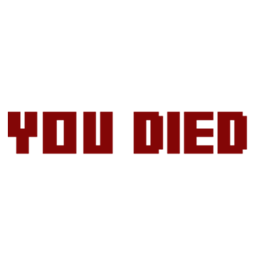
Adds a pixel art "You Died" popup to the Minecraft Death Screen that replaces the boring one in standard text, complete with a deathly red glow. Also adds a death sound effect that plays whenever you die, inspired by the Souls Series!
There is also a version of the resource pack without the sound effect for those who prefer it!
DeathFX 설치 방법
Install Millida Launcher
The launcher is free: download it at millida.net/launcher and sign in with any nickname.
Click “Install” on this page
The launcher opens and installs the resource pack for Minecraft 1.12–1.21.10 automatically.
Launch the game
A profile with it appears in the launcher: click “Play”.
버전
의존성 포함
| Minecraft | 로더 | 파일 | 날짜 | 작업 |
|---|---|---|---|---|
| 1.16.3 | — | DeathFX+Audio-v2.zip64.3 KB 2 |
FAQ
Which Minecraft versions does DeathFX work on?
There are files for 1.12–1.21.10, 48 versions in total. The newest is 1.21.10.
How do I download DeathFX?
With Millida Launcher: it installs DeathFX into a modpack by itself, for the right game version and loader. The launcher is free.
리뷰
DeathFX의 첫 평가를 남겨 보세요



