

Dark UI Pack for Minecraft Bedrock/MCPE
Do you enjoy playing Minecraft at night or for long hours? The Dark UI Pack gives your game a stylish dark theme that is easy on the eyes and looks premium. Instead of the default bright interface, this pack adds a smooth and modern dark layout across menus, inventories, and settings — all while keeping the original vanilla-style design.
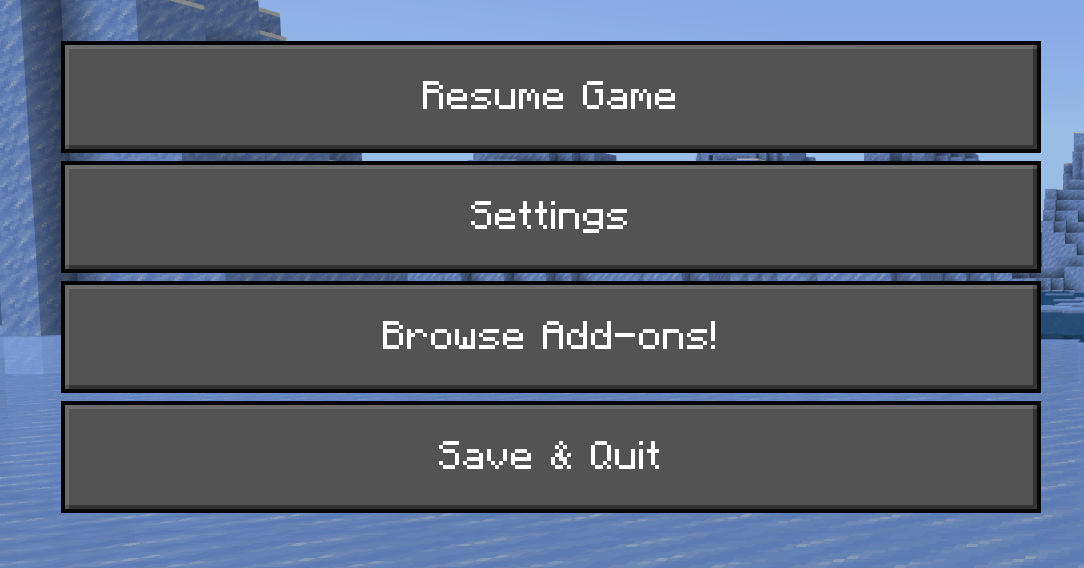
✨ Why Use Dark UI?
- Reduces eye strain during night-time gameplay
- Looks modern and premium
- Perfect for OLED/AMOLED devices
- Keeps original Minecraft layout (only visuals updated)
- Lightweight and lag-free
📌 Features
- Dark theme for menus & inventory
- Better contrast for icons and buttons
- Consistent UI across all screens
- Easy to install, no scripts needed
- Works on MCPE & Bedrock (Mobile, Windows, Console)
📥 How to Install
- Download the .mcpack file
- Tap or open it to import into Minecraft
- Go to Settings → Global Resources
- Enable the Dark UI Pack
- Restart the game (optional)
✅ Compatibility
Version Support
Minecraft Bedrock 1.19+ ✅
Minecraft MCPE (Android/iOS) ✅
Windows 10/11 Bedrock ✅
Realms/Servers ✅
Dark UI MCBE 설치 방법
With Millida Launcher
Install Millida Launcher
The launcher is free: download it at millida.net/launcher and sign in with any nickname.
Click “Install” on this page
The launcher opens and installs the resource pack for Minecraft 1.21.80–1.21.111 automatically.
Launch the game
A profile with it appears in the launcher: click “Play”.
Manually
Download the archive
Pick the file Dark UI MCBE.mcpack (197 KB) for your game version. No need to unpack it.
Put it in the resourcepacks folder
The easiest way: “Options”, then “Resource Packs”, then “Open Pack Folder”, and drag the archive there.
Enable the pack
In the same window, move the pack to the right-hand “Selected” column and click “Done”.
버전
의존성 포함
| Minecraft | 로더 | 파일 | 날짜 | 작업 |
|---|---|---|---|---|
| 1.21.81 | — | Dark UI MCBE.mcpack197 KB |
리뷰
Dark UI MCBE의 첫 평가를 남겨 보세요


