

CUSTOM RAIN (CL) 리소스 팩 정보
(0_0)
[Disclaimer = Images are made by AI software]
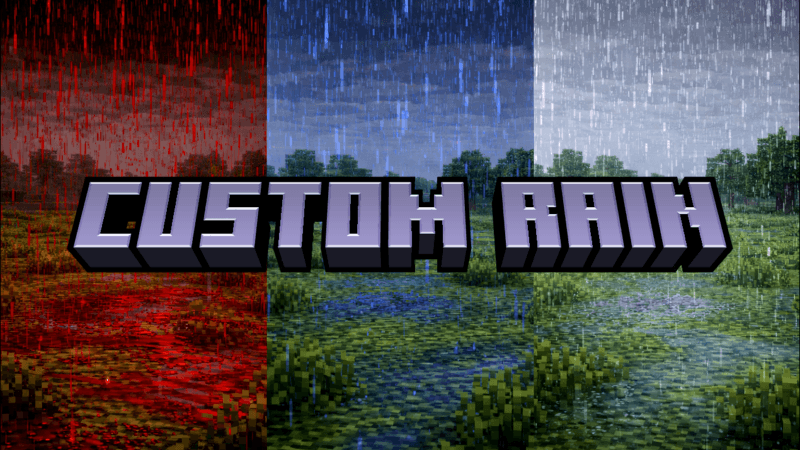
Custom Rain Effects
Choose from a variety of rain styles to match your world:
- Default Rain - Vanilla Minecraft rain.
- Transparent Rain - Subtle rain with reduced visibility.
- White Rain - Bright and clean-looking rain.
- Black Rain - Dark-themed rain effect.
- Extreme Black Rain - Deep black rain for a more intense atmosphere.
- Blood Rain - Red rain with a sinister appearance.
- Bloody Rain - Enhanced blood-colored rain effect.
- Better Rain - Improved rain textures for a more immersive experience.
CUSTOM RAIN (CL) 설치 방법
With Millida Launcher
Install Millida Launcher
The launcher is free: download it at millida.net/launcher and sign in with any nickname.
Click “Install” on this page
The launcher opens and installs the resource pack for Minecraft 26.10–26.20 automatically.
Launch the game
A profile with it appears in the launcher: click “Play”.
Manually
Download the archive
Pick the file custom rain 1.6.mcpack (328 KB) for your game version. No need to unpack it.
Put it in the resourcepacks folder
The easiest way: “Options”, then “Resource Packs”, then “Open Pack Folder”, and drag the archive there.
Enable the pack
In the same window, move the pack to the right-hand “Selected” column and click “Done”.
버전
의존성 포함
| Minecraft | 로더 | 파일 | 날짜 | 작업 |
|---|---|---|---|---|
| 26.10 | — | custom rain 1.6328 KB |
리뷰
CUSTOM RAIN (CL)의 첫 평가를 남겨 보세요


