

Minecraft 1.21, 26.30용 🤍 Cloudy PvP Pack
커스텀 검, 갑옷, GUI, 파티클, 스타일리시한 아이콘을 갖춘 깔끔한 흰색과 회색 PvP 텍스처 팩으로 구름 위에서 싸워보세요. 부드러운 게임플레이, 더 나은 시야, 현대적인 미학을 위해 설계되었습니다. 📥 다운로드: https://t.me/MCAdd3719
🤍 Cloudy PvP Pack 리소스 팩 정보
Fight above the clouds with a clean white & gray PvP texture pack crafted for competitive Bedrock players. Featuring custom swords, armor, GUI, particles, icons, food, and refined item textures, this pack delivers a smooth and modern experience. Every detail is designed to improve visibility, reduce visual clutter, and make PvP feel more responsive. Whether you're playing SkyWars, BedWars, Duels, or Survival, this pack offers the perfect balance of style, performance, and clean aesthetics.
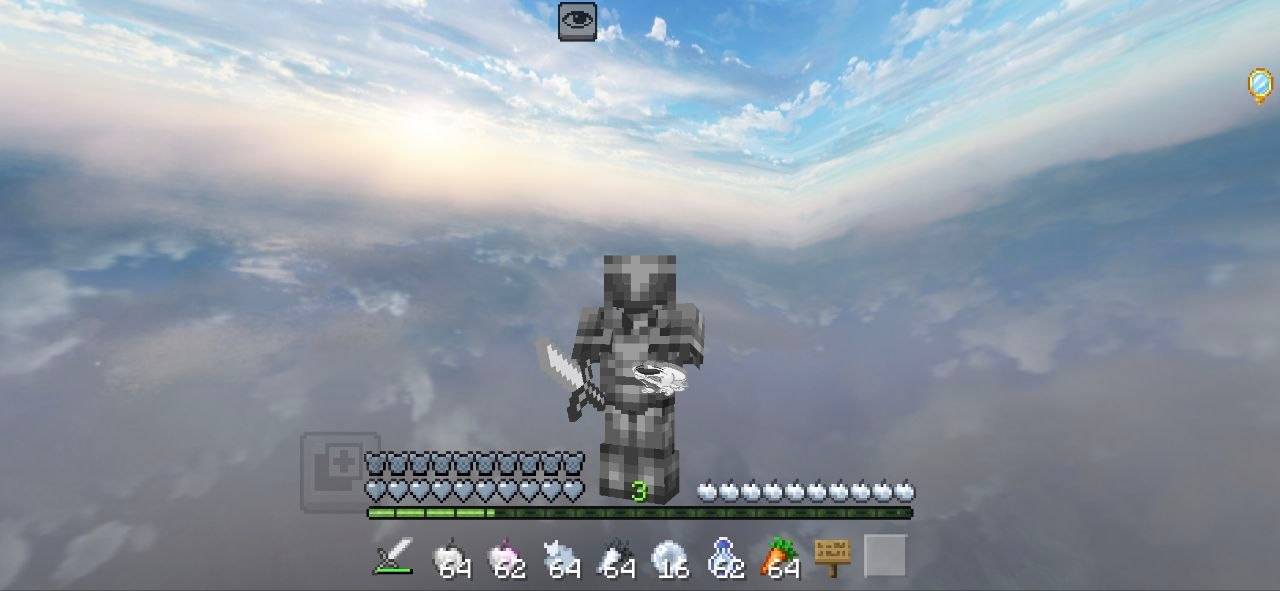
🤍 Cloudy PvP Pack 설치 방법
With Millida Launcher
Install Millida Launcher
The launcher is free: download it at millida.net/launcher and sign in with any nickname.
Click “Install” on this page
The launcher opens and installs the resource pack for Minecraft 1.21–26.30 automatically.
Launch the game
A profile with it appears in the launcher: click “Play”.
Manually
Download the archive
Pick the file TG @MCAdd3719.mcpack (10 MB) for your game version. No need to unpack it.
Put it in the resourcepacks folder
The easiest way: “Options”, then “Resource Packs”, then “Open Pack Folder”, and drag the archive there.
Enable the pack
In the same window, move the pack to the right-hand “Selected” column and click “Done”.
버전
의존성 포함
| Minecraft | 로더 | 파일 | 날짜 | 작업 |
|---|---|---|---|---|
| 1.21 | — | TG @MCAdd3719.mcpack10 MB 5 |
FAQ
Which Minecraft versions does 🤍 Cloudy PvP Pack work on?
There are files for 26.30, 1.21. The newest is 26.30.
Where can I download 🤍 Cloudy PvP Pack safely?
On this page: the file TG @MCAdd3719.mcpack (10 MB) is stored on Millida’s server, with no link shorteners. SHA-1 checksum: 877490e836ac2d6d7beb4c6cf328a93e3f74946b.
리뷰
🤍 Cloudy PvP Pack의 첫 평가를 남겨 보세요


