

Minecraft 26.50용 Clear Sight 리소스 팩
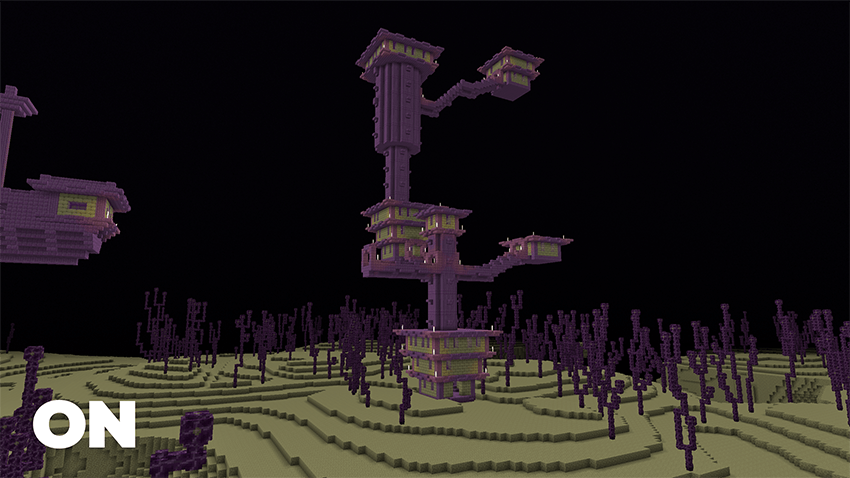
Clear Sight는 Vibrant Visuals와 완전히 호환되면서 동굴, 네더 및 기타 어두운 지역에서 향상된 시야를 제공합니다. 업적을 끄지 않고도 모두 가능합니다.
Clear Sight
See clearly in caves, underground tunnels, and during the darkest nights. All without turning off achievements.
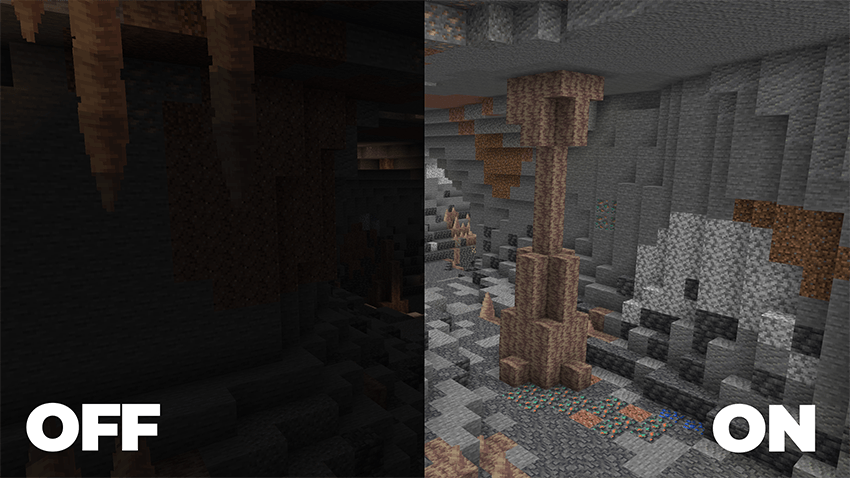
Clear Sight is a lightweight, achievement-friendly resource pack/addon designed to improve visibility in dark environments while preserving Minecraft's vanilla feel. Whether you're exploring massive cave systems, mining for rare resources, surviving your first night, or building in low-light areas, Clear Sight helps you see more of the world around you.
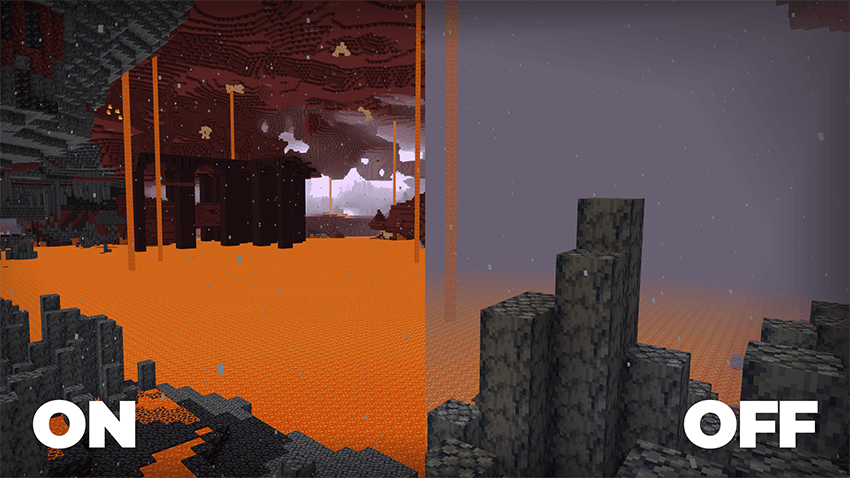
Unlike many visibility-enhancing packs, Clear Sight is built to work seamlessly with Vibrant Visuals, allowing you to enjoy improved visibility while still benefiting from Minecraft's modern visual enhancements.
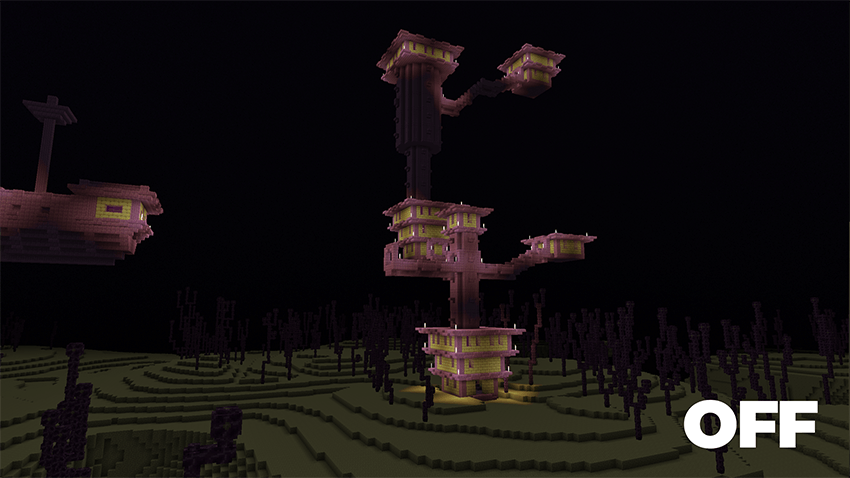
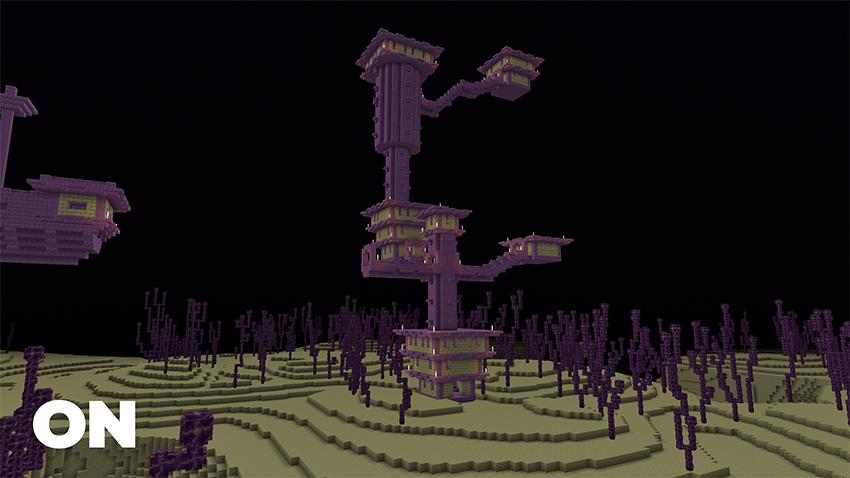
Features:
✅ Enhanced visibility in caves and dark environments
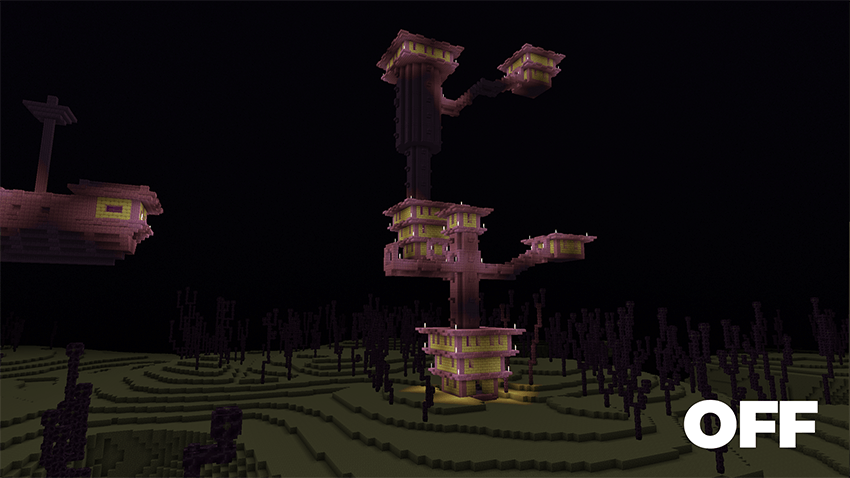
✅ Compatible with Vibrant Visuals
✅ Preserves the vanilla gameplay experience
✅ Works without turning off achievements
Installation:
- Download the pack.
- Import it into Minecraft Bedrock Edition.
- Open the world where you want to use Clear Sight.
- Enable the pack in the world's Resource Packs settings.
- Join the world and enjoy improved visibility.
Clear Sight 설치 방법
With Millida Launcher
Install Millida Launcher
The launcher is free: download it at millida.net/launcher and sign in with any nickname.
Click “Install” on this page
The launcher opens and installs the resource pack for Minecraft 1.21.120–26.50 automatically.
Launch the game
A profile with it appears in the launcher: click “Play”.
Manually
Download the archive
Pick the file Clear Sight 2.1.0.mcaddon (190 KB) for your game version. No need to unpack it.
Put it in the resourcepacks folder
The easiest way: “Options”, then “Resource Packs”, then “Open Pack Folder”, and drag the archive there.
Enable the pack
In the same window, move the pack to the right-hand “Selected” column and click “Done”.
버전
의존성 포함
| Minecraft | 로더 | 파일 | 날짜 | 작업 |
|---|---|---|---|---|
| 1.21.120 | — | Clear Sight 2.1.0.mcaddon190 KB 2 |
리뷰
Clear Sight의 첫 평가를 남겨 보세요


