

Minecraft 1.20.1, 1.21.1용 Better Foliage 리소스 팩
식물에 변화를 주고 다른 조정을 통해 마인크래프트의 잎사귀를 더 좋아 보이게 만들었습니다
- 다운로드
- 2 다운로드
- 조회수
- 84 조회수
- 업데이트됨
- 업데이트됨 26.09.2026
- 1.20 — 26.3
 바닐라 게임
- 클라이언트
Better Foliage 리소스 팩 정보
This resource pack makes Minecraft's foliage better by giving several plants variants, making wheat taller, and lowering the sides of grass-like blocks.
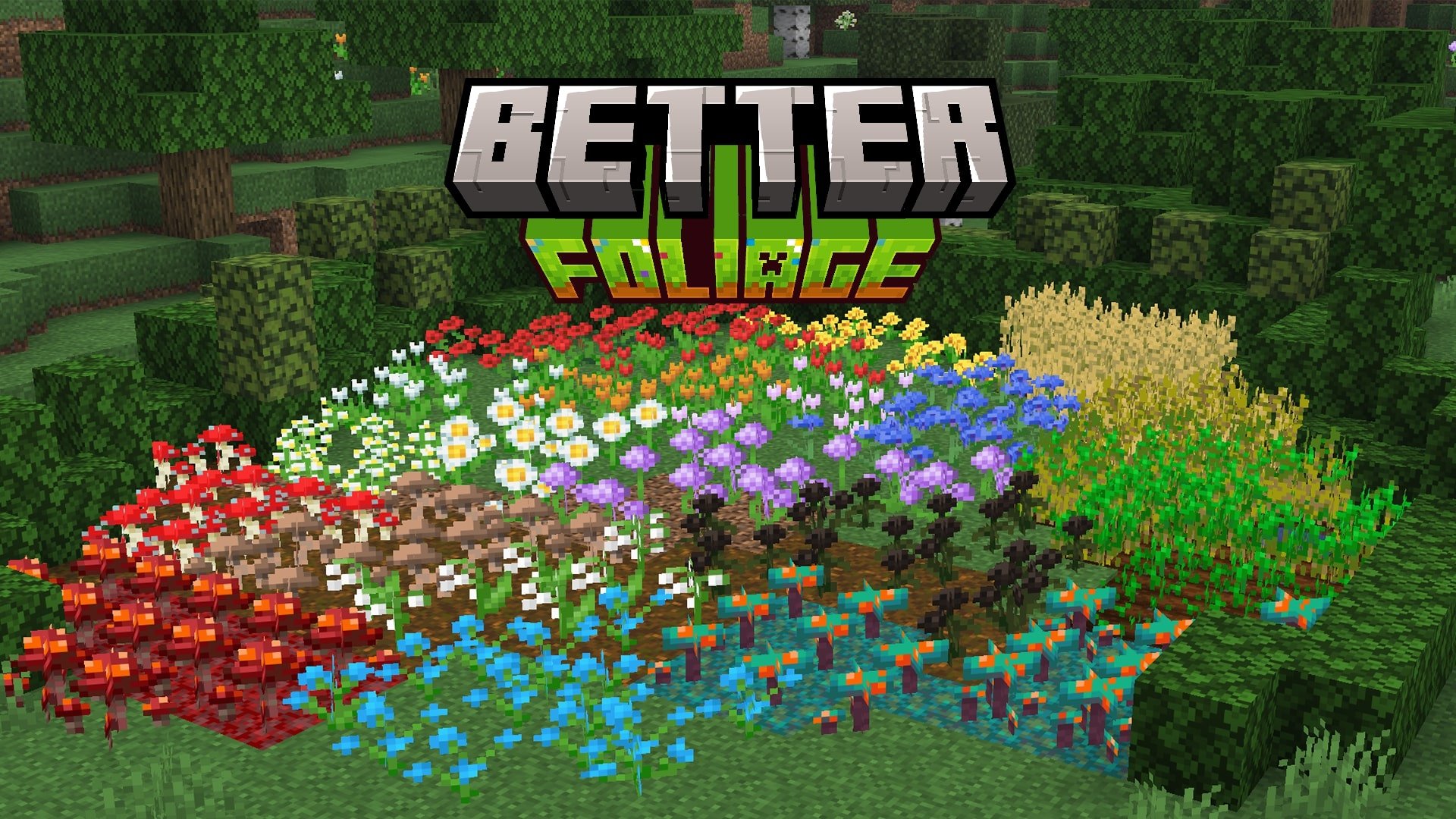
Variants for:
- Poppy
- Dandelion
- Cornflower
- Oxeye Daisy
- Allium
- Red Tulip
- Orange Tulip
- Pink Tulip
- White Tulip
- Azure Bluet
- Lily Of The Valley
- Wither Rose
- Brown Mushroom
- Red Mushroom
- Warped Fungus
- Crimson Fungus

Taller Wheat
Lower sides of:
- Grass Block
- Snowy Grass Block
- Podzol
- Mycelium
- Dirt Path
- Crimson Nylium
- Warped Nylium

Better Foliage 설치 방법
With Millida Launcher
Install Millida Launcher
The launcher is free: download it at millida.net/launcher and sign in with any nickname.
Click “Install” on this page
The launcher opens and installs the resource pack for Minecraft 1.20–26.3 automatically.
Launch the game
A profile with it appears in the launcher: click “Play”.
Manually
Download the archive
Pick the file Better Foliage v1.7.zip (1.5 MB) for your game version. No need to unpack it.
Put it in the resourcepacks folder
The easiest way: “Options”, then “Resource Packs”, then “Open Pack Folder”, and drag the archive there.
Enable the pack
In the same window, move the pack to the right-hand “Selected” column and click “Done”.
버전
의존성 포함
| Minecraft | 로더 | 파일 | 날짜 | 작업 |
|---|---|---|---|---|
| 26.3 | — | 26.31.5 MB 2 | ||
| 26.2 | — | 26.21.5 MB |
FAQ
Which Minecraft versions does Better Foliage work on?
There are files for 1.20–26.3, 24 versions in total. The newest is 26.3.
Does Better Foliage need mods?
No, the resource pack works in the plain game without loaders: put it into the resourcepacks folder and enable it in the options.
Where can I download Better Foliage safely?
On this page: the file Better Foliage v1.7.zip (1.5 MB) is stored on Millida’s server, with no link shorteners. SHA-1 checksum: ba8b36542fe58934f86d5e2ce7b7ac759b89c130.
리뷰
Better Foliage의 첫 평가를 남겨 보세요


