
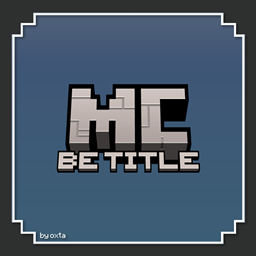
Minecraft 1.21, 1.21.20용 BE Title Pack
이 리소스 팩은 게임의 타이틀 텍스처만 변경하여 «Bedrock Edition» 타이틀을 추가합니다. 두 가지 텍스처 변형 중에서 선택할 수 있습니다. 정말 그게 전부입니다!
This pack adds the Bedrock Edition subtitle to the Minecraft logo with two variants to choose:
Updated Title
The new Minecraft logo with the Bedrock Edition subtitle.
Old Title
The old Minecraft logo with the Bedrock Edition subtitle.
BE Title Pack 설치 방법
With Millida Launcher
Install Millida Launcher
The launcher is free: download it at millida.net/launcher and sign in with any nickname.
Click “Install” on this page
The launcher opens and installs the resource pack for Minecraft 1.21–1.21.20 automatically.
Launch the game
A profile with it appears in the launcher: click “Play”.
Manually
Download the archive
Pick the file MCBE_Title_Pack.mcpack (404 KB) for your game version. No need to unpack it.
Put it in the resourcepacks folder
The easiest way: “Options”, then “Resource Packs”, then “Open Pack Folder”, and drag the archive there.
Enable the pack
In the same window, move the pack to the right-hand “Selected” column and click “Done”.
버전
의존성 포함
| Minecraft | 로더 | 파일 | 날짜 | 작업 |
|---|---|---|---|---|
| 1.21.20 | — | MCBE Title Pack (.mcpack)404 KB |
리뷰
BE Title Pack의 첫 평가를 남겨 보세요



