

Minecraft 26.30용 Animated Steve UI 리소스 팩
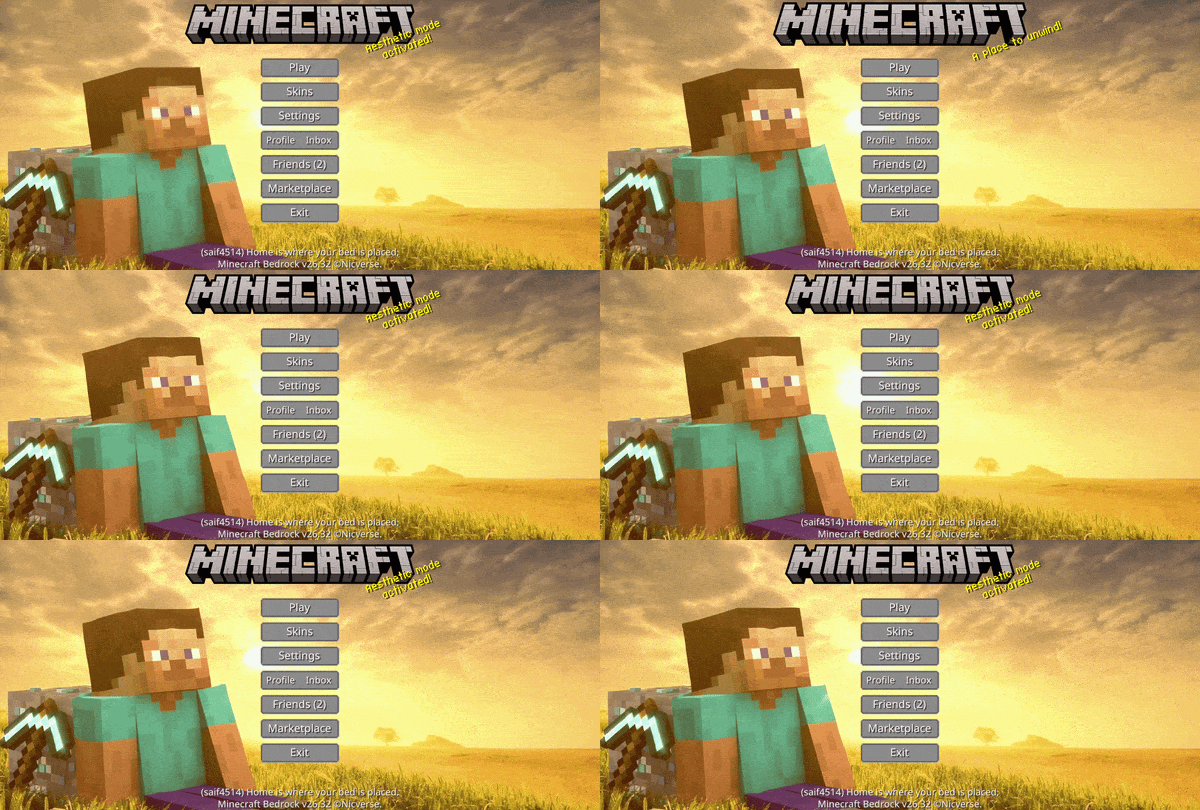
Animated Animated Steve — 마인크래프트 모험의 향수와 무한한 정신을 담은 고요하고 황금빛 인터페이스로 고전적인 여정을 떠나보세요
Animated Steve UI 리소스 팩 정보
Animated Steve UI
A clean and immersive animated Minecraft UI inspired by the theme of Steve.
Embrace the classic spirit of adventure with a serene interface bathed in the golden warmth of a rising sun. Featuring the iconic landscape, the atmosphere is calm, nostalgic, and full of limitless possibility—perfectly setting the stage for your next great journey.
Designed to transform the Minecraft Start Screen into a visually engaging and emotionally immersive experience.
❤︎ Support Us ❤︎
DISCORD | TERMS & POLICY | NICVERSE
YOUTUBE | KO-FI
Animated Steve UI 설치 방법
With Millida Launcher
Install Millida Launcher
The launcher is free: download it at millida.net/launcher and sign in with any nickname.
Click “Install” on this page
The launcher opens and installs the resource pack for Minecraft 26.10–26.30 automatically.
Launch the game
A profile with it appears in the launcher: click “Play”.
Manually
Download the archive
Pick the file Animated Steve UI.mcpack (37 MB) for your game version. No need to unpack it.
Put it in the resourcepacks folder
The easiest way: “Options”, then “Resource Packs”, then “Open Pack Folder”, and drag the archive there.
Enable the pack
In the same window, move the pack to the right-hand “Selected” column and click “Done”.
버전
의존성 포함
| Minecraft | 로더 | 파일 | 날짜 | 작업 |
|---|---|---|---|---|
| 26.10 | — | Animated Steve UI.mcpack37.1 MB |
FAQ
Which Minecraft versions does Animated Steve UI work on?
There are files for 26.30, 26.20, 26.13, 26.12, 26.11, 26.10. The newest is 26.30.
Where can I download Animated Steve UI safely?
On this page: the file Animated Steve UI.mcpack (37 MB) is stored on Millida’s server, with no link shorteners. SHA-1 checksum: f5663cd9118df532f11ea3df0e61bd2c8bb89ba0.
리뷰
Animated Steve UI의 첫 평가를 남겨 보세요


