

Adventure Time Craft Texture Pack | Java Edition 리소스 팩 정보
The Adventure Time Texture Pack That has been around Since 2011!

EMF REQUIRED
FABRIC MODS LIST
- CONTINUITY
- ENTITY MODEL FEATURES
- ENTITY TEXTURE FEATURES
- POLYTONE
- SKYBOXIFY (Recommended for custom skies!)
(Report Bugs and Suggest Textures Here ^)
ALL ARE CASE SENSITIVE
To use place the objects in invisible item frames:
/give @p item_frame[entity_data={id:"minecraft:item_frame",Invisible:1b}] 1
Red Wool
"Stool" = Red Stool
"Chair" = Small Red Arm Chair
"Couch" = Red Couch
Oak Planks
"Amp1" = Marceline's Wooden Amp
Stone
"Amp2" = Marceline's Metal Amp
Glowstone
"Lamp" = Small Table and Lamp
CUSTOM NAME LIST:
Villagers
No Name = Goblin
"Finn" = Finn
"Princess Bubblegum" = Princess Bublegum
"Marceline" = Both Marceline Variants
"Flame Princess" = Flame Princess
"Fionna" = Fionna
"BMO" = BMO
"LSP" = Lumpy Space Princess
"Huntress Wizard" = Huntress Wizard
"Lemongrab" = Both Lemongrab Variants
"Peppermint Butler" = Peppermint Butler
"Strawberry" = Chocolate Covered Strawberry Candy Citizen (Also spawn naturally in forest biomes)
"Donut" = Tall Donut Candy Citizen (Also spawn naturally in forest biomes)
"Candy Corn" = Candy Corn Candy Citizen (Also spawn naturally in forest biomes)
Other Mobs With Models (No Naming Needed)
Jake The Dog = Woods Wolf
The Ice King and Magic Man = Witch Variants
Cake the Cat = Jellie Cat
Choose Goose = Wandering Trader
Slime Princess = Slime
The Lich = Warden
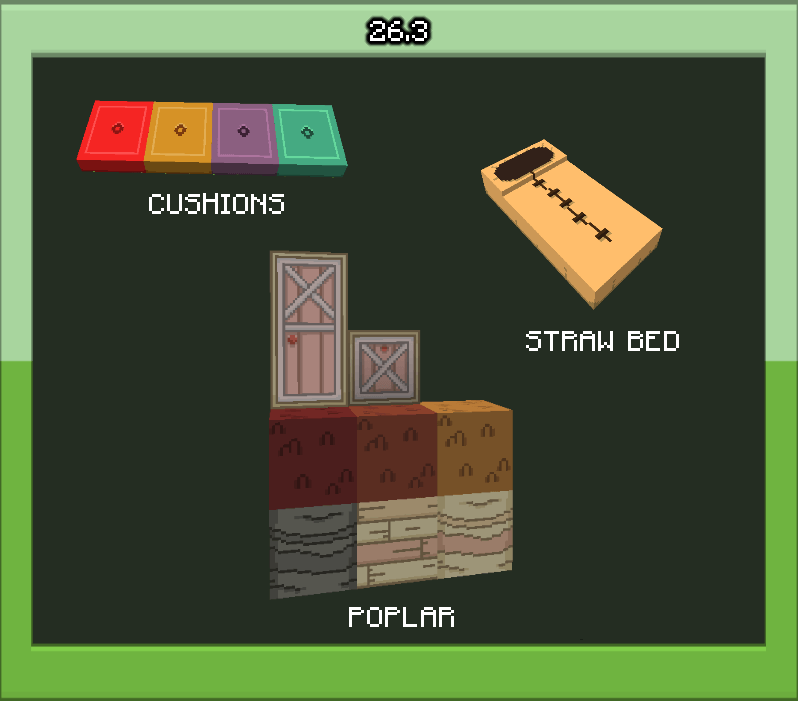
KNOWN ISSUES
- There is no Optifine Colors mod for 1.21+ yet resulting in no pink trees :(
- Optifine previews for 1.21.5+ Do not include Mob Custom Models

Adventure Time Craft Texture Pack | Java Edition 설치 방법
With Millida Launcher
Install Millida Launcher
The launcher is free: download it at millida.net/launcher and sign in with any nickname.
Click “Install” on this page
The launcher opens and installs the resource pack for Minecraft 26.2 automatically.
Launch the game
A profile with it appears in the launcher: click “Play”.
Manually
Download the archive
Pick the file Adventure Time Texture Pack 26.2 V2 FABRIC ONLY.zip (16 MB) for your game version. No need to unpack it.
Put it in the resourcepacks folder
The easiest way: “Options”, then “Resource Packs”, then “Open Pack Folder”, and drag the archive there.
Enable the pack
In the same window, move the pack to the right-hand “Selected” column and click “Done”.
버전
의존성 포함
| Minecraft | 로더 | 파일 | 날짜 | 작업 |
|---|---|---|---|---|
| 26.2 | — | Adventure Time Texture Pack 26.2 V2 FABRIC ONLY16.5 MB |
FAQ
Which Minecraft versions does Adventure Time Craft Texture Pack | Java Edition work on?
Only Minecraft 26.2: there are no files for other versions.
Where can I download Adventure Time Craft Texture Pack | Java Edition safely?
On this page: the file Adventure Time Texture Pack 26.2 V2 FABRIC ONLY.zip (16 MB) is stored on Millida’s server, with no link shorteners. SHA-1 checksum: f415f6e7067f006bcc31950d979613ec897163c6.
리뷰
Adventure Time Craft Texture Pack | Java Edition의 첫 평가를 남겨 보세요


