

Minecraft 1.20.1, 1.21.1용 Vertigo Shader
Minecraft를 왜곡하고 뒤틀리게 만드는 지각을 깨는 시각 효과를 추가하는 셰이더팩.
- 조회수
- 11 조회수
- 업데이트됨
- 업데이트됨 23.10.2026
- 1.19 — 1.21.10
 Fabric
- 클라이언트
Vertigo Shader
A Minecraft shaderpack by ZextyPxl.
Not realism. Not vanilla+. Not horror.
Vertigo Shader breaks the way Minecraft looks.
Iris + Sodium | Minecraft 1.19.x - 1.21.x | 10 visual distortion modes
Intro Vertigo Shader is a shaderpack about broken perception. It does not try to make Minecraft look realistic. It makes Minecraft feel unstable, impossible, and strange in a fun way. The world can bend, fold, split, twist, collapse, stretch, and fracture while the actual blocks and gameplay stay unchanged. You still play normal Minecraft. You just see it through a shader that makes reality misbehave. Showcase
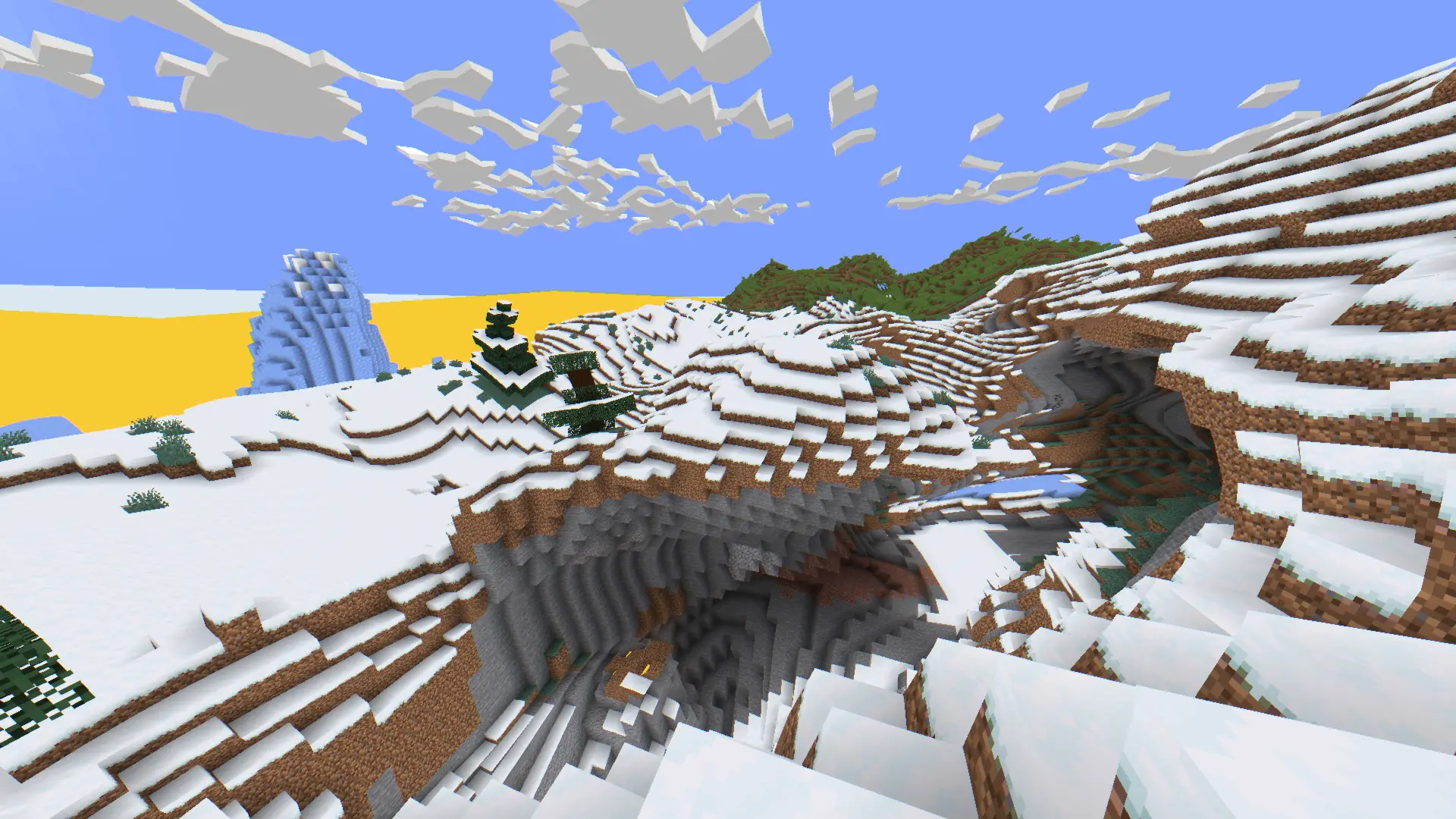
Mode shown: Waves
This mode turns the world into a moving visual surface. Terrain bends, trees sway, and Minecraft starts to feel like it is floating through unstable space.
Features
10 Modes Each mode bends Minecraft in a different way.
Settings Control strength, scale, motion, depth, chromatic split, and more.
Visual Only The shader changes what you see, not the actual world.
Languages Shader settings support multiple languages.
Iris Ready Built for Iris with Sodium on modern Minecraft versions.
Modes
Waves The terrain moves like a visual ocean. Ground rises and falls, trees sway, and the world feels like it is floating.
Gravity Well Space falls into a point in front of the player, bending the world inward like an invisible mass is pulling it.
Reality Shards The view separates into unstable fragments with offsets, echo layers, and uneven broken-space movement.
Perspective Break Distance and screen edges twist into an impossible viewpoint.
Mobius Tunnel Far space folds into a tunnel-like twist, making the world feel looped and folded through itself.
4D Minecraft The world appears to rotate through a hidden fourth coordinate and project back into Minecraft.
Impossible Rooms World sections rotate and fold like rooms that should not be able to exist.
Space Kaleidoscope Reality reflects, repeats, and folds into shifting kaleidoscopic structures.
Scale Paradox Near and far layers fight over the size of the world, making distance feel wrong in the best way.
Horizon Fracture The horizon bends, splits, and pulls the scene apart into a visual fault line.
Setup Loader: Iris Recommended: Sodium Minecraft: 1.19.x - 1.21.x Type: OptiFine-style shaderpack structure for Iris compatibility After enabling the shader, open shader settings and choose a distortion mode. Every mode has its own controls, so the pack is meant to be experimented with. Try It

Try it if you want Minecraft to feel impossible.
Vertigo Shader is made for players who want something weird, memorable, and different.
Credits Created by ZextyPxl. All rights reserved. Do not redistribute, reupload, modify, or publish modified versions without permission.

Vertigo Shader 설치 방법
Install Millida Launcher
The launcher is free: download it at millida.net/launcher and sign in with any nickname.
Click “Install” on this page
The launcher opens and installs the shaders for Minecraft 1.19–1.21.10 automatically.
Launch the game
A profile with it appears in the launcher: click “Play”.
버전
의존성 포함
| Minecraft | 로더 | 파일 | 날짜 | 작업 |
|---|---|---|---|---|
| 1.21.10 | Iris | 1.21.1024.7 KB |
리뷰
Vertigo Shader의 첫 평가를 남겨 보세요


