

- 다운로드
- 1 다운로드
- 조회수
- 54 조회수
- 업데이트됨
- 업데이트됨 23.10.2026
- 1.20.1 — 26.2
 Fabric
- 클라이언트
PathMax
A voxel path traced shaderpack for Iris.
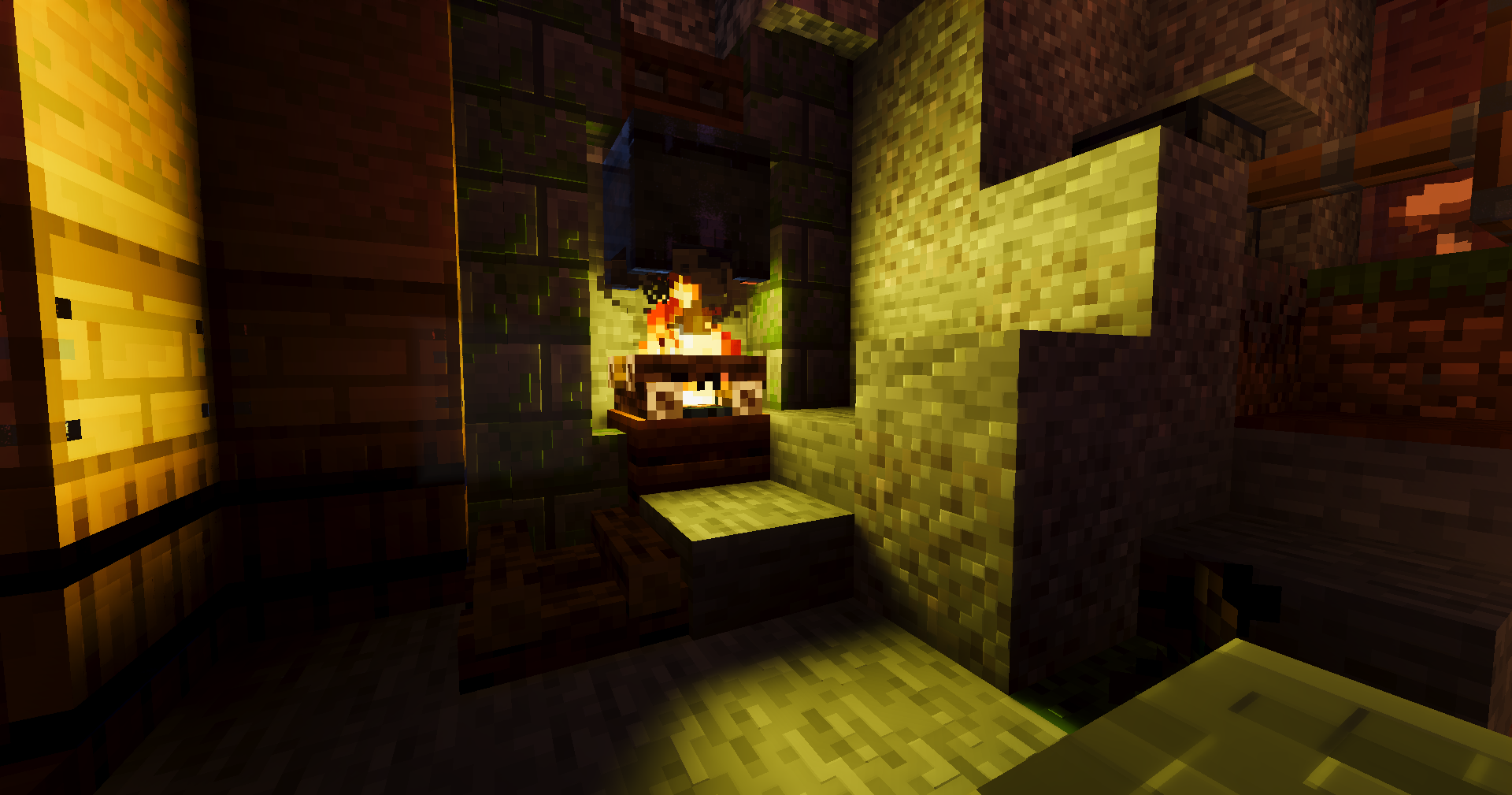
PathMax lights the world by tracing rays through a voxel copy of it that is rebuilt every frame. A torch lights the room from the direction it actually sits in and casts a real shadow. Colour bleeds off the block it bounced from. A lava lake lights the ceiling above it, and nothing in the Nether is lit by a sun, because there isn't one.
Reflections are screen-space, so what you see in water is the finished frame — global illumination, emission, fog and all — rather than a simplified copy of the world re-lit by an approximation.

What's in it
Lighting
- Path traced global illumination, denoised in screen space
- Block lights sampled straight out of the voxel grid with a shadow ray each, so two lamps in one room are two lamps and not one average
- Sun visibility read from the shadow map at every bounce — finer than the grid and eight times cheaper than a second march
- Coloured light through stained glass: on the floor, in the air, and carried by the bounce, so a rose window paints the whole room
- Emissive surfaces driven by the texture rather than a flat per-block value
Atmosphere
- Volumetric light, with an optional second pass lit by lamps instead of the sun
- Volumetric clouds that also show up in reflections
- Light pollution — a town over the hill, its glow standing on the horizon and drowning the faintest stars first
- Height-based aerial perspective tuned against real visual-range figures
- Procedural stars, fixed size on screen
Water
- Screen-space reflections with roughness, refraction, foam and caustics
- Optional volumetrics above and below the surface, with real absorption over the real path length
- Optional waves and surface detail
Materials
- labPBR, with an integrated fallback for packs that ship no specular map
- Subsurface scattering for foliage, driven by shadow-map thickness
- Optional parallax occlusion mapping
- Entities voxelised, so mobs cast traced shadows and appear in reflections
Dimensions
- The Nether and the End are rewritten rather than tinted: no phantom sun, no blue gradient on the underside of the roof, ambient arriving from the floor where the lava is
- End portals and obsidian get their own treatment
Post
- AgX tonemapping by default, with ACES and four others available
- Auto exposure, bloom, optional TAA

Requirements
Loader - Iris only. OptiFine will not load this pack Minecraft - 1.20.1 – 26.2 GPU - OpenGL 4.6, compatibility profile macOS - Not supported — caps at OpenGL 4.1
Block shape and material classification is current to 1.21.4. Blocks added after that still render, they just don't get the special treatment.
Settings
Seventeen screens, every option documented in the tooltip — not one-liners, but what the setting does, what it costs, and why the default is where it is.
Five profiles from Potato to Ultra. They are one ladder, not five unrelated presets: the base already sits on the floor of ray rate, bounces and step count, so the cheap end saves by giving up volumetrics, clouds and reach, and the expensive end spends on rays first.
The pack ships with a hand-tuned configuration rather than a profile — a night-heavy look with heavy light pollution and strong volumetrics. Pick Balanced for the reference settings.
PathMax 설치 방법
With Millida Launcher
Install Millida Launcher
The launcher is free: download it at millida.net/launcher and sign in with any nickname.
Click “Install” on this page
The launcher opens and installs the shaders for Minecraft 1.20.1–26.2 automatically.
Launch the game
A profile with it appears in the launcher: click “Play”.
Manually
Install Iris
Without a shader mod the game cannot see shaders. Install it for the same Minecraft version.
Download the shader archive
Pick the file PathMax 1.zip (335 KB) and do not unpack it.
Put it in the shaderpacks folder
“Options”, then “Video Settings”, then “Shader Packs”, then “Open Shader Pack Folder”, and drag the archive there.
Select the shaders
In the same window, click the pack name and “Apply”.
버전
의존성 포함
| Minecraft | 로더 | 파일 | 날짜 | 작업 |
|---|---|---|---|---|
| 1.21.11 | Iris | 1.21.11335 KB 1 | ||
| 1.21 | Iris | 1.21335 KB | ||
| 1.20.1 | Iris | 1.20.1335 KB | ||
| 26.2 | Iris | 26.2335 KB | — | |
| 26.1 | Iris | 26.1335 KB | — |
리뷰
PathMax의 첫 평가를 남겨 보세요


