

Minecraft 1.20.1, 1.21.1용 Lumeau 셰이더
그림자, 빛, 파도를 추가하면서도 가벼워서 구형 하드웨어에서도 좋은 fps로 실행할 수 있는 셰이더입니다.
- 다운로드
- 3 다운로드
- 조회수
- 41 조회수
- 업데이트됨
- 업데이트됨 04.09.2026
- 1.16.5 — 26.2
 Fabric
- 클라이언트
Description
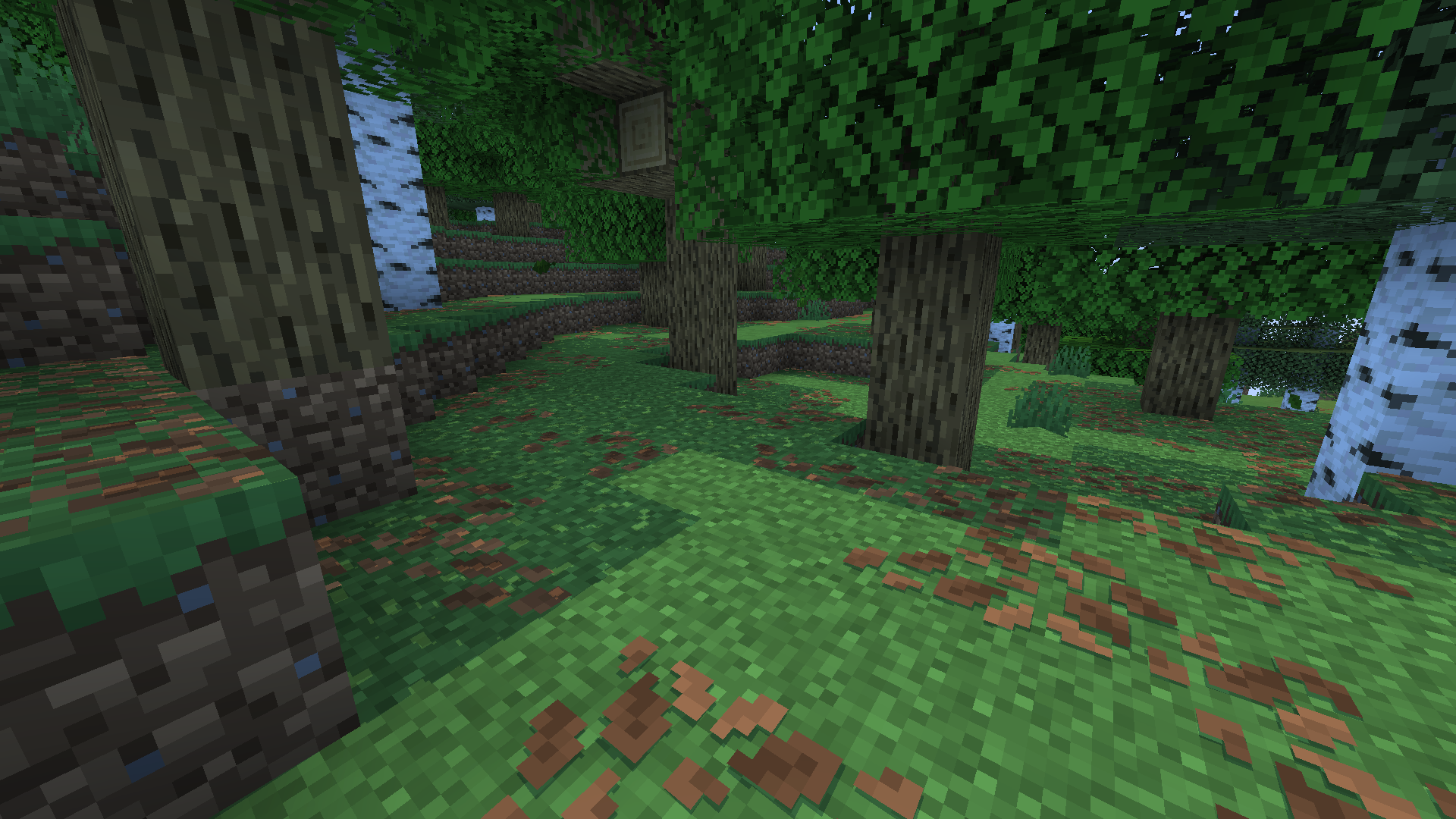
Lumeau is lighweight shader built to have simple and good visual imitating minecraft color pallette and light color in general but in some cases I added some of my own choice to have a more pleasing look
Features
Lumeau additions:
- Sunlight color will change depending on the sun angle in the sky, this will add red-orange color to blocks when the sun rise or set and more yellow-white color at noon
- Moonlight color is subtle with a white color
- Shadows are clear and crisp, no blur is added by default (can be change in settings menu)
- Waves are simple (no reflexion for now)
- Lighting calculation are a little different from vanilla minecraft with little highlight from the sun and moon
- The end portal have shader changed to look 3D

Goal
Lumeau has been design to perform well on old hardware because I don't have a high end GPU (for curious person, I have a GTX 960)
I want Lumeau to be efficient in performance but also having the best looking I can give

Installation
Lumeau use Sodium and Iris loader to be run. You can install this mod via modrinth. Download the lastest version of Lumeau then you have to put Lumeau in the shaders folder in your .minecraft and select it in the Iris menu.
Lumeau 설치 방법
With Millida Launcher
Install Millida Launcher
The launcher is free: download it at millida.net/launcher and sign in with any nickname.
Click “Install” on this page
The launcher opens and installs the shaders for Minecraft 1.16.5–26.2 automatically.
Launch the game
A profile with it appears in the launcher: click “Play”.
Manually
Install Iris
Without a shader mod the game cannot see shaders. Install it for the same Minecraft version.
Download the shader archive
Pick the file Lumeau.zip (16 KB) and do not unpack it.
Put it in the shaderpacks folder
“Options”, then “Video Settings”, then “Shader Packs”, then “Open Shader Pack Folder”, and drag the archive there.
Select the shaders
In the same window, click the pack name and “Apply”.
버전
의존성 포함
| Minecraft | 로더 | 파일 | 날짜 | 작업 |
|---|---|---|---|---|
| 1.17.1 | Iris | 1.17.116.1 KB 3 | ||
| 26.2 | Iris | 26.216.1 KB | — | |
| 26.1 | Iris | 26.116.1 KB | — | |
| 1.21.11 | Iris | 1.21.1116.1 KB | — | |
| 1.21 | Iris | 1.2116.1 KB | — | |
| 1.20.1 | Iris | 1.20.116.1 KB | — | |
| 1.19.2 | Iris | 1.19.216.1 KB | — | |
| 1.18.2 | Iris | 1.18.216.1 KB | — |
FAQ
Which Minecraft versions does Lumeau work on?
There are files for 1.16.5–26.2, 34 versions in total. The newest is 26.2.
What do I need to run Lumeau?
Shaders are loaded through Iris: without it the game cannot see them.
Where can I download Lumeau safely?
On this page: the file Lumeau.zip (16 KB) is stored on Millida’s server, with no link shorteners. SHA-1 checksum: 0fffee92c4636ae6a44a32631bc2754dfa563ec0.
리뷰
Lumeau의 첫 평가를 남겨 보세요


