

 Fabric
 OptiFine
blackhole 셰이더 정보
ENG BlackHole- a shader pack for Minecraft ===================================
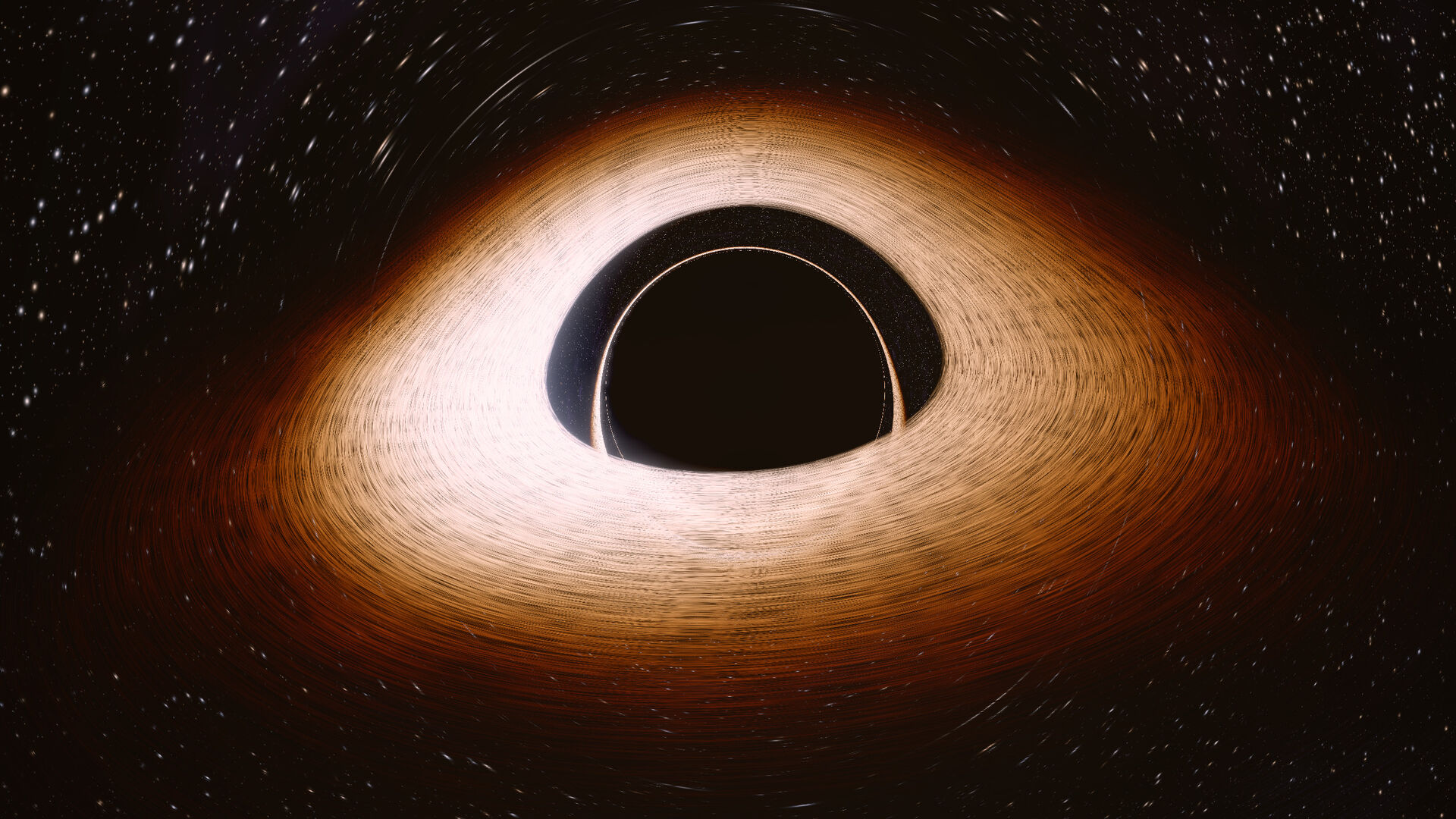
A real black hole, not just an image. For each point on the screen, the shader calculates what arc a light ray would follow if it were near it — and draws what that ray would ultimately see.

This naturally results in everything:
- the disk is visible both above and below the hole — light from its far side bends over the top;
- the stars behind it are smeared into Einstein rings;
- One side of the disk is incandescently white, the other is dull reddish: it is hurtling towards us at almost the speed of light, which is why it glows brighter;
- Around the shadows are thin, nested arcs: light that has gone around the hole once, twice, three times;
- The disk illuminates the world; buildings cast shadows and cut the glowing haze into rays;
- The blocks near the hole bend in its field.

No external textures: the disk, stars, nebula, and stream are calculated using formulas directly on the graphics card, each frame anew.
WHERE TO BUILD The shader draws its own sky instead of the vanilla one, so you need a world without
blackhole 설치 방법
With Millida Launcher
Install Millida Launcher
The launcher is free: download it at millida.net/launcher and sign in with any nickname.
Click “Install” on this page
The launcher opens and installs the shaders for Minecraft 1.16.5–26.2 automatically.
Launch the game
A profile with it appears in the launcher: click “Play”.
Manually
Install Iris or OptiFine
Without a shader mod the game cannot see shaders. Install it for the same Minecraft version.
Download the shader archive
Pick the file BlackHole.zip (45 KB) and do not unpack it.
Put it in the shaderpacks folder
“Options”, then “Video Settings”, then “Shader Packs”, then “Open Shader Pack Folder”, and drag the archive there.
Select the shaders
In the same window, click the pack name and “Apply”.
버전
의존성 포함
| Minecraft | 로더 | 파일 | 날짜 | 작업 |
|---|---|---|---|---|
| 26.2 | Iris, OptiFine | 26.245.3 KB 5 |
FAQ
Which Minecraft versions does blackhole work on?
There are files for 1.16.5–26.2, 34 versions in total. The newest is 26.2.
What do I need to run blackhole?
Shaders are loaded through Iris or OptiFine: without one of them the game cannot see them.
Where can I download blackhole safely?
On this page: the file BlackHole.zip (45 KB) is stored on Millida’s server, with no link shorteners. SHA-1 checksum: 56ca36c6d8a4245e6a9724e41ae4351230f36217.
리뷰
blackhole의 첫 평가를 남겨 보세요


