

- 다운로드
- 5 다운로드
- 조회수
- 90 조회수
- 업데이트됨
- 업데이트됨 11.10.2026
- 1.16.5 — 26.3
 Fabric
- 클라이언트
Aetherstone 셰이더 정보

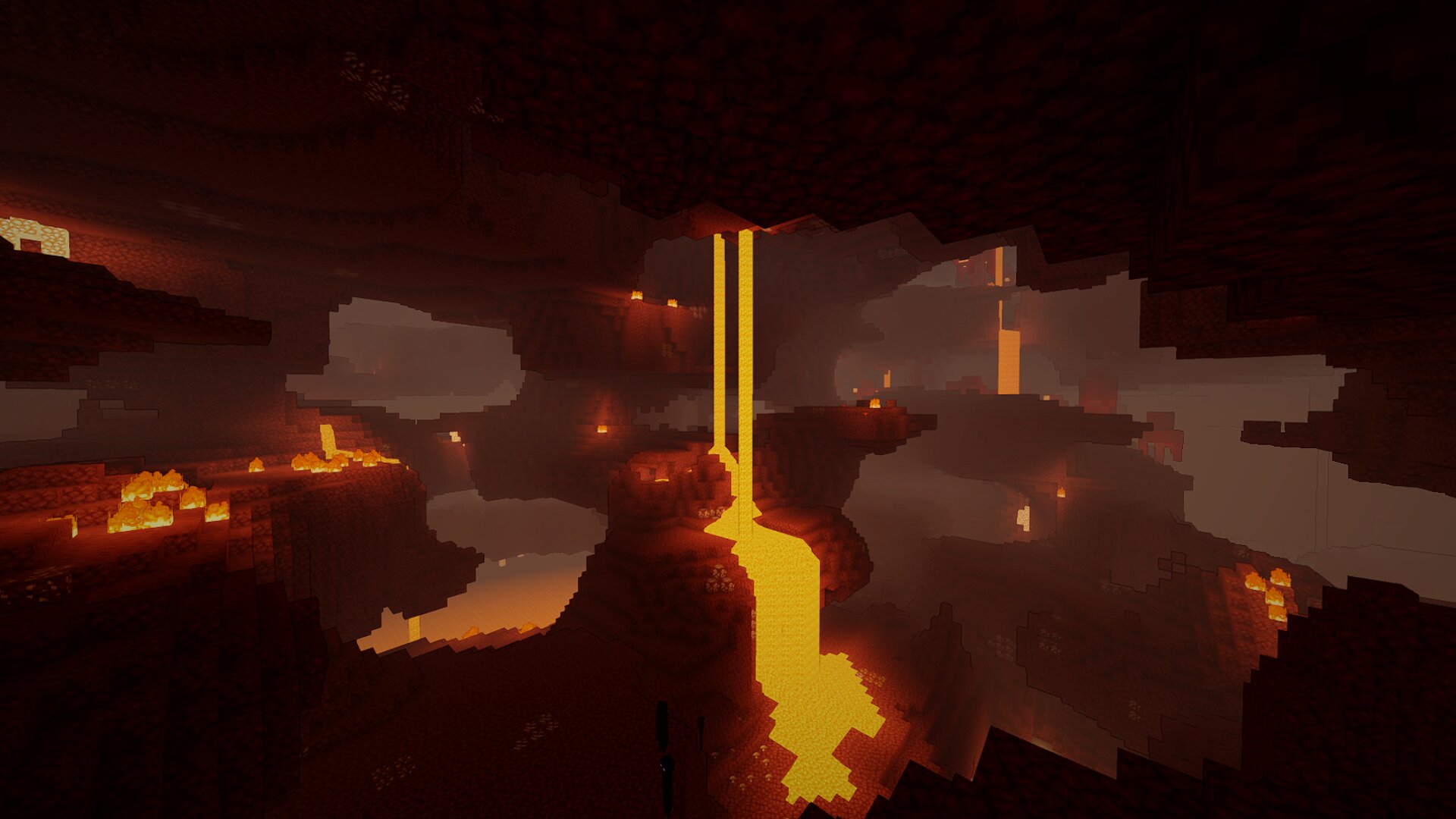
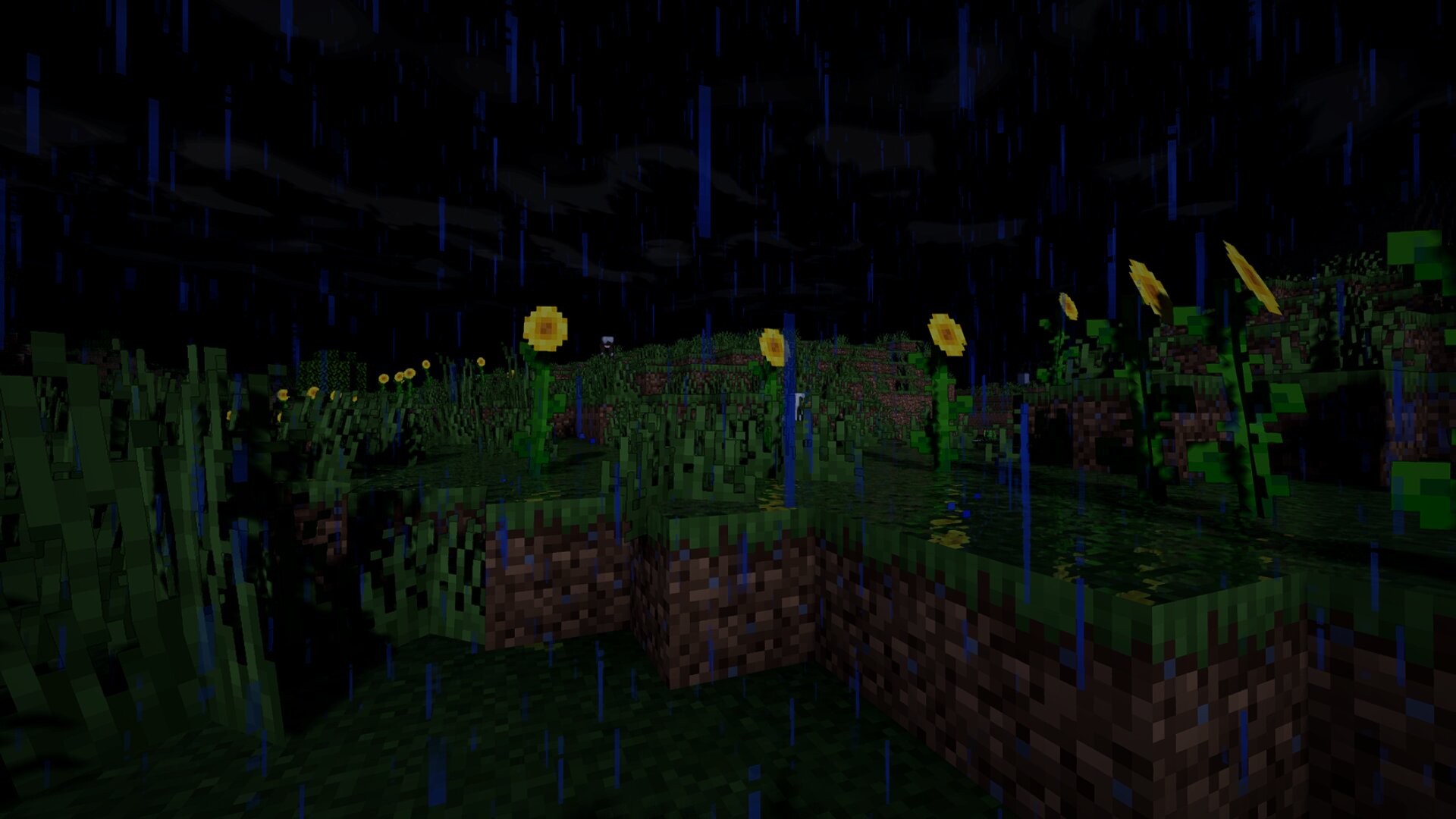
The new Updates changed visual design drastically and added a ton of effects, screenshots and description are partly severly outdated as of now, I am too lazy to update this at the moment.

About
Aetherstone is a stylized Cartoonish shader, built around having beautiful visuals while staying comfortably playable even on integrated graphics. The shader is still under active development.
Aetherstone is not trying to be photorealistic. Its stylized lighting, an (optional) ink outline and cool-tinted shadows give it a painted feel closer to modern stylized RPG games, while offering effects like dynamic shadows, 3D looking water, Physically Based Rendering...

PROFILES
Five profiles, Potato up to Max:
- Potato: The bare essentials only, for the lowest-end hardware.
- Balanced: Most effects on but some left off without ruining visuals, sample counts trimmed.
- Recommended (default): The intended high-FPS experience.
- Pretty: Higher fidelity when FPS headroom exists.
- Max: Every effect at full quality (not much difference to Pretty).
Performance
Start on Recommended and move up or down the list from there. A good way to find the performance and visuals that are good for you, is also to not only change shader settings but also play around with real render distance and Distant Horizons' render distance if you are using DH. On weak hardware I recommend 6-12 real render distance with Distant Horizons turned off, or Distant Horizons 32 render distance and chunk quality on low/medium paired with 4-6 real render distance.
Actual FPS depends heavily on your hardware, resource pack, render distance (including Distant Horizon's) and scene complexity, so no fixed benchmark number would be honest here.
Window Resizing / Resolution Bug Workaround
Changing your window size, toggling fullscreen, or altering screen resolution while the shader is active can cause visual glitching.
Workaround: Simply reload the shader pack. You can do this by opening shader settings and toggling the pack off and back on, or by assigning a hotkey, under:
Options → Controls → Key Binds → scroll down to Iris → ReloadShaders.
Mod support
- Distant Horizons terrain
and water render through the shader at LOD range, including the underwater ceiling past the normal render edge. DH's own shadow casting is intentionally not used; the shadow map stays independent of DH by design.
IMPORTANT: If you run DH alongside this pack, turn off DH's own cloud rendering in its settings (top-left icon in Video Settings) so it doesn't draw over this pack's clouds!!!
- [Physics Mod Pro (Ocean Physics)] (get on Physics Mod creators Patreon for free)
full wave support for its ocean.
Installation
Aetherstone requires Iris, and relies on Iris-specific features for some effects, so it is not fully compatible with OptiFine.
- First, install iris and Sodium
Iris Sodium to be able to load shader packs.
- Launch the game and open Video Settings → Shader Packs.
- Click the button to open the shaderpacks folder.
- Download Aetherstone and place the zip file in that folder,
do not unzip it!!
- Back in the game, select Aetherstone-ByTarkProjects from the shader packs menu.
- In the Shaderpack settings, change profile and individual effects to liking.
Modpacks:
In modrinth, include it in any modpack, public or private, free or on a server, as long as you credit Aetherstone and link this page. No need to ask.
If you'd like to support future development: 👉 Ko-fi
A very big Update has released, fixing many major bugs and improving playability, send me an E-mail and give me feedback so I can improve the shader even further: tarkprojectsfeedback@gmail.com
Aetherstone 설치 방법
With Millida Launcher
Install Millida Launcher
The launcher is free: download it at millida.net/launcher and sign in with any nickname.
Click “Install” on this page
The launcher opens and installs the shaders for Minecraft 1.16.5–26.3 automatically, together with its dependencies: Sodium, Iris Shaders.
Launch the game
A profile with it appears in the launcher: click “Play”.
Manually
Install Iris
Without a shader mod the game cannot see shaders. Install it for the same Minecraft version.
Download the shader archive
Pick the file Aetherstone-1.2.1.B.zip (2.2 MB) and do not unpack it.
Put it in the shaderpacks folder
“Options”, then “Video Settings”, then “Shader Packs”, then “Open Shader Pack Folder”, and drag the archive there.
Select the shaders
In the same window, click the pack name and “Apply”.
버전
의존성 포함
| Minecraft | 로더 | 파일 | 날짜 | 작업 |
|---|---|---|---|---|
| 26.3 | Iris | 26.32.2 MB | ||
| 26.3 | Iris | 26.31.2 MB 1 | ||
| 26.3 | Iris | 26.3305 KB | ||
| 26.3 | Iris | 26.3303 KB | ||
| 26.3 | Iris | 26.3298 KB | ||
| 26.3 | Iris | 26.3304 KB | ||
| 26.3 | Iris | 26.3287 KB | ||
| 26.3 | Iris | 26.3287 KB |
실행에 필요한 것
FAQ
Which Minecraft versions does Aetherstone work on?
There are files for 1.16.5–26.3, 35 versions in total. The newest is 26.3.
What do I need to run Aetherstone?
Shaders are loaded through Iris: without it the game cannot see them.
What does Aetherstone need to work?
Required: Sodium, Iris Shaders. Without them the shaders will not start.
How do I download Aetherstone?
With Millida Launcher: it installs Aetherstone into a modpack by itself, for the right game version and loader. The launcher is free.
리뷰
Aetherstone의 첫 평가를 남겨 보세요


