
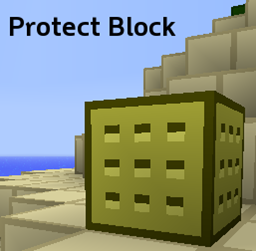
Protect Block
Protect the blocks you place with Protect Block - V1.5
Development re-initiated.
Protect Block stops other users from breaking the block you place, turn it on using /ProtectBlock-On and off using /ProtectBlock-Off.
- Refer to our commands page for more info on Protect Block commands.
- Refer to our Permission Nodes page for more info on Protect Block's permission Nodes.
The latest version of Protect Block is compatible with CraftBukkit 1.4.2-R0.1, and should be with any later releases. Please comment any features that you want.
Also, why not checkout my Youtube channel? - YouTube.com/TheYianniG
Found any problems? Feel free to create a new ticket highlighting your problems.
Also check out the bukkit.org page for more info!
Protect Block 설치 방법
A server on Paper or Spigot
The plugin runs on the server core for Minecraft 1.4.2; players do not need to install anything.
File goes into the plugins folder
Download the file ProtectBlockV1.5.jar (151 KB) and put it into the server’s plugins folder.
Restart the server
On startup the plugin creates its own settings folder in plugins.
Use the “To server” button
On Millida Hosting, the button at the top of the page uploads the file to your server and restarts it for you.
Minecraft 1.4.2 runs on Java 8: with a different Java version the game may close right after launch.
버전
의존성 포함
| Minecraft | 로더 | 파일 | 날짜 | 작업 |
|---|---|---|---|---|
| 1.4.2 | — | Protect Block V1.5151 KB |
리뷰
Protect Block의 첫 평가를 남겨 보세요


