
High Speed Rails
(For game versions: 1.14, 1.15, 1.16, 1.17, 1.18, 1.19, 1.20, 1.21 and newer)
A spigot/bukkit plugin to make minecarts worth building.
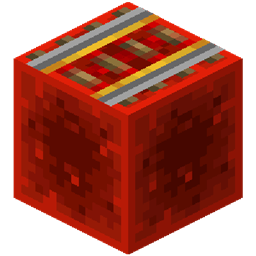
Place a powered rail on a boost block (redstone block by default) to build high-speed rail. Place on any other block to get a regular powered rail.
High-speed rails are by default 4x faster than regular powered rails, ie. 32 m/s, or 115 km/h. This is as fast as rocket powered elytra flight.
The high-speed rail multiplier can be temporarily changed with the /hsrails command, or permanently changed in the config. The boost block is also configurable. See Usage section for commands and config options.
To help cope with the higher speeds, there is also a hard brake block available (soul sand by default). If you place an unpowered power rail on a hard brake block, the cart will decelerate faster than default. See Usage section for configuration options.
Note: please read the Design sections on how to keep your carts from derailing at high speeds.
Note: there seems to be a game limitation for speed but not momentum, and it seems to be around multiplier of 4x. Multipliers higher than 4x usually result in increased momentum, but not higher top speeds. That means the carts will coast for longer, even though they appear to have the same top speed.
Note: the plugin is compatible with the Improved Minecarts experiment. It will simply apply the multiplier on top of the minecartMaxSpeed gamerule.
Usage
Commands
Use /hsrails <multiplier> to tweak how fast high-speed rails are. Multiplier must be between 1 and 8.
Example: set multiplier to 4
/hsrails 4
Config
This is the default HsRails/config.yml:
speedMultiplier: 4.0 boostBlock: "minecraft:redstone_block" hardBrakeMultiplier: 8.0 hardBrakeBlock: "minecraft:soul_sand"
Allowed values are:
- speedMultiplier:
- >= 1
- <= 8
- boostBlock:
- Namespaced block. Look up the ID name in the id list and prefix it with minecraft:. For example, type in "minecraft:stone" for stone block as boost block.
- If you type in "any", every powered rail will be a high speed powered rail.
- hardBrakeMultiplier:
- >= 1
- hardBrakeBlock:
- Any namespaced block (see info on boostBlock for details). any is not allowed here.
Design considerations
You must be aware of a couple of things while building high-speed tracks:
- Acceleration is not instantaneous.
- Entering turns at high speed will derail you.
- Entering/exiting slopes at high speed will derail you.
- While traveling at high speeds, a regular powered rail will slow you down.
Derailing at high speeds is a limitation of the game itself, and is probably the reason why rails are so slow in vanilla Minecraft. Thus, when designing your high-speed tracks, you will have to design them like real high-speed train tracks: long stretches with smooth turns.
Design guidelines
These are my recommendations for building efficient high-speed tracks:
- Allow room for acceleration: it takes a while to reach top speed. Place several high-speed rail sections close together at the start of your track.
- Minimize number of turns: you only need at most one turn to get to any destination. An optimal track looks like an L from above.
- Minimize number of slopes: build tunnels, bridges, etc. to stay on the same level.
- Before turns and slopes, put one (or sometimes a couple of) regular powered rails to slow down and avoid derailment.
- After turns and slopes, allow room for acceleration again.
- To maintain top speed in high speed state, place a high speed rail every 30 blocks (ie. 1 powered rail + 29 iron rails; rinse and repeat)
To maintain high speeds you must of course build your tracks out of high-speed rails, because regular powered rails will slow you down. Only mix in regular powered rails in turns and slopes as mentioned above.
If you want to stop a high speed cart quickly, for example if you have stations/stops on your route, you can use hard brake blocks with unpowered powered rails.
Credits
Adapted from varesa's Minecart Speedplus.
Thanks to:
- LordNinka for discovering the effects of speed vs. momentum at high multipliers.
- TheWallaceman105 for bringing forth the idea of hard brake blocks and helping during development by testing.
- Janicki92 for key insights that finally resolved the infinite momentum bug.
- GoodrichDev for testing on Folia.
- gavinft for submitting code to support the new minecartMaxSpeed gamerule.
hsrails 설치 방법
A server on Paper or Spigot
The plugin runs on the server core for Minecraft 1.14–1.21.5; players do not need to install anything.
File goes into the plugins folder
Download the file hsrails.jar (15 KB) and put it into the server’s plugins folder.
Restart the server
On startup the plugin creates its own settings folder in plugins.
Use the “To server” button
On Millida Hosting, the button at the top of the page uploads the file to your server and restarts it for you.
Minecraft 1.21.5 runs on Java 21: with a different Java version the game may close right after launch.
버전
의존성 포함
| Minecraft | 로더 | 파일 | 날짜 | 작업 |
|---|---|---|---|---|
| 1.20.6 | — | hsrails v1.5.015.4 KB |
FAQ
Which Minecraft versions does hsrails work on?
There are files for 1.14–1.21.5, 25 versions in total. The newest is 1.21.5.
Do players need to install hsrails?
No, the plugin goes only on the server, into the plugins folder: players do not need to download anything.
Which Java does hsrails need?
Minecraft 1.21.5 runs on Java 21. If the game closes right after launch, the usual cause is the wrong Java version in the profile settings.
Where can I download hsrails safely?
On this page: the file hsrails.jar (15 KB) is stored on Millida’s server, with no link shorteners. SHA-1 checksum: a0437b2e95590fd90209f9aba72943742a52405b.
리뷰
hsrails의 첫 평가를 남겨 보세요



