
DynPad
- Version 1.4 -
What does it do
Throws a player in to the air when he steps on a wooden or stone pressure plate, and makes sure he doesn't take fall damage when he comes back down. The velocity and no fall damage can be customized for each type of pads (iron, gold, diamond, emerald, lapis and redstone) in the config file. Why should you download this? It has awesome effects, that's why.
How does it work
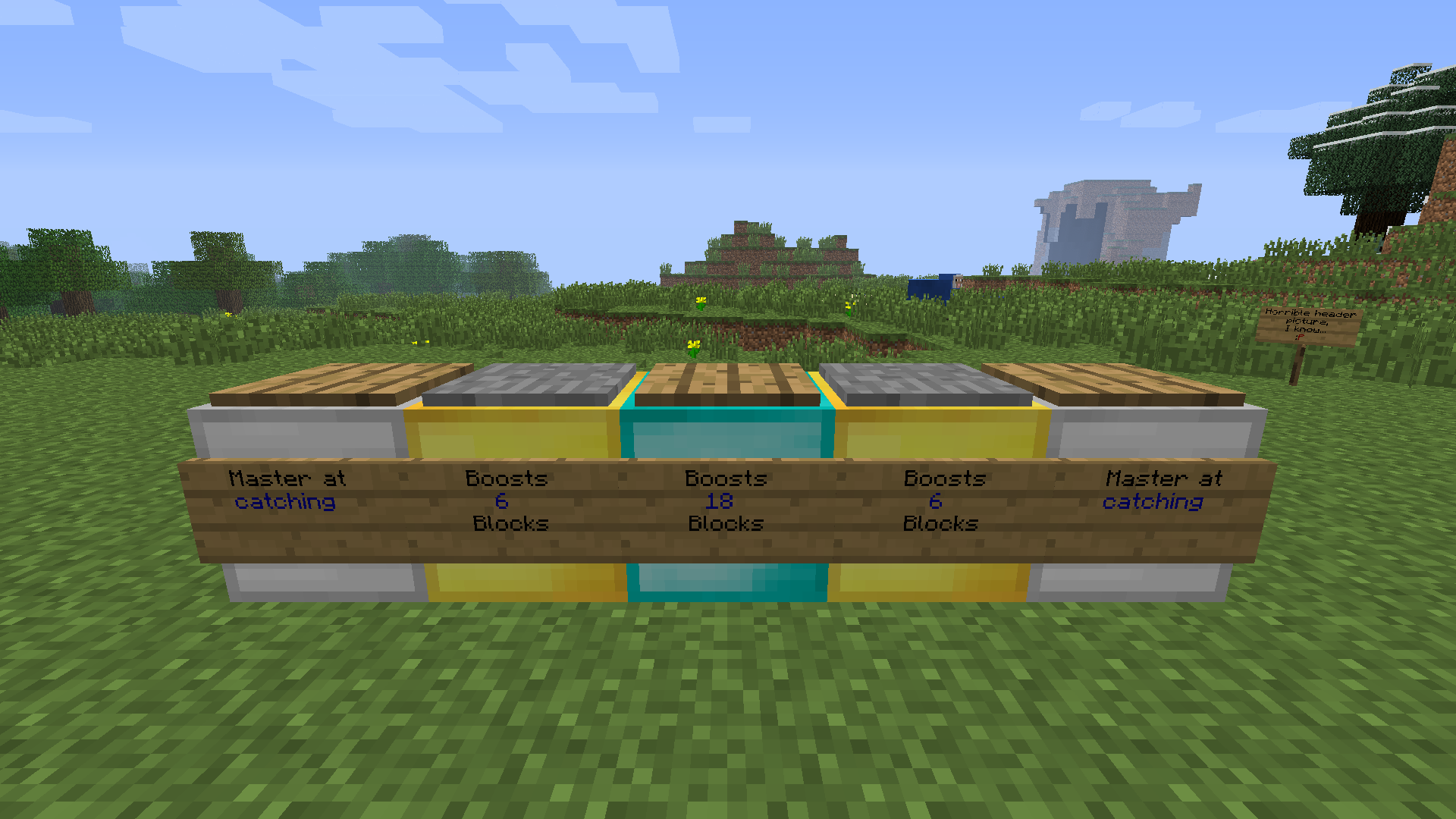
Place a pressure plate on top of a iron, gold, diamond, emerald, lapis lazuli or redstone block. By default, iron, gold and diamond will be enabled and with no fall damage.
You can change the cooldown from when the player uses a pad until he can use it again (counted in ticks (20 pr. sec)) and the no fall damage feature and vertical velocity that will be added from each type of pads.
Commands
- pad: Info about pads.
Permissions
- dynpad.*: Use all types of pads.
- dynpad.iron: Use iron pads.
- dynpad.gold: Use gold pads.
- dynpad.diamond: Use diamond pads.
- dynpad.emerald: Use emerald pads.
- dynpad.lapis: Use lapis pads.
- dynpad.redstone: Use redstone pads.
DynPad 설치 방법
A server on Paper or Spigot
The plugin runs on the server core; players do not need to install anything.
File goes into the plugins folder
Download the file DynPad.jar (8 KB) and put it into the server’s plugins folder.
Restart the server
On startup the plugin creates its own settings folder in plugins.
Use the “To server” button
On Millida Hosting, the button at the top of the page uploads the file to your server and restarts it for you.
버전
의존성 포함
| Minecraft | 로더 | 파일 | 날짜 | 작업 |
|---|---|---|---|---|
| — | — | DynPad v1.48.2 KB |
리뷰
DynPad의 첫 평가를 남겨 보세요



