

Minecraft 1.20.1, 1.21.1용 CraftBukkitLogin 플러그인
서버를 위한 간편한 로그인 플러그인. 이제 패턴 로그인도 지원합니다!
CraftBukkitLogin
Easy login plugin for your server.
by Vendor05
About/Install
This plugin will restrict players who are not registered.
Just copy the downloaded file to your server plugin folder
and setting up a permission plugin.
Features
- Easy setup
- Easy commands
- Pattern login
- Spigot support
- Language support
- Outlogged restrict
- Outlogged spawn point
- Referral code register
- Global pass register
- Support chat color
- Admin GUI
Restrictions: (for outlogged players)
- Player mobdamage restrict
- Player move restrict
- Player block break restrict
- Player command restrict
- Player item drop restrict
- Player chest open restrict
- Player chat restrict
Commands/Permissions
<Param> <- Parameter
Commands Description Permission
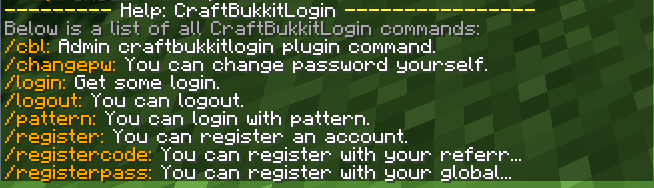
/login <Password> You can log in your account. not need
/logout You can log out from your account. not need
/register <Password> <RePassword> You can register a new account. craftbukkitlogin.register
/registercode <ReferralCode> <Password> <RePassword> You can register a new account with a referral code. craftbukkitlogin.registercode
/registerpass <GlobalPassword> <Password> <RePassword> You can register a new account with a global password. craftbukkitlogin.registerpass
/changepw <OldPassword> <Password> <RePassword> You can change your own password. craftbukkitlogin.changepw
/pattern /p You can create a login pattern. not need
Admin commands Description Permission
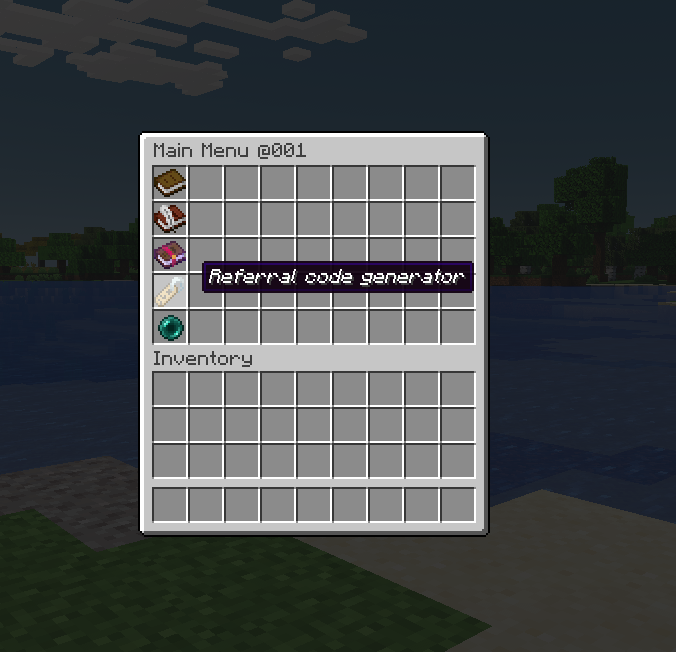
/cbl admin You can open admin GUI. craftbukkitlogin.admin
/cbl logged You can list all logged in players. craftbukkitlogin.admin
/cbl registered You can list all registered players. craftbukkitlogin.admin
/cbl codes You can list all active referral codes. craftbukkitlogin.admin
/cbl createloginspawn You can create a spawn point for outlogged players. craftbukkitlogin.admin
Tutorial
Other
For the permissions settings, i recommend the Luckperms plugin.
Only YAML data available!
License
This work is licensed under a Creative Commons Attribution-NonCommercial-ShareAlike 4.0 International License.
CraftBukkitLogin 설치 방법
A server on Paper or Spigot
The plugin runs on the server core for Minecraft 1.19–1.21.11; players do not need to install anything.
File goes into the plugins folder
Download the file CraftBukkitLogin-1.8.jar (41 KB) and put it into the server’s plugins folder.
Restart the server
On startup the plugin creates its own settings folder in plugins.
Use the “To server” button
On Millida Hosting, the button at the top of the page uploads the file to your server and restarts it for you.
Minecraft 1.21.11 runs on Java 21: with a different Java version the game may close right after launch.
버전
의존성 포함
| Minecraft | 로더 | 파일 | 날짜 | 작업 |
|---|---|---|---|---|
| 1.20.6 | — | CraftBukkitLogin-1.841.3 KB |
리뷰
CraftBukkitLogin의 첫 평가를 남겨 보세요



