
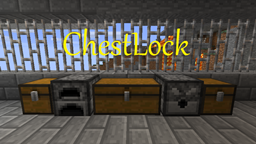
ChestLock 플러그인 정보
Version 1.7.1
NOTE: This plugin requires you have Vault enabled on your server
This is a very quick and easy way to protect your Chests. No commands needed (except for advanced features)
- When a chest is locked noone can open it, not even the owner.
- When a chest is unlocked everyone can open it.
- Only the owner can unlock/lock a chest.
- An admin* can however unlock a chest if he is holding dirt (configurable)
- Only the owner and admins* can destroy owned chests
- In order to disown a chest a player must punch it while holding dirt (configurable)
- admins are defined by having the permission node chestlock.admin (or isOp() if PermissionsEx is not installed)
Features:
- Supports all major Economies and Permission Plugins thanks to Vault
- You can customize what command this plugin uses by editing the plugin.yml (found inside the plugin jar file)
- MultiWorld support
- Configurable properties
- Custom messages
- Simple lock/unlock
- Quick to claim (no looking up confusing commands) Just Punch it!
- Lock Chests, Furnaces, Dispensers, Iron Doors, Wood Doors, Trap Doors, and Fence Gates
- Limit the amount of Chests/Furnaces/Dispensers/Doors Players can lock
- Configure which items unlock/own/disown
- In game tool list (/lock list tools)
- Add CoOwners who can also lock/unlock
- CoOwners can be a specific Player or a specific Permissions Group
- Make chests/doors unlockable so users can't claim them
- Doors can be locked so they can only be open using a specific key
- Hold an item and click on a Locked door to try to use that item as a key
- Players who do not log in to the server in a set amount of days will have their chests automatically disowned (optional)
Permission Nodes:
- chestlock.lock = Needed to own/lock/unlock a chest/furnace/dispenser/door (/lock)
- chestlock.usekey = Needed to open a locked door
- chestlock.list.chests = Needed to list how many chests/furnaces/dispensers you own and their locations (/lock list chests)
- chestlock.list.doors = Needed to list how many doors you own and their keys and locations (/lock list doors)
- chestlock.list.owner = Needed to see who the owner and CoOwners are of the target chest/furnace/dispenser/door (/lock list owner)
- chestlock.list.clear = Needed to disown all of your chests/furnaces/dispensers/doors (/lock list clear)
- chestlock.coowner = Needed to add a CoOwner to your chest/furnace/dispenser (/lock coowner)
- chestlock.free = Lock chests/furnaces/dispensers free of charge
- chestlock.admin = Needed to access other Players' chests/furnaces/dispensers/doors
- chestlock.limit.[type].[x] = limit the number of blocks a player can own (largest number is taken if player has more than 1 node)
- type = chest, furnace, dispencer, or door
- x = -1(no limit) or a number 0 through 100
- ex.
- chestlock.limit.chest.-1 = can own any number of chests
- chestlock.limit.furnace.23 = can own up to 23 furnaces
- chestlock.limit.dispencer.0 = cannot own any dispensers
- chestlock.limit.door.100 = can own up to 100 doors
Commands:
[] indicates a required field.
- /lock - Locks the target door with the specified Item. You then must use that type of item to open the Door. If you are not holding anything then the target Door will be set as unlockable
- /lock never - Sets the target Chest/Furnace/Dispenser as unlockable
- /lock coowner group add [Name] - Adds the specified Group as a Co-Owner of the target Door/Chest/Furnace/Dispenser
- /lock coowner group removes [Name] - Removes the specified Group as a Co-Owner of the target Door/Chest/Furnace/Dispenser
- /lock coowner player add [Name] - Adds the specified Player as a Co-Owner of the target Door/Chest/Furnace/Dispenser
- /lock coowner player add [Name] - Adds the specified Player as a Co-Owner of the target Door/Chest/Furnace/Dispenser
- /lock list tools - Lists all of the ChestLock tools that you may use to Own/Lock/etc. Chests, Furnaces, and Dispensers
- /lock list door - Lists all of the Doors that you own
- /lock list chest - Lists all of the Chests that you own
- /lock list chest - Lists all of the Furnaces that you own
- /lock list chest - Lists all of the Dispensers that you own
- /lock list owner - Lists the Owner and Co-Owners of the target Door/Chest/Furnace/Dispenser
- /lock list clear - Disowns all of your Doors, Chests, Furnaces, and Dispensers
Tutorials:
Setup:
To Lock a Chest:
- Place a chest
- Punch it - Now you are the owner and only you can lock/unlock it
- Punch it again - Now the chest is unlocked!
To Lock a Door:
- Target the door and type "/lock" - The item in your hand is set as the key
- Click on the door while holding the 'key' to open the door
Video:
Video by 0zyke
Use Custom Command Instead of /lock
Links
GitHub | Source | Other Plugins
ChestLock 설치 방법
A server on Paper or Spigot
The plugin runs on the server core; players do not need to install anything.
File goes into the plugins folder
Download the file ChestLock.jar (78 KB) and put it into the server’s plugins folder.
Restart the server
On startup the plugin creates its own settings folder in plugins.
Use the “To server” button
On Millida Hosting, the button at the top of the page uploads the file to your server and restarts it for you.
버전
의존성 포함
| Minecraft | 로더 | 파일 | 날짜 | 작업 |
|---|---|---|---|---|
| — | — | v1.7.177.7 KB |
FAQ
Do players need to install ChestLock?
No, the plugin goes only on the server, into the plugins folder: players do not need to download anything.
Where can I download ChestLock safely?
On this page: the file ChestLock.jar (78 KB) is stored on Millida’s server, with no link shorteners. SHA-1 checksum: 5cd8245d4566777c3432d03ae3561d84635b9e17.
리뷰
ChestLock의 첫 평가를 남겨 보세요


